
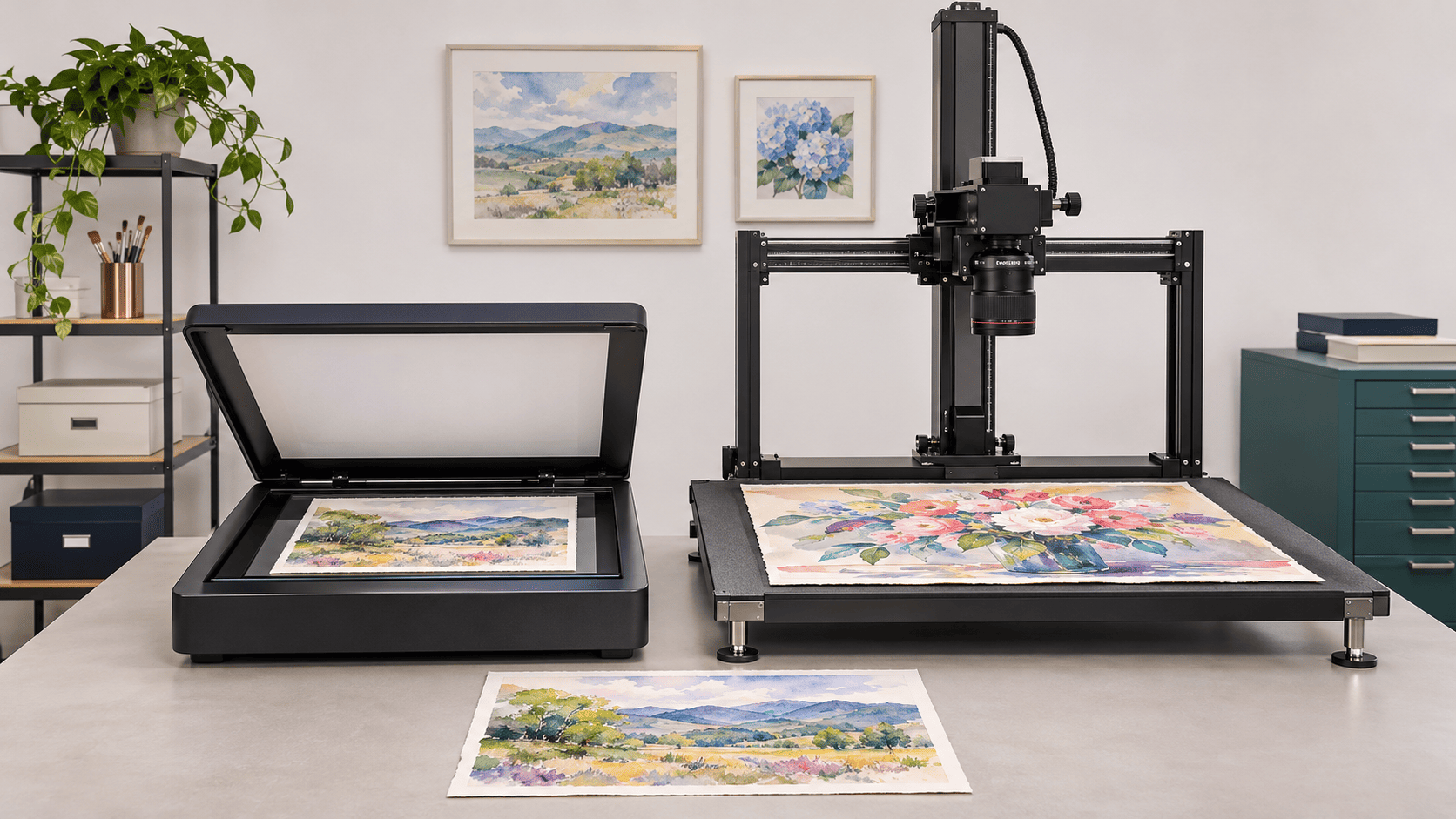
Large Format Scanner for Artwork
Is your artwork too large for a standard scanner, or are you concerned about losing its original colors, textures, and fine details?
Choosing the best large format scanners for artwork depends on the size, material, and condition of your original.
A3-compatible flatbed scanners work well for illustrations, watercolor paintings on stable, flat paper, and fine-art prints. Larger flatbeds and contact-free scanners offer alternatives for oversized paintings and delicate originals.
This guide compares:
- Seven artwork scanners,
- Explains what to consider before buying, and
- Helps artists, galleries, and collectors decide when DIY scanning makes sense and
- When professional artwork scanning is the better option.
Quick Answer: Which Large Format Scanner is Best for Artwork?
The VIISAN VF3120 is a practical choice for affordable A3-compatible scanning, while the Epson Expression 13000XL offers advanced controls for professional graphic-arts work, subject to current availability. The Contex IQ FLEX handles larger flat originals, and the Contex HD Apeiron/42 supports contact-free scanning of oversized fine art. Choose a large-format scanner based on artwork dimensions, condition, image quality requirements, and how often you’ll scan.
7 Best Large Format Scanners for Artwork Compared
Not every large-format scanner handles the same type of artwork. Some are intended for everyday drawings and prints, while others are designed for large paintings or specialized digitization projects.
The following comparison is based on manufacturer-published specifications and intended applications, not independent hands-on testing.
| S.No | Scanner | Maximum Scan Area | Published Resolution | Best-Supported Artwork | Important Limitation |
| VIISAN VF3120 | 11.98 × 16.8 in | 1200 dpi | Flat illustrations, drawings, prints | Unsuitable for raised or unstable surfaces | |
| VIISAN VF3240 | 11.98 × 16.8 in | 2400 dpi | Frequent scanning of flat artwork | 2400 dpi may be limited to A5 in Windows ViiScan; WIA limited to 600 dpi | |
| Plustek OpticPro A320E | 12 × 17 in | 800 dpi | Drawings, stable watercolor paper, prints | Textured artwork needs compatibility assessment | |
| Epson Expression 13000XL | 12.2 × 17.2 in | 2400 dpi main scan | Professional illustrations, graphic-arts originals | US availability and pricing may vary | |
| CZUR ET24 Pro | A3 flat pages; A4 bound books | 24 MP camera; 320 dpi default | Flat sketches, illustrated books, sketchbooks | Not intended for A3 bound books | |
| Contex IQ FLEX | 19.2 × 25.2 in | 1200 dpi | Large drawings, posters, flat prints | Glass contact; 22 lb maximum load | |
| Contex HD Apeiron/42 | 42 × 60 in | 1200 dpi | Oversized paintings and delicate fine art | Focus, height, and weight limits apply |
DPI describes how densely an image is scanned, not its overall quality. Sharpness, focus, color accuracy, and image processing also affect the final result. Camera megapixels and flatbed optical resolution are not directly comparable.
1. VIISAN VF3120: Best Affordable A3 Scanner for Artwork
The VIISAN VF3120 is an affordable flatbed scanner for artists who need digital copies of drawings, illustrations, and prints.
It uses a CIS image sensor and offers a maximum scanning area of 11.98 × 16.8 inches (304 × 426 mm), with 1200 × 1200 dpi optical resolution. This scanning area accommodates standard A3 sheets, although its exact dimensions are not identical to the ISO A3 paper size.
The VF3120 supports common image formats, including JPEG, PNG, and TIFF. This makes it useful for creating digital art portfolios, sharing illustrations online, or maintaining copies of original drawings.
Best for: Independent artists, illustrators, and designers regularly scanning flat paper artwork.
Consideration: The artwork must lie reasonably flat against the scanning glass. Paintings with raised brushstrokes or delicate surfaces may require another method.
2. VIISAN VF3240: Best for Fast A3 Artwork Scanning
The VIISAN VF3240 is designed for artists and studios that frequently scan large paper originals.
Like the VF3120, it uses CIS technology. However, it offers 2400 × 2400 dpi maximum optical resolution and a manufacturer-rated scanning time of four seconds for an A3 color page at 200 dpi.
Its main advantage is faster capture, which can be valuable when digitizing multiple illustrations throughout the week.
However, the maximum resolution is not available through every scanning mode. VIISAN documentation indicates that 2400 dpi scanning in Windows ViiScan may be limited to A5-size originals, while Windows Image Acquisition (WIA) scanning is limited to 600 dpi.
Best for: Illustration studios and designers who frequently digitize A3-compatible drawings and prints.
Consideration: Check whether your preferred scanning software supports the resolution and artwork size required for your project when preparing larger reproductions.
3. Plustek OpticPro A320E: Best CCD Scanner for Paper Artwork
The Plustek OpticPro A320E is a large flatbed scanner that uses CCD technology to capture drawings, illustrations, and artwork on paper.
It offers 800 dpi optical resolution and a 12 × 17-inch scanning area.
Plustek markets the A320E for applications including paintings and textured artwork. Its CCD-based design may be useful for certain slightly uneven paper originals, although actual results depend on the artwork’s thickness, flatness, and physical condition.
For example, watercolor paintings on stable, flat paper may be suitable, provided the artwork can safely touch the scanning surface.
Best for: Watercolor artists, illustrators, and studios working with compatible paper-based artwork.
Consideration: Its 800 dpi optical resolution may not meet every enlargement requirement. Artwork with loose pigments, flaking paint, or fragile surfaces should not be pressed against scanner glass.
4. Epson Expression 13000XL: Best Professional A3 Scanner for Artwork
The Epson Expression 13000XL is designed for professional graphic arts, photography, and large-format imaging applications.
It features a 12.2 × 17.2-inch scanning area, CCD technology, and 2400 dpi optical resolution along the main scanning direction.
The scanner includes professional software for adjusting image appearance, brightness, and color. These features are useful when preparing suitable artwork for printing, graphic design, and reproduction projects.
When paired with appropriate color management, quality checks, and file handling, it can also support professional archival imaging workflows.
Best for: Professional illustrators, photographers, graphic designers, and art studios.
Consideration: The scanner alone does not guarantee archival-quality results. Epson lists the Expression 13000XL in the US, but availability and pricing may change. Confirm current stock before purchasing.
5. CZUR ET24 Pro: Best Overhead Scanner for Sketchbooks
The CZUR ET24 Pro captures artwork from above instead of requiring it to be placed face down against scanner glass.
It features a 24-megapixel camera with a native image size of 5696 × 4272 pixels. CZUR specifies 320 dpi as its default output setting, which should not be confused with the optical resolution of a flatbed scanner.
The device supports flat single-page artwork up to A3 size and bound books up to A4.
CZUR also specifies scanning thicknesses of up to 35 mm for A3 materials and 50 mm for A4 materials. These equipment limits must be considered alongside the size, thickness, and condition of the particular sketchbook.
Its software can detect pages and correct the curved appearance of pages in bound books, making it convenient for digitizing illustrated notebooks and sketchbooks without removing their pages.
Best for: Flat A3 sketches and prints, illustrated books, and bound sketchbooks up to A4.
Consideration: It is not intended for A3-sized bound sketchbooks. Automatic image corrections should be reviewed when preserving the exact appearance of illustrations.
6. Contex IQ FLEX: Best Large Flatbed Scanner for Oversized Drawings
The Contex IQ FLEX accommodates flat artwork that exceeds the scanning area of ordinary A3 desktop scanners.
It provides a 19.2 × 25.2-inch maximum image area and 1200 × 1200 dpi optical resolution.
Its larger glass surface can accommodate compatible drawings, illustrations, posters, and prints. For example, an 18 × 24-inch drawing fits within the standard scanning area.
The scanner can also digitize certain larger originals, up to A1/D-size, through a two-stage process. The separate scans are combined into one digital image.
However, this process requires careful positioning. Movement between captures can cause alignment errors, visible seams, or slight differences in brightness and color.
The scanner supports originals weighing up to 22 pounds (10 kg) when the weight is evenly distributed across the scanning glass.
Best for: Large drawings, posters, illustrations, and flat artwork collections.
Consideration: The IQ FLEX remains a glass-contact scanner. Heavy, delicate, or irregular originals may require another capture method.
7. Contex HD Apeiron/42: Best Contact-Free Scanner for Fine Art
The Contex HD Apeiron/42 is a specialized large-format scanner designed for oversized paintings and fine-art originals.
It offers a maximum scanning area of 42 × 60 inches, 1200 dpi optical resolution, and contact-free face-up scanning.
Unlike traditional flatbeds, it captures artwork without pressing the image surface against scanner glass.
Its adjustable lighting allows operators to control how visible brushstrokes, textures, and surface details appear in the digital image. Its color-management features also support more consistent reproduction.
The scanner accommodates a selected focus plane up to 5.1 inches above its table and supports up to 44 pounds of evenly distributed weight.
Its focus depth is approximately ±10 mm around the selected focus plane. This means artwork with substantial height differences may not remain equally sharp across the entire surface, even when it physically fits beneath the scanning equipment.
Best for: Oversized paintings, fine-art prints, delicate originals, and specialist artwork collections.
Consideration: This is large professional equipment intended primarily for specialized scanning operations, museums, and studios. It is not a practical consumer purchase for occasional artwork scanning.
Which Large Format Scanner Should You Choose for Your Artwork?
The best scanner depends on what you want to do with your artwork after digitizing it. Here are practical recommendations based on different needs.
- For online portfolios and sharing: The VIISAN VF3120 is a practical option for scanning flat drawings and illustrations for websites, social media, and digital portfolios. Its A3-compatible scanning area works well for many everyday art projects.
- For creating fine-art prints: The Epson Expression 13000XL is worth considering for professional artwork reproduction because of its imaging controls and high-resolution capture capabilities. Check current availability and ensure its scanning area accommodates your original.
- For scanning artwork regularly: The VIISAN VF3240 is suitable for artists and design studios that frequently digitize drawings and illustrations. Its faster scanning can save time when handling multiple compatible originals, although available resolution depends on the software and scanning mode.
- For oversized artwork: The Contex IQ FLEX accommodates larger flat drawings and prints, while the Contex HD Apeiron/42 offers contact-free capture for oversized fine art. If you only need these capabilities occasionally, professional scanning may be more practical than purchasing specialized equipment.
When is Professional Artwork Scanning Better?
Professional artwork scanning becomes a practical option when the original requires specialized equipment, careful handling, or a consistent digitization process that would be difficult to manage independently.
When Artwork Requires Special Handling
Some artwork can be damaged by pressure, repeated movement, or unsuitable scanning equipment.
Historical drawings, brittle paper, delicate prints, and paintings with unstable surfaces may require an assessment before imaging.
TheLibrary of Congress Preservation Guidelines advise against using sheet-feed or form-feed scanning equipment for fragile fine art and archival originals. They also warn against using glass or Plexiglas to flatten delicate artwork because the pressure can damage its surface.
For especially sensitive pieces, professional digitization may require advice from a conservator or another qualified preservation specialist.
When Large Collections Need Organized Digital Files
Scanning one illustration is different from digitizing hundreds of artworks for a gallery, museum, or institutional collection.
These projects may require consistent image settings, organized file names, preservation-quality master files, and checks to confirm that every image is complete.
TheFADGI technical imaging resources guide evaluating image quality and maintaining consistent digitization results.
A professional scanning project can bring these activities together under an agreed process.
Professional vs. DIY Artwork Scanning: Which Is Better for Your Project?
DIY scanning works well for many everyday projects, while professional scanning may be more appropriate when the equipment or handling requirements exceed what can be managed at home or in a small studio.
These common use cases can help you decide.
When DIY Artwork Scanning Makes Sense
- Small, occasional tasks: Scan one or two simple pieces without arranging a separate service.
- Existing equipment: Make use of a scanner you already own instead of paying for another service.
- Learning and experimentation: Practice scanning techniques or test different settings before committing to a larger project.
When Professional Artwork Scanning Makes Sense
- Avoiding equipment investment: Complete a project without purchasing expensive scanners or supporting software.
- Limited internal resources: Outsource scanning when your team lacks the time or staff to perform the work.
- Project-based requirements: Arrange scanning for a defined collection without establishing a permanent in-house operation.
- Operational accountability: Work with a provider that offers an agreed project scope, handling procedures, and delivery requirements.
What Should You Ask Before Hiring an Artwork Scanning Service?
Before choosing a professional artwork scanning company, confirm that it can accommodate your originals and deliver the digital files you need.
- Ask about its experience with similar artwork, how originals are handled during scanning, and whether the scanning equipment is compatible with their dimensions and condition.
- You should also clarify image resolution, preferred file formats, color requirements, and how scans are reviewed before delivery.
- For galleries and archives, discuss how files will be named and organized so that each digital image can be associated with the correct original.
Professional Artwork Scanning at eRecordsUSA
For artists, collectors, and institutions comparing the best large format scanners for artwork, purchasing specialized equipment isn’t always necessary.
eRecordsUSA’s large format scanning services help digitize eligible oversized drawings, paintings, prints, and archival artwork. From its Fremont, California facility, eRecordsUSA provides in-house scanning with organized digital output tailored to project requirements.
For families and schools preserving years of children’s drawings, paintings, and classroom creations, eRecordsUSA also offerskids’ artwork scanning services. These services turn physical artwork collections into digital files that can be stored, shared, or used to create keepsakes.
Whether you’re digitizing large original artwork or a collection of childhood creations, the appropriate approach depends on the artwork’s size, condition, and intended use.
Explore Professional Large Format Scanning Services
Frequently Asked Questions About Best Large Format Scanners for Artwork:
Can You Scan an 18 × 24-Inch Painting With an A3 Scanner?
Not in one pass. A standard A3 scanner is too small for an 18 × 24-inch painting. A larger flatbed such as the Contex IQ FLEX can capture a compatible original of that size in one pass, provided its surface is suitable for glass-contact scanning.
What Is the Best File Format for Digitized Artwork?
TIFF is commonly used for high-quality preservation files because it supports lossless image storage. JPEG is useful for smaller copies intended for websites, email, and everyday sharing.
Can Artwork Be Scanned While Still in a Frame?
Sometimes. It depends on the frame’s size, construction, glazing, and the scanning equipment. Framed artwork may require overhead or specialist capture instead of a conventional flatbed.
Can Artwork Be Scanned Without Removing It From a Sketchbook?
Yes. Overhead scanners and suitable book-scanning systems can capture illustrations while they remain bound. The equipment must accommodate the book’s dimensions, thickness, and opening angle without damaging its binding.
Does Professional Artwork Scanning Include Image Restoration?
Not necessarily. Scanning creates a digital image of the original, while restoration involves additional editing or repair. Confirm whether image cleanup, color correction, or restoration is included before commissioning the project.


