Schedule A Call Now

300 vs 600 DPI: The Resolution Mistake in Document Scanning

Home 9 Blogs 9 300 vs 600 DPI: The Resolution Mistake in Document Scanning

Many organizations discover resolution problems after digitization is complete. Files look clear on screen but fail when users search for names, extract dates, or validate records during audits. OCR misses characters. Indexing misfiles documents. Compliance teams cannot confirm capture standards.

These failures begin at scan time. They begin when scanners apply a single default DPI instead of matching resolution to the source’s information density and structure.

The mistake is not simply low DPI. The mistake is failing to capture sufficient optical detail for reduced text, fine line work, dense columns, or degraded originals.

When scanners ignore these factors, they create a visual copy instead of a reliable digital surrogate. OCR and indexing systems depend on resolution, contrast, and character clarity established during capture. If optical detail is insufficient, downstream systems cannot recover it.

Resolution is a technical requirement tied to search accuracy, indexing integrity, and audit defensibility. It is not a convenience setting.

Should You Use 300 DPI or 600 DPI for Document Scanning?
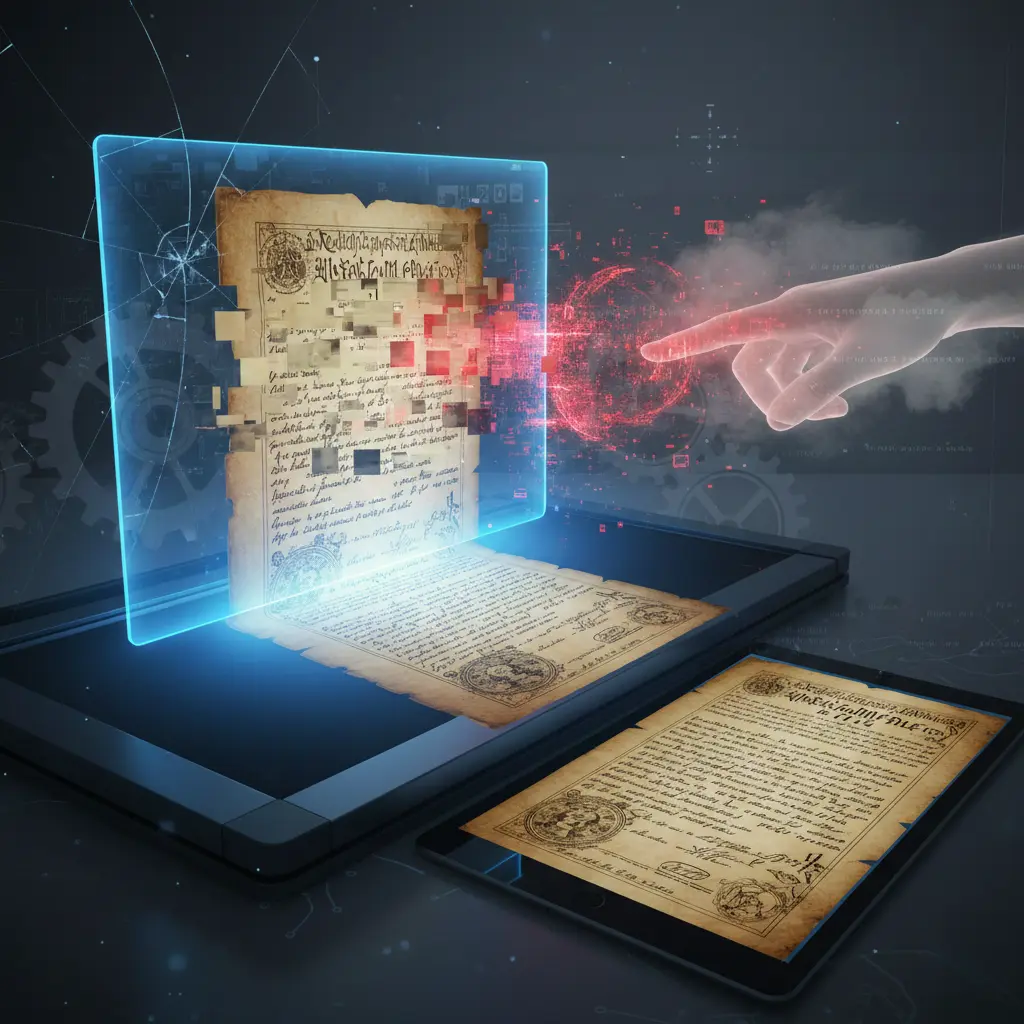
The Resolution Mistake in Document Scanning

300 DPI is sufficient for full-size, high-contrast office documents with standard text size. It supports readable output and baseline OCR when characters are not reduced.

600 DPI is required when documents contain reduced text, dense tables, fine line work, small annotations, or generational degradation. Higher optical resolution preserves stroke separation and structural detail that 300 DPI cannot capture reliably.

Use 300 DPI when:

  • Documents are full-scale (8.5″ × 11″ or 11″ × 17″)
  • Text size is standard (10–12 pt or larger)
  • Contrast is strong and background noise is minimal

Use 600 DPI or higher when:

  • Text is reduced through microfilm or microfiche
  • Characters are tightly spaced
  • Technical drawings or tables contain fine detail
  • Originals show fading, bleed-through, or marginal notes

Increasing DPI does not improve poor capture logic. It must be true optical resolution matched to the media type.

The correct question is not “300 vs 600.”
The correct question is whether the selected DPI preserves usable information at capture.

DPI Is a Technical Capture Requirement

DPI defines how much recoverable information is captured at the moment of scanning. It is not a visual quality preference, and it cannot be corrected after capture.

Optical resolution determines whether character edges, spacing, fine rules, and structural boundaries are preserved at the pixel level. OCR engines and indexing systems rely on this pixel structure to recognize characters, group fields, and apply metadata accurately.

When DPI is selected to optimize speed or file size instead of data integrity, essential detail is lost. Upscaling or enhancement does not restore missing optical information.

Preservation-grade workflows treat DPI as a technical specification tied to source material, reduction ratio, and intended use. Capture settings are determined before scanning begins and validated against downstream requirements such as OCR accuracy, structured retrieval, and long-term retention.

A scan is acceptable only when it supports search reliability, indexing consistency, and defensible reuse over time.

Where General Scanners Break Down Completely?

General scanners are built for predictable paper inputs. They assume reflective surfaces, consistent contrast, and full-scale text. These assumptions fail when the source changes.

Microfilm and microfiche require transmissive capture and higher optical resolution. When scanners apply paper-based settings to reduced frames, fine strokes, punctuation, and column boundaries disappear. OCR fails because characters lack pixel separation.

See also  What Documents to Scan, Store or Shred Before an Office Move?

Historical and aged documents contain fading ink, bleed-through, annotations, and stamps. Automatic contrast normalization removes weak visual signals. Context and marginal notes are lost at capture.

Dense technical records contain fine line work, tight tables, and small symbols. Resolution tuned for visual appearance cannot preserve structural detail. Data extraction and indexing break down.

General scanners maximize throughput. They do not adapt resolution or capture method per media type. When source conditions vary, capture quality varies.

Preservation-grade workflows change resolution and optical method based on media format, reduction ratio, and document condition. They capture detail first and optimize files later.

Scanning fails when capture logic remains fixed while source complexity increases.

How Does Large Format and High-Resolution Scanning Prevent Detail Loss?

Large format documents lose detail when resolution does not match information density.

Engineering drawings, architectural plans, maps, and technical schematics contain fine line weights, small dimensions, and tightly spaced annotations. Standard office scanners cannot preserve this structure reliably.

High-resolution large format scanning prevents detail loss by:

  • Using true optical DPI matched to reduction ratio and line density
  • Preserving stroke separation in thin vector lines and measurement grids
  • Maintaining alignment in dense tables and layered technical drawings
  • Capturing microtext and marginal annotations without merging characters

Specialized workflows such as:

  • Engineering drawing scanning
  • Blueprint and architectural plan digitization
  • Large format document scanning
  • Oversized map digitization

are designed to protect structural accuracy, not just image appearance.

With over 20 years of experience managing large-scale archives—including oversized engineering plans, municipal records, and technical document collections—eRecordsUSA applies preservation-grade resolution standards built for institutional volume and long-term retention.

Large format scanning succeeds when measurable, searchable, and retrievable detail remains intact across the entire surface area.

Resolution protects structure. Structure protects usability.

The Hidden Damage: How Resolution Errors Destroy Indexing

Resolution errors damage indexing because indexing systems rely on pixel-level structure, not visual appearance. OCR engines must detect characters, group them into words, define zones, and assign metadata. Each step depends on clear optical separation captured at scan time.

Insufficient resolution softens character edges and merges strokes. OCR misreads letters, skips punctuation, and drops small text. Missed characters produce incomplete words, incorrect dates, and broken identifiers.

Merged characters distort column boundaries and table structures. Automated indexing rules misclassify fields or fail to trigger. Records become fragmented across systems.

Loss of annotations, stamps, or marginal notes removes contextual signals used for metadata assignment. Search results appear partial even when documents seem readable.

Interpolated or upscaled images create a false sense of accuracy. Files appear searchable, but recognition confidence drops during audits or structured queries.

Indexing failure does not begin in the software layer. Indexing failure begins at capture when resolution does not preserve structural detail.

Correct resolution stabilizes character clarity, spacing, and layout consistency across the entire batch. Indexing then becomes a validation step, not a recovery attempt.

How Does a General Scanner Differ from a Preservation-Grade Workflow?

A general scanner applies fixed DPI settings designed for standard paper documents. It prioritizes speed, throughput, and manageable file sizes. Capture logic assumes consistent contrast, full-scale text, and minimal degradation.

See also  Fragile Book Scanning: Museum‑Grade vs Print Shop Methods

A preservation-grade workflow selects resolution based on media type, reduction ratio, document condition, and intended long-term use. It adjusts optical methods for reflective paper, transmissive microfilm, and fragile historical records.

General scanners assume OCR readiness after scanning. Preservation-grade workflows verify OCR accuracy and indexing consistency against the source material.

General workflows rarely document effective optical resolution or capture specifications. Preservation-grade workflows record resolution settings, capture methods, and validation results to support audit and compliance review.

General scanning produces visually acceptable files for routine access. Preservation-grade scanning produces digital surrogates designed for structured retrieval, regulatory defensibility, and long-term retention.

The difference is not image clarity. The difference is whether resolution is treated as a default setting or as a technical control.

How Can You Tell If Your Previous Vendor Used the Wrong Resolution?

You can confirm resolution failure by testing zoom clarity, OCR consistency, and indexing stability. Do not rely on visual appearance alone.

Enlarge text to 200–400%. Characters should remain sharp with clear stroke separation. If letters merge, punctuation disappears, or edges blur, optical resolution was insufficient at capture.

Run structured searches for dates, invoice numbers, or identifiers across the same batch. OCR should return consistent results on every page. If recognition varies within a single document set, resolution standards were not controlled.

Check column alignment and table structure. Fields should remain stable and machine-detectable. If indexing rules misclassify records or fragment document sets, structural detail was lost during scanning.

Request capture specifications. A qualified provider should supply effective optical DPI, capture method (reflective or transmissive), and validation criteria. Missing documentation indicates resolution was treated as a default rather than a defined technical requirement.

Stable resolution produces consistent character edges, spacing, and layout across the entire archive. Variability signals capture failure.

Why Is Re-Scanning Usually the Only Reliable Fix?

Re-scanning is required when optical detail was not captured during the first pass. Lost pixel data cannot be restored through sharpening, enhancement, or software upscaling.

Interpolation increases file size but does not recreate missing character edges or stroke separation. OCR engines cannot recognize information that was never optically recorded.

If characters merge, fine lines disappear, or annotations drop out, the damage occurred at capture. Post-processing cannot reverse that loss.

A successful re-scan requires higher true optical resolution matched to the media type, reduction ratio, and document condition. Capture must be validated against OCR accuracy and indexing consistency before project completion.

Re-scanning is not a cosmetic correction. It is a corrective control that restores data integrity at the source.

What Does Preservation-Grade Scanning Require?

Preservation-grade scanning requires defined capture standards, media-specific resolution, and documented validation.

It includes:

  • Resolution selected based on information density and reduction ratio
  • True optical DPI, not interpolated enhancement
  • Reflective or transmissive capture matched to the media type
  • Pre-scan assessment of document condition and degradation
  • OCR validation against the source document
  • Indexing consistency checks across the full batch
  • Documented capture specifications for audit and compliance review

Preservation-grade workflows separate capture from optimization. They capture maximum usable detail first. They adjust file size, compression, and enhancement after optical integrity is secured.

See also  How to Digitize Bound Volumes Without Damaging the Spine?

A preservation-grade scan functions as a reliable digital surrogate. It supports search accuracy, structured retrieval, regulatory defensibility, and long-term retention.

When Do Resolution Errors Become Compliance Risks?

Resolution errors become compliance risks when digital records replace physical originals.

Risk increases when:

  • Records must support legal discovery
  • Files must pass regulatory audits
  • Metadata must remain complete and verifiable
  • Retention periods extend 5–20+ years
  • Original documents are destroyed after scanning

If optical resolution is insufficient:

  • OCR drops critical identifiers
  • Metadata fields remain incomplete
  • Retrieval becomes inconsistent
  • Audit confidence declines

Without documented capture standards, organizations cannot prove that records were digitized to a defined technical threshold.

Resolution is not a cosmetic setting. It is a defensibility control.

What Should You Ask Before Approving a Second Scan?

A second scan succeeds only if capture logic changes.

Ask these questions before approving a re-scan:

Resolution & Optical Method

  • How do you determine DPI for each media type?
  • Is the resolution true optical or interpolated?
  • Do capture methods change for microfilm, fiche, or fragile originals?

Validation Controls

  • How is OCR accuracy measured?
  • What thresholds trigger re-capture?
  • How is indexing consistency verified across batches?

Documentation & Audit Readiness

  • Will you provide effective optical DPI specifications?
  • Will capture methods and validation results be documented?
  • Can the files be independently audited later?

Providers who answer clearly demonstrate process control. Providers who rely on defaults repeat failure.

Why Does Resolution Matter More Than Image Quality?

Resolution matters more than image clarity because digital records must function, not just appear readable.

A clear-looking image can still fail when:

  • OCR misses names, dates, or identifiers
  • Tables lose structural alignment
  • Metadata fields remain incomplete
  • Search queries return inconsistent results
  • Audit reviews require proof of capture standards

Image quality measures appearance. Resolution controls data integrity.

If optical detail is insufficient at capture, characters merge, punctuation drops, and structural cues disappear. Software cannot restore missing pixel data.

Organizations depend on digital records for retrieval, compliance, litigation support, and long-term retention. These workflows require stable character separation, consistent layout structure, and documented capture specifications.

Resolution protects search accuracy, indexing reliability, and defensibility over time.

Digitization succeeds when files remain usable 5, 10, or 20 years later—not when they simply look clean on delivery day.

What Should You Do If Your Current Files Show Resolution Failure?

Take corrective action before resolution errors expand into compliance, retrieval, or audit risk.

Start with a structured evaluation:

  • Zoom test documents to 200–400% and inspect stroke separation
  • Run controlled OCR tests on dates, invoice numbers, and identifiers
  • Validate indexing consistency across a full document batch
  • Request documented optical DPI and capture specifications

If files fail structural testing, do not rely on enhancement or reprocessing alone. Upscaling does not restore missing optical data.

Engage a document scanning service provider who:

  • Determines resolution per media type and reduction ratio
  • Uses true optical capture for film and paper
  • Validates OCR accuracy before project completion
  • Documents capture specifications for future audit review

Re-scanning should follow defined technical standards, not cosmetic improvement goals.

Digitization protects value only when resolution preserves usable information at capture. Correct the problem at the source, and downstream systems regain reliability.

Fill out the form below, to start your digitizing journey

What Our Client Says

Posted on Google Google
Diego Asturias profile picture
Diego Asturias
15 September 2026
Google star 1Google star 2Google star 3Google star 4Google star 5Trustindex verifies that the original source of the review is Google.
Scanned in 2 books for me. Result was top notch
Posted on Google Google
Daniel D. profile picture
Daniel D.
14 September 2026
Google star 1Google star 2Google star 3Google star 4Google star 5Trustindex verifies that the original source of the review is Google.
Easy to work with and fast turnaround!
Posted on Google Google
August Brenner profile picture
August Brenner
14 September 2026
Google star 1Google star 2Google star 3Google star 4Google star 5Trustindex verifies that the original source of the review is Google.
They were able to digitize 18 years of diaries and multiple yearbooks for me. The quality was excellent and the customer services was also excellent. The price was also very competitive. I highly recommend e-records!
Posted on Google Google
Brian Kaye profile picture
Brian Kaye
12 September 2026
Google star 1Google star 2Google star 3Google star 4Google star 5Trustindex verifies that the original source of the review is Google.
I turned to Document Scanning & Photos Digitizing Services (eRecord) for help converting a low‑quality microfilm of 18th‑century Polish census records into a digital format suitable for historical research. The technical demands of the project were considerable, yet eRecord devoted extraordinary time and care to the transfer. My use of AI enhancement significantly improved the legibility of the images, making the scans genuinely useful for scholarly work. Pankaj’s professionalism stood out: he kept me informed at every stage, explained the challenges clearly, and ensured the final product met the highest standard possible. I recommend Document Scanning & Photos Digitizing Services (eRecord) without reservation.
Posted on Google Google
Keith Kadokura profile picture
Keith Kadokura
11 September 2026
Google star 1Google star 2Google star 3Google star 4Google star 5Trustindex verifies that the original source of the review is Google.
I am a member of the Archives Group for the San Jose Buddhist Church Betsuin. One role of the Archives Group is to preserve our historical physical photos and documents. However, recent fires at the Lahaina and Seattle Buddhist Temples have created urgency for us to digitize our archives for storage in the Cloud for safekeeping. In the SJBCB Archives Room, we have many large-format, panoramic photos. The size of the largest photo is 54x8 inches, and many are longer than 40 inches. The oldest photo with a confirmed date was taken in 1925, and we have one photo we suspect is from 1911. We do not have a way to scan and digitize these large photos in our Archives Room. After searching for ways to scan and digitize our panoramic photos, I was fortunate to find eRecordsUSA. Mr. Sharma was very patient while listening to me describe our situation and requirements, and my asking about his equipment, procedures, and details about file formats and resolutions. Mr. Sharma agreed to provide sample scans for a few of our photos and let us review the results before we decided to proceed. The sample scans were amazing and we delivered 121 photos to eRecordsUSA for scanning and digitization. The staff at eRecordsUSA were very careful handling our fragile photos. They followed our requirements for file format and resolution, and for naming the files. The results exceeded my expectations and the pricing was reasonable. I happily recommend eRecordsUSA and will use their services in the future.
Posted on Google Google
Judy Baker profile picture
Judy Baker
25 August 2026
Google star 1Google star 2Google star 3Google star 4Google star 5Trustindex verifies that the original source of the review is Google.
I couldn't trust just any business to care for and digitize my Dad’s 200+ page handwritten journal, which is a one-of-a-kind family heirloom. After doing some preliminary research, I chose eRecordsUSA, and I am delighted with the quality of the finished pdf and accompanying image files. After speaking with Mr. Sharma and personally meeting with him to drop off the journal, it was crystal clear that he is an expert at this and really cared about preserving my Dad’s book. This business is very professional, highly responsive and trustworthy, and I would definitely drive to Fremont again (it’s a 45 minute drive one way) if I need their services. TIP: Be sure to call or email them to make an appointment because this isn’t a store where you can just drop in.
Posted on Google Google
Greg Archbald profile picture
Greg Archbald
17 August 2026
Google star 1Google star 2Google star 3Google star 4Google star 5Trustindex verifies that the original source of the review is Google.
In 1970-71 my then wife and I traveled to many different countries, taking a year and a quarter to circle the globe. Our parents kept all of our letters and postcards for us -- almost 200 items including flimsy aerogramme stationery with tiny handwriting. As a stack of papers, it would never be read by my children and grandchildren. As a scanned and digitized collection, it became a precious family treasure. It’s also priceless data that I can use with Claude AI to create keepsake documents for the family. Thank goodness I found eRecordsUSA -- the people who made it possible! The scans are perfect. The transcriptions are excellent. My originals were perfectly kept. Working with Pankaj and his team was a pleasure. I recommend eRecordsUSA highly as folks you can trust to do a great job with your precious memorabilia.
Posted on Google Google
Hiro Ikushima profile picture
Hiro Ikushima
6 August 2026
Google star 1Google star 2Google star 3Google star 4Google star 5Trustindex verifies that the original source of the review is Google.
I’m very happy with the quality of their service. They completed the job quickly and did an excellent job with the scanning. They also have specialized equipment that can handle large, delicate, and unusual documents that many other scanning services are not equipped to handle. I highly recommend their services to anyone looking for professional, high-quality document scanning.
Posted on Google Google
Sekandar Askaryar profile picture
Sekandar Askaryar
2 August 2026
Google star 1Google star 2Google star 3Google star 4Google star 5Trustindex verifies that the original source of the review is Google.
I was gifted an old book that my grandfather wrote in Afghanistan. The book was in decent condition, but because it was written in Farsi, I wasn’t able to read it properly. Then I had an idea: with the help of AI, I could have it translated and finally read my grandfather’s work. This is where eRecordsUSA came in. They took on this project despite its many challenges and scanned the book with excellent quality. Now, I can preserve and share this treasure with the rest of my family. Our family is incredibly thankful for all the hard work eRecordsUSA put into this project. I couldn’t be happier with the final result.
Posted on Google Google
Stephen Wan profile picture
Stephen Wan
18 July 2026
Google star 1Google star 2Google star 3Google star 4Google star 5Trustindex verifies that the original source of the review is Google.
Great work, fast turnaround, and reasonable price.
Verified by Trustindex
Trustindex verified badge is the Universal Symbol of Trust. Only the greatest companies can get the verified badge who has a review score above 4.5, based on customer reviews over the past 12 months. Read more
Posted on Yelp Yelp
Victoria B. profile picture
Victoria B.
25 September 2026
Yelp star 1Yelp star 2Yelp star 3Yelp star 4Yelp star 5Verified
I had an excellent experience with eRecordsUSA and am extremely pleased with the work they did digitizing my personal book collection. The quality of the scanned PDFs is outstanding--clear, well-organized, and easy to read, while preserving the look and character of the original books. I especially appreciate that the PDFs are fully searchable, which makes accessing and finding specific passages or information incredibly convenient. The entire process was handled with great care and professionalism, and I now have a beautiful, accessible digital archive of my collection that I can enjoy for years to come. I highly recommend eRecordsUSA to anyone looking to preserve their books and convert them into high-quality digital files.
Posted on Yelp Yelp
Brian K. profile picture
Brian K.
12 September 2026
Yelp star 1Yelp star 2Yelp star 3Yelp star 4Yelp star 5Verified
I turned to eRecord USA - Document Scanning & Photos Digitizing Services for help converting a low‑quality microfilm of 18th‑century Polish census records into a digital format suitable for historical research. The technical demands of the project were considerable, yet eRecord devoted extraordinary time and care to the transfer. My use of AI enhancement significantly improved the legibility of the images, making the scans genuinely useful for scholarly work. Pankaj's professionalism stood out: he kept me informed at every stage, explained the challenges clearly, and ensured the final product met the highest standard possible. I recommend eRecordsUSA - Document Scanning & Photos Digitizing Services without reservation.
Posted on Yelp Yelp
Keith K. profile picture
Keith K.
11 September 2026
Yelp star 1Yelp star 2Yelp star 3Yelp star 4Yelp star 5Verified
I am a member of the Archives Group for the San Jose Buddhist Church Betsuin. One role of the Archives Group is to preserve our historical physical photos and documents. However, recent fires at the Lahaina and Seattle Buddhist Temples have created urgency for us to digitize our archives for storage in the Cloud for safekeeping. In the SJBCB Archives Room, we have many large-format, panoramic photos. The size of the largest photo is 54x8 inches, and many are longer than 40 inches. The oldest photo with a confirmed date was taken in 1925, and we have one photo we suspect is from 1911. We do not have a way to scan and digitize these large photos in our Archives Room. After searching for ways to scan and digitize our panoramic photos, I was fortunate to find eRecordsUSA. Mr. Sharma was very patient while listening to me describe our situation and requirements, and my asking about his equipment, procedures, and details about file formats and resolutions. Mr. Sharma agreed to provide sample scans for a few of our photos and let us review the results before we decided to proceed. The sample scans were amazing and we delivered 121 photos to eRecordsUSA for scanning and digitization. The staff at eRecordsUSA were very careful handling our fragile photos. They followed our requirements for file format and resolution, and for naming the files. The results exceeded my expectations and the pricing was reasonable. I happily recommend eRecordsUSA and will use their services in the future. Keith K.
Posted on Yelp Yelp
Jonathan R. profile picture
Jonathan R.
11 September 2026
Yelp star 1Yelp star 2Yelp star 3Yelp star 4Yelp star 5Verified
Sharma was great to work with, he jumped right on a difficult large format very old, very important set of drawings and scanned them to PDF for me. He has the capability to do large 24"x36" and even larger documents! Would highly recommend. Jonathan Reimer HMI Industrial (California's #1Industrial Contractor) S
Posted on Yelp Yelp
Hiroyuki I. profile picture
Hiroyuki I.
6 August 2026
Yelp star 1Yelp star 2Yelp star 3Yelp star 4Yelp star 5Verified
Second time review. I'm very happy with the quality of their service. They completed the job quickly and did an excellent job with the scanning. They also have specialized equipment that can handle large, delicate, and unusual documents that many other scanning services are not equipped to handle. I highly recommend their services to anyone looking for professional, high-quality document scanning.
Posted on Yelp Yelp
Sekandar A. profile picture
Sekandar A.
2 August 2026
Yelp star 1Yelp star 2Yelp star 3Yelp star 4Yelp star 5Verified
I was gifted an old book that my grandfather wrote in Afghanistan. The book was in decent condition, but because it was written in Farsi, I wasn't able to read it properly. Then I had an idea: with the help of AI, I could have it translated and finally read my grandfather's work. This is where eRecordsUSA came in. They took on this project despite its many challenges and scanned the book with excellent quality. Now, I can preserve and share this treasure with the rest of my family. Our family is incredibly thankful for all the hard work eRecordsUSA put into this project. I couldn't be happier with the final result.
Posted on Yelp Yelp
Donald Y. profile picture
Donald Y.
17 July 2026
Yelp star 1Yelp star 2Yelp star 3Yelp star 4Yelp star 5Verified
They helped me scanned thousands of photos and digitized my family's archives. They were very communicative and the pricing was fair. I think the biggest highlight is being able to trust them with some of the most important valuables in my life. Highly recommend!
Posted on Yelp Yelp
Kevin H. profile picture
Kevin H.
20 June 2026
Yelp star 1Yelp star 2Yelp star 3Yelp star 4Yelp star 5Verified
I have a precious hardbound book that my mother made for me with our family history documented in it. I had been looking for someone who could digitize it. Because of the irreplaceable nature of the book, it was critical that I could trust the service to handle my book with care, both in the shipping to and from and the digitizing process. I found eRecordsUSA through a ChatGPT search. They had outstanding reviews on all fronts. They lived up to those reviews. The inquiry process was easy, clear, quick and responsive through their online contact process, and I did have one call with a representative. Their pricing was fair. The digitizing process of my book, which was several hundred pages, was very quick, being done the same week in which they received it. Turnaround shipping was also quick and reliable, just as promised. And the book came back in pristine condition. Communication was excellent throughout. When they quoted me a price, had to estimate the number of pages because the pages are not numbered. Turns out that there were more than double my estimate. However, eRecordsUSA honored the quoted price. Integrity.... So, I highly recommend eRecordsUSA if you are in the market for digitizing services. They fully met and in some ways exceeded my high expectations.
Posted on Yelp Yelp
Bruce G. profile picture
Bruce G.
9 June 2026
Yelp star 1Yelp star 2Yelp star 3Yelp star 4Yelp star 5Verified
Museum level quality scan! Top quality service. Excellent work. Highly recommend. I had my old book scanned with top quality result.
Posted on Yelp Yelp
Cameron V. profile picture
Cameron V.
24 April 2026
Yelp star 1Yelp star 2Yelp star 3Yelp star 4Yelp star 5Verified
Excellent work as always. Great scan quality, customer service, and affordability. I am a repeat customer and value working with eRecordsUSA on all my large volume scanning projects.
Verified by Trustindex
Trustindex verified badge is the Universal Symbol of Trust. Only the greatest companies can get the verified badge who has a review score above 4.5, based on customer reviews over the past 12 months. Read more