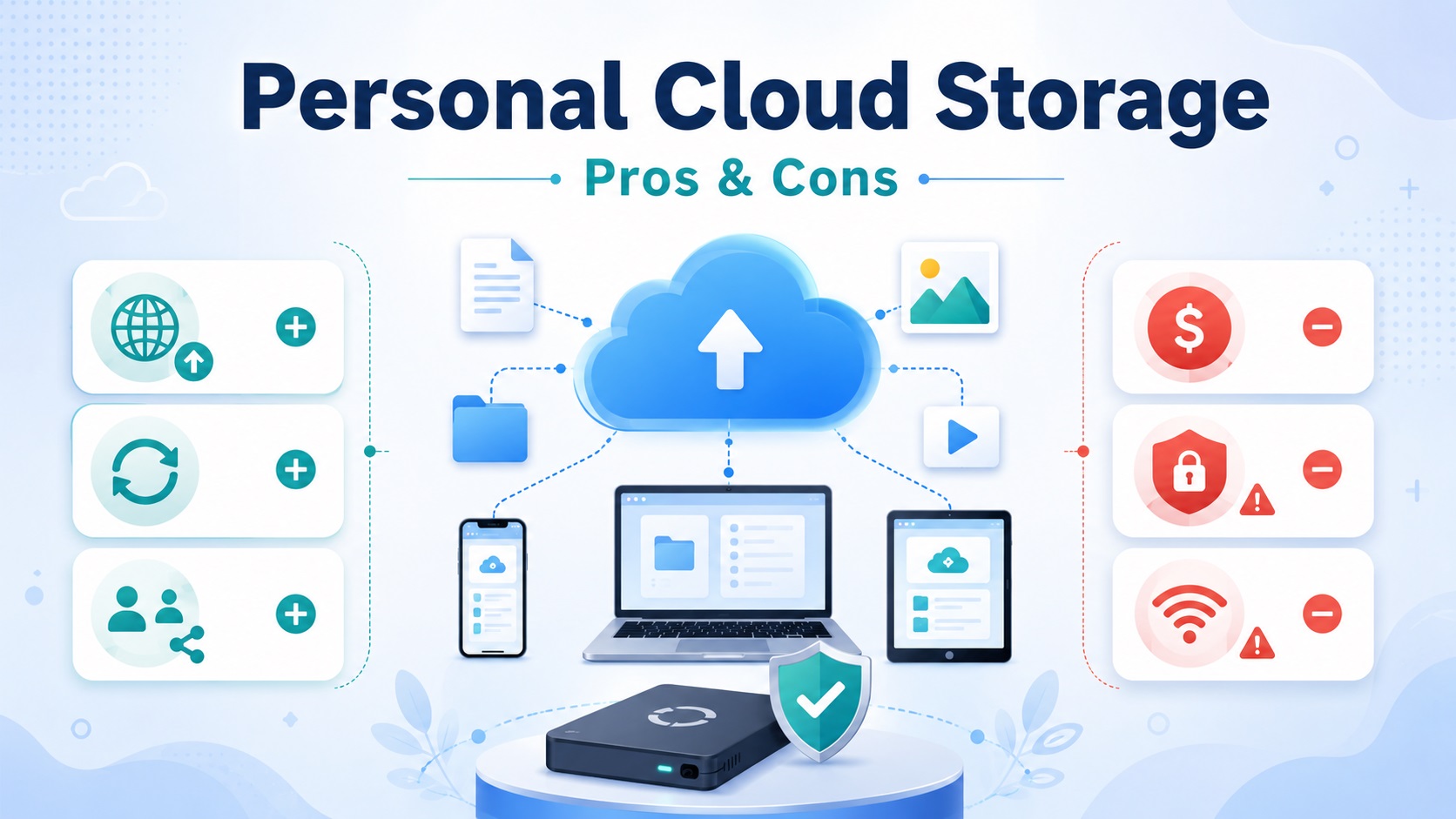
What is personal cloud storage, and is it really worth using for managing your digital files in today’s connected world – especially when people are asking questions like
- Will I lose everything if I stop paying iCloud storage?
- What are 5 disadvantages of cloud storage?
- Do I really need to pay for cloud storage, and
- What should not be stored on the cloud?
At its core, cloud storage is about convenience. It allows you to access files across devices like phones, laptops, and tablets without manually transferring them, and it has become deeply embedded in modern digital life.
In fact, according to the Statista Public Cloud Market Forecast, revenue in the global cloud computing market is projected to grow at a CAGR of 15.34% to reach US$2.27 trillion by 2031, showing just how widely this technology is being adopted.
However, this convenience comes with tradeoffs. Cloud storage often involves
- Ongoing subscription costs,
- Reliance on internet access,
- Potential privacy concerns, and
- Reduced control over where and how your data is stored.
If a service changes its policies, experiences downtime, or locks your account, access to your files may be limited or delayed.
A common concern is what happens if you stop paying for services like iCloud. In most cases, your data is not immediately deleted, but you may lose the ability to upload new files or exceed free storage limits. Over time, continued non-payment can lead to restricted functionality, which is why it is important to back up your files before canceling any paid plan.
Whether you need paid cloud storage depends on your usage. It is useful for people who work across multiple devices or store large amounts of photos and videos, but lighter users may find free plans combined with an external drive or local backup sufficient. Cloud storage should support your backup strategy—not replace it.
It is also important to avoid storing highly sensitive or irreplaceable data without proper protection, such as unencrypted financial records, legal documents, or personal identification files. While providers use security measures, no online system is completely risk-free.
Overall, personal cloud storage is best understood as a convenience tool. It is most effective when used alongside a separate offline backup for important files, ensuring both easy access and stronger long-term data protection.
What is Personal Cloud Storage?
Personal cloud storage is an online service that lets an individual save documents, photographs, videos, and other files on infrastructure operated by a third party. Files are usually available through a website, desktop program, or mobile app.
Hosted Cloud Storage vs. a Self-Hosted Personal Cloud
The phrase “personal cloud” can describe two different systems:
- Hosted cloud storage: A company operates the servers, software, and network infrastructure. The customer creates an account and selects a storage allowance.
- Self-hosted personal cloud: The individual stores files on a network-attached storage device or home server and manages its security, maintenance, updates, and availability.
Hosted storage requires less technical administration. A self-hosted system provides more infrastructure control but makes the owner responsible for protecting the hardware and maintaining remote access.
Cloud Storage, File Sync & Cloud Backup: What Is the Difference?
These functions are related, but they are not interchangeable.
| Function | Primary purpose | Important limitation |
| Cloud storage | Holds files on remote infrastructure | Storage alone does not guarantee an independent recovery copy |
| File synchronization | Keeps selected files consistent across devices | Deletions and unwanted changes may spread to connected devices |
| Cloud backup | Creates recoverable copies of data | Recovery depends on retention settings and successful backup completion |
A backup is specifically a copy created to support recovery after loss or damage. NIST defines a backup file as a copy of files or programs made to facilitate recovery and recommends that backups be maintained and tested.Review NIST’s backup guidance.
Before choosing a service, verify whether it provides version history, deleted-file retention, point-in-time recovery, or only synchronized storage.
Personal Cloud Storage Pros & Cons at a Glance
| Advantages | Disadvantages |
| Files can be reached from different locations and devices | Full access may depend on a working internet connection |
| Device synchronization keeps active files current | Unwanted edits or deletions can spread |
| Remote storage protects against a single device failure | Access depends on the provider and the user’s account |
| Storage capacity can often be increased quickly | Higher capacity may require recurring payments |
| Sharing links makes file delivery convenient | Incorrect permissions can expose information |
| The provider maintains the storage infrastructure | The customer has less direct control over its operation |
The value of each feature depends on how the account is configured and whether another copy exists elsewhere.
How to Reduce Personal Cloud Storage Risks?
There are basically three ways to reduce personal cloud storage risks
-
Understand the Provider’s Encryption and Privacy Controls
- Start with the service’s security and privacy documentation rather than relying on a general “encrypted” label.
- Determine which protections apply during transfer, while stored, and when the file is being processed.
- For especially sensitive material, consider encrypting it before uploading if doing so will not interfere with necessary viewing, searching, or sharing.
- Store the recovery key separately.
- Losing the only decryption key can make correctly encrypted files permanently unreadable.
-
Secure Your Account, Devices, and Sharing Permissions
- Use a unique password that is not shared with any other account.
- A reputable password manager can create and retain strong credentials without encouraging password reuse.
- Enable two-factor authentication.
- It requires another credential in addition to the password, making password theft alone less useful to an attacker.
- The FTC recommends two-factor authentication and explains that authenticator apps or security keys can provide stronger protection when those choices are available.
- Review the FTC’s account-protection advice.
Account protection should also include:
- Keeping recovery email addresses and phone numbers current.
- Signing out of old or unfamiliar devices.
- Removing apps that no longer need account access.
- Limiting edit permissions to trusted recipients.
- Disabling expired sharing links.
- Installing operating-system and app updates.
3. Keep an Independent Backup & Test Recovery
For essential files, follow the 3-2-1 backup principle:
- Keep three copies.
- Use two different types of storage.
- Store one copy off-site.
For example, keep the working collection on a computer, a backup on an external drive, and another copy in cloud storage. A backup is useful only if it can be restored. Periodically recover a sample folder, open several files, and confirm that the contents are complete. Also, test account recovery methods before an emergency occurs.
Personal Cloud Storage vs. an External Hard Drive
Neither option is better in every situation. They solve different storage problems.
| Decision factor | Personal cloud storage | External hard drive |
| Remote access | Available through supported internet-connected devices | Usually requires physical possession |
| Offline use | Limited to downloaded or cached files | Direct local access |
| Transfer speed | Influenced by internet speed | Often faster for large local transfers |
| Cost model | Commonly a recurring subscription | Primarily an initial hardware purchase |
| Physical control | Infrastructure is provider-operated | Drive remains under the owner’s control |
| Sharing | Links and invitations are convenient | Files must be transferred or the drive connected |
| Main exposure | Account loss, provider disruption, or online attack | Failure, theft, misplacement, or physical damage |
| Capacity changes | Plans can often be upgraded quickly | Another or larger device may be needed |
| Maintenance | Provider maintains remote infrastructure | Owner monitors, replaces, and protects the device |
Cloud storage is generally more suitable for remote availability and controlled sharing. An external drive is more suitable for fast local transfers, large offline collections, and direct physical possession.
Using both avoids forcing one system to perform every role.
Is Personal Cloud Storage Right for You?
When to Use Personal Cloud Storage—and When Not to Rely on It Alone
| Personal cloud storage may be a good fit when… | It should not be the only copy when… |
| You regularly work across several devices | The files cannot be recreated |
| You need access while away from home | Losing access would cause serious financial or personal harm |
| You share selected files with other people | Recovery depends entirely on one account |
| You want an off-site copy | Your internet connection is unreliable |
| You prefer not to maintain a home server | You have not reviewed the provider’s privacy and encryption controls |
Highly sensitive records require a separate judgment. Convenience alone should not determine where identification documents, tax information, financial records, legal files, or private family material are stored.
Personal Cloud Storage Decision Checklist
Ask these five questions before choosing a plan:
- How sensitive are the files?
Determine the consequences of unauthorized access. - Where must the files be available?
Decide whether remote access is essential or simply convenient. - How much storage is needed?
Measure the current collection and allow for realistic growth. - Is the long-term cost acceptable?
Compare the expected subscription expense with the costs of local hardware and replacements. - Will another recoverable copy exist?
Identify exactly where irreplaceable files will be stored if the account becomes unavailable.
If any answer is unclear, resolve it before moving the full collection.
Final Verdict: Is Personal Cloud Storage Worth It?
In a nutshell, personal cloud storage works best as an access tool, not as the only home for valuable files. Its convenience is strongest when supported by secure account settings and a separate, recoverable backup.
If important photographs, documents, or historical records still exist only in physical form, call 1.510.900.8800 or write eRecordsUSA at he***@*********sa.com. We can help convert this important information into organized digital files. Once digitized, those records can be incorporated into a cloud-and-local storage strategy that supports easier access while preserving an independent copy.
Frequently Asked Questions About Personal Cloud Storage
How Much Personal Cloud Storage Do I Need?
Your file collection determines storage needs. Measure current usage, identify large photos and videos, then add 20%–30% capacity for growth. Light document users need less space than households storing extensive media archives.
Does Cloud Storage Reduce Photo or Video Quality?
Cloud storage preserves original quality when the service uploads files without compression. Some photo apps optimize or resize media to save space, so users should check upload settings and retain original files separately.
Which File Formats are Best for Long-Term Cloud Storage?
Open, widely supported formats improve long-term accessibility. PDF/A is ideal for documents, TIFF for high-quality images, and MP4 for videos. These formats reduce the risk of future compatibility issues.
Is Cloud Storage Safe for Sensitive or Personal Files?
Yes, if proper security measures are used. Look for services that offer encryption, two-factor authentication, and secure data centers. For highly sensitive files, consider encrypting them before uploading.
What Happens to My Files If I Stop Paying for Cloud Storage?
Most providers reduce access or limit storage once a subscription ends. Some may allow a grace period to download files, while others may restrict uploads or delete excess data. Always back up important files locally before canceling a plan.