Schedule A Call Now

How to Create a Record Retention Schedule Before Digitization?

Home 9 Blogs 9 How to Create a Record Retention Schedule Before Digitization?

Are you scanning documents without knowing which records you should keep, archive, or destroy first? Many organizations begin digitization projects without a records retention schedule before digitization, which increases scanning costs, creates compliance exposure, and leads to poorly structured digital records.

According to Harvard Business Review, bad data costs the U.S. economy approximately $3 trillion per year, driven by redundant and outdated information. Apply a retention-first approach by aligning records management policies with document classification and secure disposal practices before scanning begins.

Organizations that work with digitization providers such as eRecordsUSA follow this method to determine which records should be digitized, temporarily stored, or securely destroyed. This approach improves compliance with regulations such as HIPAA and GDPR while creating structured, searchable records inside electronic document management systems.

It also ensures that digitization supports audits, legal requirements, and operational workflows instead of adding unnecessary data.

What is a Records Retention Schedule, and Why Does it Matter Before Digitization?

A records retention schedule defines

  • How long each record type is stored,
  • When it becomes inactive, and
  • When it must be securely destroyed based on legal and operational requirements.

It organizes records into categories such as financial documents, employee files, legal records, and operational data, each assigned a retention period and final disposition.

This structure guides digitization by filtering records before scanning begins, ensuring that only relevant information moves into digital workflows. Early classification reduces processing volume and improves the accuracy of indexed and searchable files.

A retention schedule also connects record organization with processes such as indexing and digital storage, ensuring that records remain structured and accessible over time. Without a defined framework, digitization workflows capture unnecessary data, leading to inefficient storage and increased compliance exposure.

A structured schedule prevents this by enforcing clear retention and disposal decisions before any document enters the scanning process.

Step-by-Step: How to Create a Records Retention Schedule Before Digitization

Create a records retention schedule before digitization by identifying records, defining retention rules, and deciding what to scan or destroy before processing begins.

Step 1: Identify and Map All Existing Records

Start by documenting what records exist and where they are stored.

  • Physical files (file cabinets, storage boxes)
  • Digital records (shared drives, legacy systems)
  • Department-level ownership

It creates a complete view of records before any filtering decisions.

Step 2: Group Records by Business Purpose

Organize records based on how they are used in the business.

  • Financial → tax records, invoices
  • Employee → payroll, personnel files
  • Legal → contracts, agreements

Grouping records simplifies how retention rules are applied later.

Step 3: Define Retention Timeframes

Assign how long each record must be kept.

  • Legal requirements (tax, labor, regulatory rules)
  • Event triggers (contract expiration, employee exit)
  • Business value (historical or operational use)

Retention timeframes determine when a record becomes inactive.

Step 4: Decide What Gets Scanned and What Gets Eliminated

Apply retention logic before digitization begins.

  • Keep and scan → active or required records
  • Delay → records still within retention period
  • Remove → expired records ready for destruction

At this stage, organizations working with document scanning providers like eRecordsUSA apply a records retention schedule before digitization to avoid scanning unnecessary documents and reduce project costs.

See also  Dental Records Scanning Is a Savvy Choice for Dental Clinics

Step 5: Set Rules for Secure Disposal

Establish how records are removed once they reach end-of-life.

  • Physical records → secure shredding
  • Digital records → permanent deletion
  • Exceptions → legal hold or audit requirements

Clear disposal rules prevent compliance violations.

Step 6: Create a Standard Retention Schedule Document

Compile all decisions into a structured format.

  • Record type
  • Retention duration
  • Trigger event
  • Final action (scan, archive, destroy)

This document becomes the reference point for digitization and ongoing records management.

How to Apply a Records Retention Schedule During Document Scanning?
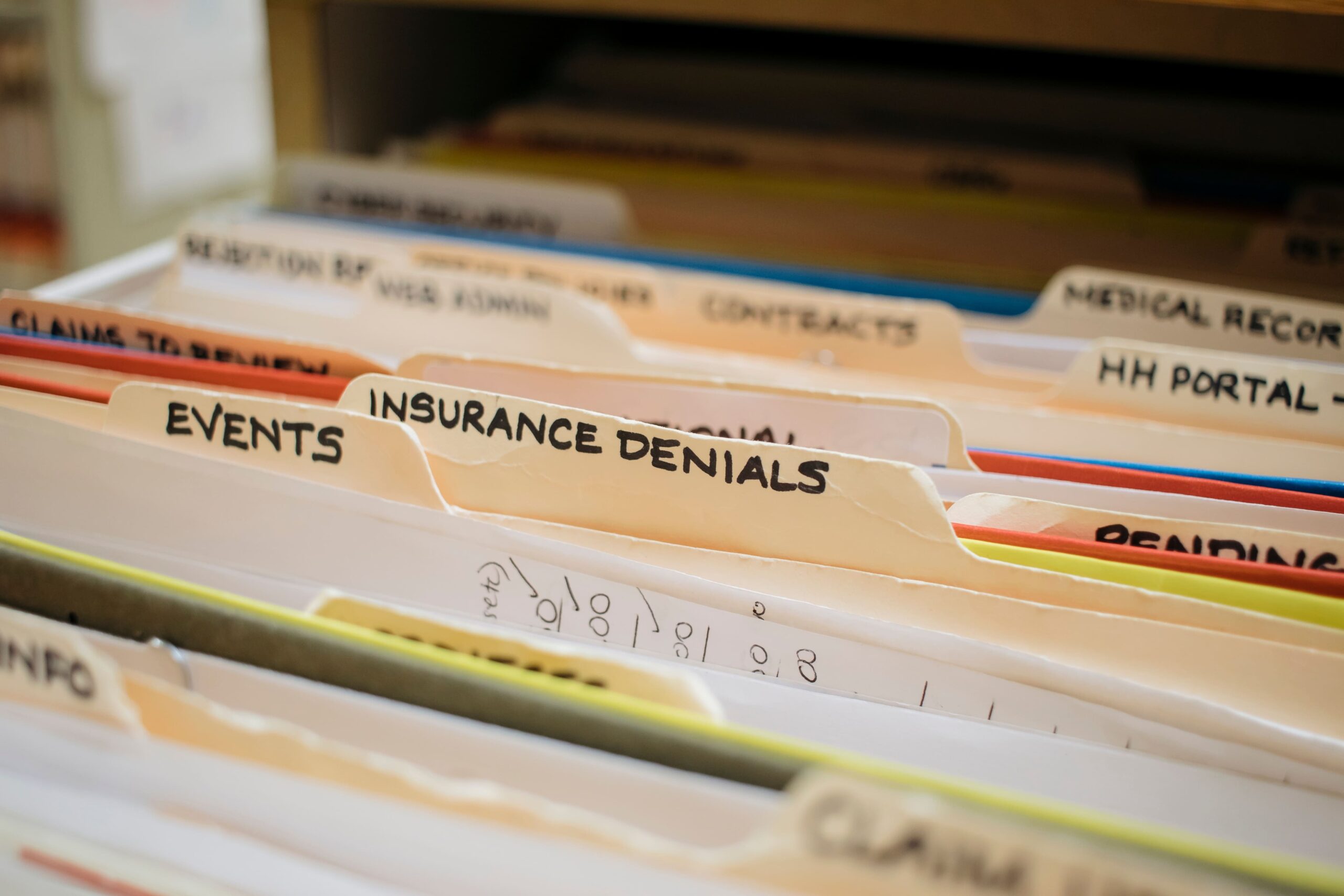
records retention schedule example

Apply a records retention schedule during document scanning by filtering records before capture, extracting searchable data, and structuring files for controlled storage and disposal.

Filter Records Before Scanning Begins

Remove documents that do not meet retention criteria before they enter the scanning workflow.

  • Exclude expired or non-compliant records
  • Separate active records from inactive files
  • Prepare only the required documents for digitization

At this stage, teams often rely on document scanning providers like eRecordsUSA to filter out non-essential records before scanning begins, reducing processing volume and cost.

Convert Documents Into Searchable Digital Files

Transform physical records into accessible digital formats.

  • Apply OCR to extract text from scanned images
  • Capture complete and readable document images
  • Preserve original document structure

Searchable files improve retrieval speed and usability across systems.

Attach Metadata for Lifecycle Control

Assign key attributes to each document to support organization and retention.

  • Record category and document type
  • Relevant dates (creation, expiration, trigger events)
  • Retention duration or disposal timeline

Metadata enables automated sorting, retrieval, and scheduled deletion.

Organize Files Based on Retention Logic

Structure digital records according to how long they must be kept and how they are used.

  • Group files by department or function
  • Apply naming conventions linked to retention timelines
  • Store records in logical, accessible directories

Clear structure supports long-term management and audit readiness.

Maintain Security and Process Integrity

Control how records are handled during and after scanning.

  • Restrict access to sensitive information
  • Track document movement and handling
  • Store files in secure document management environments

Consistent handling ensures compliance and reduces data risk.

With scanning workflows aligned to retention rules, the next step is to determine when physical records can be securely destroyed after digitization.

When Can You Destroy Physical Records After Digitization?

Destroy physical records after digitization when digital copies meet legal standards for authenticity, accessibility, and integrity, and when no regulatory or operational requirement mandates keeping the original documents.

Confirm Legal Acceptability of Digital Records

Verify that scanned documents can replace original paper records.

  • Ensure digital files are accurate and complete
  • Maintain readability and accessibility over time
  • Meet compliance standards (IRS, HIPAA, GDPR, industry regulations)

Regulations in many industries accept digital records if they remain reliable and reproducible during audits.

Check for Exceptions That Require Original Documents

Identify records that must remain in physical form.

  • Signed legal agreements with original signature requirements
  • Sealed documents
  • Certain government or compliance-specific records

These exceptions vary by jurisdiction and industry, so verification is required before destruction.

See also  Outsource Document Scanning Vs In-House - Which to Choose?

Validate Audit Trails and Document Integrity

Ensure each scanned record includes traceable and verifiable information.

  • Capture timestamps and document history
  • Maintain version control where required
  • Store files in systems that preserve integrity

Audit-ready records reduce risk during legal or compliance reviews.

Apply Secure Destruction Practices

Destroy physical documents only after validation is complete.

  • Use certified shredding for sensitive documents
  • Follow documented destruction procedures
  • Maintain records of destruction for compliance

At this stage, organizations often engage certified providers such as eRecordsUSA to carry out secure document destruction in line with regulatory and compliance requirements.

Align Destruction Timing With Retention Policies

Destroy records only when retention requirements are fully met.

  • Confirm the retention period has expired
  • Check for active legal holds or audits
  • Ensure no ongoing operational need exists

Proper timing prevents premature destruction and compliance violations.

After establishing when physical records can be destroyed, the next step is to identify common mistakes that increase scanning costs and create compliance risks.

Common Mistakes That Increase Scanning Costs and Compliance Risk

Avoid scanning mistakes by correcting how decisions are made before and after digitization, not by repeating the technical process.

Keeping Records “Just in Case”

Many organizations retain documents longer than required due to uncertainty.

  • Fear of deleting important records
  • Lack of clear ownership over data decisions
  • No defined approval process

This behavior increases storage volume and expands the scope of digitization without adding value.

Treating Digitization as a One-Time Project

Scanning is often handled as a bulk activity instead of an ongoing system.

  • No long-term retention enforcement after scanning
  • No review cycle for digital records
  • Data continues to accumulate after project completion

Digitization must connect to ongoing record lifecycle management.

Separating Compliance From Operations

Retention rules are often defined but not applied during execution.

  • Policies exist but are not enforced during scanning
  • Teams scan first and review later
  • Legal and operations teams work in isolation

This disconnect leads to inconsistent record handling and audit challenges.

Underestimating Preparation Effort

Organizations often focus on scanning speed instead of preparation quality.

  • Files are not sorted before scanning
  • Duplicate or irrelevant records remain in batches
  • No validation before processing begins

Preparation determines efficiency more than scanning itself.

Lack of Accountability in Record Ownership

Unclear responsibility leads to inconsistent decisions.

  • No assigned owners for record categories
  • Departments follow different retention practices
  • No centralized control over disposal decisions

Ownership is required to maintain consistency across the organization.

Handling Destruction Without Verification

Document disposal is sometimes treated as a final step without oversight.

  • No audit trail for destroyed records
  • No verification of what was removed
  • Risk of improper handling of sensitive data

After addressing these decision-level mistakes, the next step is to standardize retention rules using a structured template for consistent execution.

Records Retention Schedule Template (Example + How to Use It)

Use a records retention schedule template to standardize how records are stored, reviewed, and disposed of across all departments. A structured template ensures consistency, improves compliance tracking, and supports efficient digitization workflows.

See also  How to Scan PDFs on iPhone: Notes, Files App, and OCR Guide

Sample Records Retention Schedule


How to Use This Records Retention Schedule Template?

Apply the template by assigning clear attributes to each record category.

  • Record Type: Defines the category (financial, HR, legal)
  • Retention Period: Specifies how long the record must be kept
  • Trigger Event: Starts the retention countdown (e.g., termination, expiration)
  • Final Action: Determines what happens after the retention period ends
  • Storage Location: Identifies where the record is stored

This structure ensures that every record follows a consistent lifecycle from creation to disposal.

How This Records Retention Schedule Template Supports Digitization?

A retention schedule template improves document scanning outcomes by creating a predefined structure for decision-making.

  • Identifies which records qualify for digitization
  • Aligns scanned files with retention timelines
  • Enables consistent organization across digital systems

Organizations that implement structured templates often achieve faster retrieval, better compliance tracking, and reduced storage overhead.

How to Implement This Records Retention Schedule Template in Practice?

Start by applying the template to one department, then expand across the organization.

  • Begin with high-volume records (finance, HR)
  • Validate retention periods with legal or compliance teams
  • Standardize naming and storage rules across systems

Many organizations work with eRecordsUSA during implementation to align retention schedules with document scanning, indexing, and secure storage workflows.

Are you also ready to digitize smarter? Call us at 1.510.900.8800, or write us at he***@*********sa.com to streamline your records, reduce costs, and stay compliant from day one.

FAQs: Records Retention Schedule Before Digitization

Q1. How often should a records retention schedule be updated?

  • A: A records retention schedule should be reviewed every 12 months or after regulatory changes. Organizations update retention rules to align with legal requirements, operational needs, and data lifecycle changes.

Q2. Who is responsible for managing a retention schedule in an organization?

  • A: Records managers, compliance officers, and department heads manage retention schedules. Organizations assign ownership to ensure consistent record classification, retention enforcement, and disposal decisions.

Q3. What industries require strict records retention policies?

  • A: Industries such as healthcare, finance, legal, and government require strict retention policies. Regulations like HIPAA, SEC, and GDPR define how long records must be stored and protected.

Q4. Can retention schedules be automated in digital systems?

  • A: Retention schedules can be automated using document management systems. Systems apply metadata, track retention timelines, and trigger automatic deletion or archival based on predefined rules.

Q5. What happens if a company does not follow a retention schedule?

  • A: Failure to follow a retention schedule leads to compliance violations, legal penalties, and audit risks. Organizations may face fines, data breaches, or litigation due to improper record handling.

Q6. How does cloud storage impact records retention policies?

  • A: Cloud storage requires retention policies to control access, storage duration, and deletion. Organizations apply retention rules to prevent over-storage and ensure compliance in cloud environments.

Q7. What is the difference between data retention and data backup?

  • Data retention defines how long records are stored and when they are deleted. Data backup creates copies for recovery purposes and does not replace retention policy requirements.

Fill out the form below, to start your digitizing journey

What Our Client Says

Posted on Google Google
Diego Asturias profile picture
Diego Asturias
15 September 2026
Google star 1Google star 2Google star 3Google star 4Google star 5Trustindex verifies that the original source of the review is Google.
Scanned in 2 books for me. Result was top notch
Posted on Google Google
Daniel D. profile picture
Daniel D.
14 September 2026
Google star 1Google star 2Google star 3Google star 4Google star 5Trustindex verifies that the original source of the review is Google.
Easy to work with and fast turnaround!
Posted on Google Google
August Brenner profile picture
August Brenner
14 September 2026
Google star 1Google star 2Google star 3Google star 4Google star 5Trustindex verifies that the original source of the review is Google.
They were able to digitize 18 years of diaries and multiple yearbooks for me. The quality was excellent and the customer services was also excellent. The price was also very competitive. I highly recommend e-records!
Posted on Google Google
Brian Kaye profile picture
Brian Kaye
12 September 2026
Google star 1Google star 2Google star 3Google star 4Google star 5Trustindex verifies that the original source of the review is Google.
I turned to Document Scanning & Photos Digitizing Services (eRecord) for help converting a low‑quality microfilm of 18th‑century Polish census records into a digital format suitable for historical research. The technical demands of the project were considerable, yet eRecord devoted extraordinary time and care to the transfer. My use of AI enhancement significantly improved the legibility of the images, making the scans genuinely useful for scholarly work. Pankaj’s professionalism stood out: he kept me informed at every stage, explained the challenges clearly, and ensured the final product met the highest standard possible. I recommend Document Scanning & Photos Digitizing Services (eRecord) without reservation.
Posted on Google Google
Keith Kadokura profile picture
Keith Kadokura
11 September 2026
Google star 1Google star 2Google star 3Google star 4Google star 5Trustindex verifies that the original source of the review is Google.
I am a member of the Archives Group for the San Jose Buddhist Church Betsuin. One role of the Archives Group is to preserve our historical physical photos and documents. However, recent fires at the Lahaina and Seattle Buddhist Temples have created urgency for us to digitize our archives for storage in the Cloud for safekeeping. In the SJBCB Archives Room, we have many large-format, panoramic photos. The size of the largest photo is 54x8 inches, and many are longer than 40 inches. The oldest photo with a confirmed date was taken in 1925, and we have one photo we suspect is from 1911. We do not have a way to scan and digitize these large photos in our Archives Room. After searching for ways to scan and digitize our panoramic photos, I was fortunate to find eRecordsUSA. Mr. Sharma was very patient while listening to me describe our situation and requirements, and my asking about his equipment, procedures, and details about file formats and resolutions. Mr. Sharma agreed to provide sample scans for a few of our photos and let us review the results before we decided to proceed. The sample scans were amazing and we delivered 121 photos to eRecordsUSA for scanning and digitization. The staff at eRecordsUSA were very careful handling our fragile photos. They followed our requirements for file format and resolution, and for naming the files. The results exceeded my expectations and the pricing was reasonable. I happily recommend eRecordsUSA and will use their services in the future.
Posted on Google Google
Judy Baker profile picture
Judy Baker
25 August 2026
Google star 1Google star 2Google star 3Google star 4Google star 5Trustindex verifies that the original source of the review is Google.
I couldn't trust just any business to care for and digitize my Dad’s 200+ page handwritten journal, which is a one-of-a-kind family heirloom. After doing some preliminary research, I chose eRecordsUSA, and I am delighted with the quality of the finished pdf and accompanying image files. After speaking with Mr. Sharma and personally meeting with him to drop off the journal, it was crystal clear that he is an expert at this and really cared about preserving my Dad’s book. This business is very professional, highly responsive and trustworthy, and I would definitely drive to Fremont again (it’s a 45 minute drive one way) if I need their services. TIP: Be sure to call or email them to make an appointment because this isn’t a store where you can just drop in.
Posted on Google Google
Greg Archbald profile picture
Greg Archbald
17 August 2026
Google star 1Google star 2Google star 3Google star 4Google star 5Trustindex verifies that the original source of the review is Google.
In 1970-71 my then wife and I traveled to many different countries, taking a year and a quarter to circle the globe. Our parents kept all of our letters and postcards for us -- almost 200 items including flimsy aerogramme stationery with tiny handwriting. As a stack of papers, it would never be read by my children and grandchildren. As a scanned and digitized collection, it became a precious family treasure. It’s also priceless data that I can use with Claude AI to create keepsake documents for the family. Thank goodness I found eRecordsUSA -- the people who made it possible! The scans are perfect. The transcriptions are excellent. My originals were perfectly kept. Working with Pankaj and his team was a pleasure. I recommend eRecordsUSA highly as folks you can trust to do a great job with your precious memorabilia.
Posted on Google Google
Hiro Ikushima profile picture
Hiro Ikushima
6 August 2026
Google star 1Google star 2Google star 3Google star 4Google star 5Trustindex verifies that the original source of the review is Google.
I’m very happy with the quality of their service. They completed the job quickly and did an excellent job with the scanning. They also have specialized equipment that can handle large, delicate, and unusual documents that many other scanning services are not equipped to handle. I highly recommend their services to anyone looking for professional, high-quality document scanning.
Posted on Google Google
Sekandar Askaryar profile picture
Sekandar Askaryar
2 August 2026
Google star 1Google star 2Google star 3Google star 4Google star 5Trustindex verifies that the original source of the review is Google.
I was gifted an old book that my grandfather wrote in Afghanistan. The book was in decent condition, but because it was written in Farsi, I wasn’t able to read it properly. Then I had an idea: with the help of AI, I could have it translated and finally read my grandfather’s work. This is where eRecordsUSA came in. They took on this project despite its many challenges and scanned the book with excellent quality. Now, I can preserve and share this treasure with the rest of my family. Our family is incredibly thankful for all the hard work eRecordsUSA put into this project. I couldn’t be happier with the final result.
Posted on Google Google
Stephen Wan profile picture
Stephen Wan
18 July 2026
Google star 1Google star 2Google star 3Google star 4Google star 5Trustindex verifies that the original source of the review is Google.
Great work, fast turnaround, and reasonable price.
Verified by Trustindex
Trustindex verified badge is the Universal Symbol of Trust. Only the greatest companies can get the verified badge who has a review score above 4.5, based on customer reviews over the past 12 months. Read more
Posted on Yelp Yelp
Victoria B. profile picture
Victoria B.
25 September 2026
Yelp star 1Yelp star 2Yelp star 3Yelp star 4Yelp star 5Verified
I had an excellent experience with eRecordsUSA and am extremely pleased with the work they did digitizing my personal book collection. The quality of the scanned PDFs is outstanding--clear, well-organized, and easy to read, while preserving the look and character of the original books. I especially appreciate that the PDFs are fully searchable, which makes accessing and finding specific passages or information incredibly convenient. The entire process was handled with great care and professionalism, and I now have a beautiful, accessible digital archive of my collection that I can enjoy for years to come. I highly recommend eRecordsUSA to anyone looking to preserve their books and convert them into high-quality digital files.
Posted on Yelp Yelp
Brian K. profile picture
Brian K.
12 September 2026
Yelp star 1Yelp star 2Yelp star 3Yelp star 4Yelp star 5Verified
I turned to eRecord USA - Document Scanning & Photos Digitizing Services for help converting a low‑quality microfilm of 18th‑century Polish census records into a digital format suitable for historical research. The technical demands of the project were considerable, yet eRecord devoted extraordinary time and care to the transfer. My use of AI enhancement significantly improved the legibility of the images, making the scans genuinely useful for scholarly work. Pankaj's professionalism stood out: he kept me informed at every stage, explained the challenges clearly, and ensured the final product met the highest standard possible. I recommend eRecordsUSA - Document Scanning & Photos Digitizing Services without reservation.
Posted on Yelp Yelp
Keith K. profile picture
Keith K.
11 September 2026
Yelp star 1Yelp star 2Yelp star 3Yelp star 4Yelp star 5Verified
I am a member of the Archives Group for the San Jose Buddhist Church Betsuin. One role of the Archives Group is to preserve our historical physical photos and documents. However, recent fires at the Lahaina and Seattle Buddhist Temples have created urgency for us to digitize our archives for storage in the Cloud for safekeeping. In the SJBCB Archives Room, we have many large-format, panoramic photos. The size of the largest photo is 54x8 inches, and many are longer than 40 inches. The oldest photo with a confirmed date was taken in 1925, and we have one photo we suspect is from 1911. We do not have a way to scan and digitize these large photos in our Archives Room. After searching for ways to scan and digitize our panoramic photos, I was fortunate to find eRecordsUSA. Mr. Sharma was very patient while listening to me describe our situation and requirements, and my asking about his equipment, procedures, and details about file formats and resolutions. Mr. Sharma agreed to provide sample scans for a few of our photos and let us review the results before we decided to proceed. The sample scans were amazing and we delivered 121 photos to eRecordsUSA for scanning and digitization. The staff at eRecordsUSA were very careful handling our fragile photos. They followed our requirements for file format and resolution, and for naming the files. The results exceeded my expectations and the pricing was reasonable. I happily recommend eRecordsUSA and will use their services in the future. Keith K.
Posted on Yelp Yelp
Jonathan R. profile picture
Jonathan R.
11 September 2026
Yelp star 1Yelp star 2Yelp star 3Yelp star 4Yelp star 5Verified
Sharma was great to work with, he jumped right on a difficult large format very old, very important set of drawings and scanned them to PDF for me. He has the capability to do large 24"x36" and even larger documents! Would highly recommend. Jonathan Reimer HMI Industrial (California's #1Industrial Contractor) S
Posted on Yelp Yelp
Hiroyuki I. profile picture
Hiroyuki I.
6 August 2026
Yelp star 1Yelp star 2Yelp star 3Yelp star 4Yelp star 5Verified
Second time review. I'm very happy with the quality of their service. They completed the job quickly and did an excellent job with the scanning. They also have specialized equipment that can handle large, delicate, and unusual documents that many other scanning services are not equipped to handle. I highly recommend their services to anyone looking for professional, high-quality document scanning.
Posted on Yelp Yelp
Sekandar A. profile picture
Sekandar A.
2 August 2026
Yelp star 1Yelp star 2Yelp star 3Yelp star 4Yelp star 5Verified
I was gifted an old book that my grandfather wrote in Afghanistan. The book was in decent condition, but because it was written in Farsi, I wasn't able to read it properly. Then I had an idea: with the help of AI, I could have it translated and finally read my grandfather's work. This is where eRecordsUSA came in. They took on this project despite its many challenges and scanned the book with excellent quality. Now, I can preserve and share this treasure with the rest of my family. Our family is incredibly thankful for all the hard work eRecordsUSA put into this project. I couldn't be happier with the final result.
Posted on Yelp Yelp
Donald Y. profile picture
Donald Y.
17 July 2026
Yelp star 1Yelp star 2Yelp star 3Yelp star 4Yelp star 5Verified
They helped me scanned thousands of photos and digitized my family's archives. They were very communicative and the pricing was fair. I think the biggest highlight is being able to trust them with some of the most important valuables in my life. Highly recommend!
Posted on Yelp Yelp
Kevin H. profile picture
Kevin H.
20 June 2026
Yelp star 1Yelp star 2Yelp star 3Yelp star 4Yelp star 5Verified
I have a precious hardbound book that my mother made for me with our family history documented in it. I had been looking for someone who could digitize it. Because of the irreplaceable nature of the book, it was critical that I could trust the service to handle my book with care, both in the shipping to and from and the digitizing process. I found eRecordsUSA through a ChatGPT search. They had outstanding reviews on all fronts. They lived up to those reviews. The inquiry process was easy, clear, quick and responsive through their online contact process, and I did have one call with a representative. Their pricing was fair. The digitizing process of my book, which was several hundred pages, was very quick, being done the same week in which they received it. Turnaround shipping was also quick and reliable, just as promised. And the book came back in pristine condition. Communication was excellent throughout. When they quoted me a price, had to estimate the number of pages because the pages are not numbered. Turns out that there were more than double my estimate. However, eRecordsUSA honored the quoted price. Integrity.... So, I highly recommend eRecordsUSA if you are in the market for digitizing services. They fully met and in some ways exceeded my high expectations.
Posted on Yelp Yelp
Bruce G. profile picture
Bruce G.
9 June 2026
Yelp star 1Yelp star 2Yelp star 3Yelp star 4Yelp star 5Verified
Museum level quality scan! Top quality service. Excellent work. Highly recommend. I had my old book scanned with top quality result.
Posted on Yelp Yelp
Cameron V. profile picture
Cameron V.
24 April 2026
Yelp star 1Yelp star 2Yelp star 3Yelp star 4Yelp star 5Verified
Excellent work as always. Great scan quality, customer service, and affordability. I am a repeat customer and value working with eRecordsUSA on all my large volume scanning projects.
Verified by Trustindex
Trustindex verified badge is the Universal Symbol of Trust. Only the greatest companies can get the verified badge who has a review score above 4.5, based on customer reviews over the past 12 months. Read more