Schedule A Call Now

How to Scan PDFs on iPhone: Notes, Files App, and OCR Guide

Home 9 Blogs 9 How to Scan PDFs on iPhone: Notes, Files App, and OCR Guide

“How can I scan a document to PDF and save it directly to my iCloud Drive without using any third-party app?”


If this sounds like something you’ve asked or Googled you’re not alone. 

With more users managing work, school, and personal records from their smartphones, the ability to scan documents straight into PDF format using an iPhone has become essential. And the best part? You don’t even need to download anything.

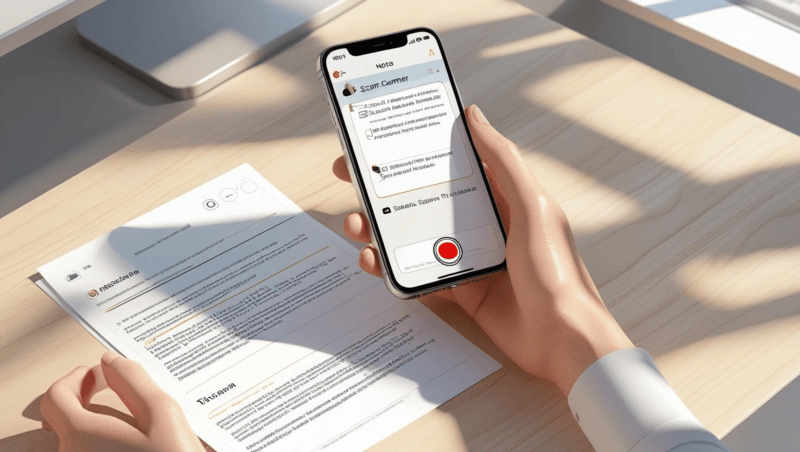
Thanks to the built-in Notes App and Files App, scanning is now natively supported on all modern iPhones. These tools allow you to:

  • Instantly scan paper into sharp PDFs
  • Save files to local folders or cloud storage like iCloud Drive
  • Automate multi-step workflows using iOS Shortcuts
  • Enable text recognition with apps like Adobe Scan, using Optical Character Recognition (OCR)

In this guide, we’ll walk through the exact steps and advanced options to handle questions like:

  • “Why does the Files app not show a scan button on my iPhone?”
  • “Can I batch scan multiple pages and save them as one PDF?”
  • “Is there a way to trigger document scans automatically to specific folders using Shortcuts?”
  • “Which method gives me the best quality: Notes App or Adobe Scan?”

You’ll also learn when your iPhone is enough and when a professional scanning partner like eRecordsUSA is your best bet for large-scale, secure, or compliance-driven document digitization.

How to Scan Documents into PDF Files Using Your iPhone – 3 Easy Methods

Turn your iPhone into a powerful document scanner using built-in tools or advanced apps.

Below are three simple methods to scan and save your documents directly as PDFs – fast, clean, and paper-free.

Method 1 – Scan Documents Using the iPhone Notes App

Now that we know scanning is built right into iOS, let’s start with the most accessible option: the iPhone’s built-in Notes App. 

It’s free, pre-installed, and integrates directly with iCloud and the Files app, making it ideal for quick, clean scans that you can save or share as PDF files instantly.

Step-by-Step: How to Use the Notes App for Scanning

  1. Open the Notes App
    • Launch the Notes app from your home screen or app library.
    • Tap the Compose button (square with pencil icon) to start a new note.
  2. Access the Scanner
    • Tap the camera icon above the keyboard.
    • Select Scan Documents from the menu.
  3. Position and Capture the Document
    • Hold your iPhone camera over the document.
    • The app automatically detects edges and captures the scan. You can also tap the shutter manually.
    • Tip: Lay the paper on a contrasting background and keep the lighting even for the best results.
  4. Edit the Scan
    • After capturing, tap the thumbnail to:
      • Adjust corners
      • Apply a filter (Color, Grayscale, B&W, Photo)
      • Rotate or retake the scan
  5. Save as PDF
    • Tap Save to store your scans in the note.
    • Tap on the scanned document → Share icon → choose Save to Files to export it as a PDF file.
See also  Are Your Archives Safe from Fires Like in Weed, California?

While the Notes app is perfect for casual use, what if you want to scan a document and immediately store it in a specific folder on your device or cloud drive—without needing to open Notes at all? That’s where the Files App comes in.

Method 2 – Save Scanned Documents as PDFs Using the Files App

If you’re looking for a more file-centric workflow where scans go straight into a specific folder on your device or in the cloud, the Files App is your best option. 

Unlike Notes, this method bypasses note creation and saves your scanned PDF directly where you want it, whether iCloud Drive, Dropbox, or “On My iPhone.”

Step-by-Step: Scanning with the Files App

  1. Open the Files App
    • Launch the Files app and navigate to the folder where you want to save your scanned document (e.g., iCloud Drive > Documents).
  2. Access the Scanner
    • Tap the three-dot icon (•••) in the top-right corner of the screen.
    • Select Scan Documents from the dropdown menu.
  3. Capture the Document
    • Align your paper within the camera frame.
    • The app will automatically detect edges and capture the image. You can manually tap the shutter if needed.
  4. Review and Edit
    • Edit options appear immediately after each scan:
      • Adjust corners
      • Apply color filters
      • Add or delete pages
    • Once finished, tap Save to name the file and confirm the folder location.
  5. Your Scan is Now a PDF
    • The document is saved as a PDF file right in your chosen folder.
    • You can now share it via email, attach it to apps, or upload it to cloud platforms.

While Apple’s built-in tools are perfect for quick scans, what if you need more like OCR, batch processing, or edge-enhancing AI? That’s where professional-grade apps like Adobe Scan come in.

Method 3 – Use Adobe Scan for Pro-Quality PDFs and OCR Features

For users who want more than just basic scans—like optical character recognition (OCR), auto-cropping, and advanced file editing—Adobe Scan is the go-to choice. Available for free on the App Store, it’s ideal for creating searchable, shareable, and high-resolution PDFs right from your iPhone.

How to Scan with Adobe Scan: Step-by-Step

  1. Install and Open Adobe Scan
    • Download from the App Store and sign in with your Adobe or Google account.
  2. Point and Capture
    • The app automatically detects the edges of your document and captures the image.
    • You can manually trigger the shutter or scan in batch mode.
  3. Edit and Enhance
    • Crop, reorder pages, apply cleanup filters, or mark up text.
  4. Save and Export
    • Adobe Scan saves your document as a PDF.
    • You can export it to iCloud, Google Drive, or Adobe Document Cloud.

Now that you’ve explored the three main scanning methods, let’s go one level deeper into expert tips that can help you capture crisp, clean scans every time, whether you’re digitizing a receipt or a 10-page form.

See also  Standard Photo Sizes & Dimensions Guide for Photo Albums

Tips for High-Quality iPhone Document Scans

No matter which method you choose, the quality of your scan depends largely on your environment and technique. Whether submitting a legal form or archiving a multi-page report, these pro-level tips ensure your iPhone scans are sharp, readable, and professional.

Getting a clear and readable scan isn’t just about the app you use; it’s also about how you take the scan. If your documents look blurry, cropped poorly, or hard to read, try these quick fixes.

  • Use bright, even lighting. Natural daylight works best, but a steady desk lamp will also do the job. 
  • Avoid shadows or direct glare from overhead lights.
  • Place your document on a background that contrasts with it. 
  • If scanning a white paper, use a dark table or folder underneath. This helps the app detect the edges correctly.
  • Clean your iPhone camera lens. A simple wipe with a soft cloth can improve image clarity instantly.
  • Hold your phone steady and keep it parallel to the paper. This keeps the scan straight and avoids distortion.
  • For Adobe Scan users, make sure the document is well-lit and flat. OCR works better when the text is visible and evenly lit.

Now that your scans are sharp and professional-looking, let’s explore how to rename, organize, and mark up your PDF files so they’re easy to find and ready to send.

Managing and Editing Your Scanned PDFs on iPhone

Once you’ve scanned your document, the next step is to ensure it’s named correctly, stored in the right place, and ready to be shared or signed. 

Thankfully, your iPhone gives you all the tools you need.

  • To rename a PDF, open the Files App, find your scanned document, press and hold the file name, then tap “Rename.” Give it a clear title like “Signed_Contract_May2025.pdf” so it’s easy to locate later.
  • To organize your scans, create folders inside the Files App. You can drag and drop scanned PDFs into categories like “Work,” “Receipts,” or “Medical.” If you’re using iCloud, these folders sync across your devices.
  • If you need to mark up a document, open it in Files or the Notes app, then tap the Markup icon (a pen inside a circle). You can draw, highlight, add text, or even insert your signature.
  • Sharing is just as easy. Tap the share icon and choose where to send it—email, AirDrop, cloud services, or messaging apps.

If you’ve ever struggled with blurry scans, missing files, or saving issues, you’re not alone. In the next section, we’ll walk through common problems people face while scanning and how to fix them fast.

Troubleshooting Common Scanning Issues on iPhone

Even with the best tools, things don’t always go smoothly. If your scan didn’t turn out the way you expected, here are the most common problems and how to fix them quickly.

Scans look blurry. This usually happens when your lighting is uneven or your iPhone isn’t steady. Try scanning in brighter light and hold your phone flat and still.

See also  Preserving Your Educational Legacy - Why Digitize Yearbooks?

Pages are cut off or crooked. Make sure the document is flat and not folded. Use a high-contrast background so your iPhone can detect the edges correctly.

You can’t find your scanned PDF. If you scanned with the Notes app, your file is saved inside the note. To export it, tap the scan > share icon > Save to Files. If you used the Files app or Adobe Scan, check the selected folder.

The file is too large to email. Re-scan using grayscale or black-and-white filters. You can also compress the PDF using Adobe Acrobat Online or similar tools.

Auto-capture doesn’t work. If your iPhone won’t trigger the scan, move the document slightly, ensure there’s good lighting, or switch to manual capture.

At this point, you know how to scan, clean up, organize, and troubleshoot your documents. But what if you’re dealing with stacks of legal files, books, or oversized blueprints? That’s when it’s time to bring in expert help.

When to Use Professional Scanning Services like eRecordsUSA?

Your iPhone is powerful, but it’s not built for everything. If you’re dealing with fragile documents, high volumes, or compliance-heavy files like medical records or legal paperwork, a professional scanning service is a smart choice.

eRecordsUSA is a trusted document scanning partner offering high-speed digitization for businesses, law firms, healthcare providers, government agencies, and more. Our team uses secure, enterprise-grade equipment like Kodak and Epson scanners that capture documents in crisp, searchable PDF format.

We also specialize in:

  • Large-format scanning for blueprints, maps, and engineering drawings
  • Destructive/Non-destructive book scanning using V-cradle and overhead scanners
  • OCR-enhanced PDFs that make even old or handwritten documents searchable
  • HIPAA-, FERPA-, and PCI-compliant processing for sensitive files

If you’re handling cabinets full of documents, or need a full digital transformation project, eRecordsUSA can digitize, index, and organize everything then deliver your files securely via cloud or hard drive.

Conclusion: Scan Smarter from Your Pocket or Professionally

Whether you’re scanning a single receipt or managing an archive of legal files, your iPhone is a powerful tool for turning paper into PDFs. With built-in apps like Notes and Files, and enhanced tools like Adobe Scan, you can digitize, organize, and share documents in seconds—anytime, anywhere.

For quick everyday use, the steps in this guide will help you scan clearly, name files properly, and share them with confidence.

But when the job is bigger or requires security, compliance, or archival-level quality, eRecordsUSA is here to help. 

From oversized blueprints to fragile books, they provide fast, accurate, and secure document scanning services trusted by businesses across the U.S.

Now it’s your turn:

  • Try scanning a document using the Notes or Files app today.

Need help with bulk scanning or compliance-focused digitization? Get in touch with eRecordsUSA to request a quote or free consultation.

Fill out the form below, to start your digitizing journey

What Our Client Says

Posted on Google Google
Diego Asturias profile picture
Diego Asturias
15 September 2026
Google star 1Google star 2Google star 3Google star 4Google star 5Trustindex verifies that the original source of the review is Google.
Scanned in 2 books for me. Result was top notch
Posted on Google Google
Daniel D. profile picture
Daniel D.
14 September 2026
Google star 1Google star 2Google star 3Google star 4Google star 5Trustindex verifies that the original source of the review is Google.
Easy to work with and fast turnaround!
Posted on Google Google
August Brenner profile picture
August Brenner
14 September 2026
Google star 1Google star 2Google star 3Google star 4Google star 5Trustindex verifies that the original source of the review is Google.
They were able to digitize 18 years of diaries and multiple yearbooks for me. The quality was excellent and the customer services was also excellent. The price was also very competitive. I highly recommend e-records!
Posted on Google Google
Brian Kaye profile picture
Brian Kaye
12 September 2026
Google star 1Google star 2Google star 3Google star 4Google star 5Trustindex verifies that the original source of the review is Google.
I turned to Document Scanning & Photos Digitizing Services (eRecord) for help converting a low‑quality microfilm of 18th‑century Polish census records into a digital format suitable for historical research. The technical demands of the project were considerable, yet eRecord devoted extraordinary time and care to the transfer. My use of AI enhancement significantly improved the legibility of the images, making the scans genuinely useful for scholarly work. Pankaj’s professionalism stood out: he kept me informed at every stage, explained the challenges clearly, and ensured the final product met the highest standard possible. I recommend Document Scanning & Photos Digitizing Services (eRecord) without reservation.
Posted on Google Google
Keith Kadokura profile picture
Keith Kadokura
11 September 2026
Google star 1Google star 2Google star 3Google star 4Google star 5Trustindex verifies that the original source of the review is Google.
I am a member of the Archives Group for the San Jose Buddhist Church Betsuin. One role of the Archives Group is to preserve our historical physical photos and documents. However, recent fires at the Lahaina and Seattle Buddhist Temples have created urgency for us to digitize our archives for storage in the Cloud for safekeeping. In the SJBCB Archives Room, we have many large-format, panoramic photos. The size of the largest photo is 54x8 inches, and many are longer than 40 inches. The oldest photo with a confirmed date was taken in 1925, and we have one photo we suspect is from 1911. We do not have a way to scan and digitize these large photos in our Archives Room. After searching for ways to scan and digitize our panoramic photos, I was fortunate to find eRecordsUSA. Mr. Sharma was very patient while listening to me describe our situation and requirements, and my asking about his equipment, procedures, and details about file formats and resolutions. Mr. Sharma agreed to provide sample scans for a few of our photos and let us review the results before we decided to proceed. The sample scans were amazing and we delivered 121 photos to eRecordsUSA for scanning and digitization. The staff at eRecordsUSA were very careful handling our fragile photos. They followed our requirements for file format and resolution, and for naming the files. The results exceeded my expectations and the pricing was reasonable. I happily recommend eRecordsUSA and will use their services in the future.
Posted on Google Google
Judy Baker profile picture
Judy Baker
25 August 2026
Google star 1Google star 2Google star 3Google star 4Google star 5Trustindex verifies that the original source of the review is Google.
I couldn't trust just any business to care for and digitize my Dad’s 200+ page handwritten journal, which is a one-of-a-kind family heirloom. After doing some preliminary research, I chose eRecordsUSA, and I am delighted with the quality of the finished pdf and accompanying image files. After speaking with Mr. Sharma and personally meeting with him to drop off the journal, it was crystal clear that he is an expert at this and really cared about preserving my Dad’s book. This business is very professional, highly responsive and trustworthy, and I would definitely drive to Fremont again (it’s a 45 minute drive one way) if I need their services. TIP: Be sure to call or email them to make an appointment because this isn’t a store where you can just drop in.
Posted on Google Google
Greg Archbald profile picture
Greg Archbald
17 August 2026
Google star 1Google star 2Google star 3Google star 4Google star 5Trustindex verifies that the original source of the review is Google.
In 1970-71 my then wife and I traveled to many different countries, taking a year and a quarter to circle the globe. Our parents kept all of our letters and postcards for us -- almost 200 items including flimsy aerogramme stationery with tiny handwriting. As a stack of papers, it would never be read by my children and grandchildren. As a scanned and digitized collection, it became a precious family treasure. It’s also priceless data that I can use with Claude AI to create keepsake documents for the family. Thank goodness I found eRecordsUSA -- the people who made it possible! The scans are perfect. The transcriptions are excellent. My originals were perfectly kept. Working with Pankaj and his team was a pleasure. I recommend eRecordsUSA highly as folks you can trust to do a great job with your precious memorabilia.
Posted on Google Google
Hiro Ikushima profile picture
Hiro Ikushima
6 August 2026
Google star 1Google star 2Google star 3Google star 4Google star 5Trustindex verifies that the original source of the review is Google.
I’m very happy with the quality of their service. They completed the job quickly and did an excellent job with the scanning. They also have specialized equipment that can handle large, delicate, and unusual documents that many other scanning services are not equipped to handle. I highly recommend their services to anyone looking for professional, high-quality document scanning.
Posted on Google Google
Sekandar Askaryar profile picture
Sekandar Askaryar
2 August 2026
Google star 1Google star 2Google star 3Google star 4Google star 5Trustindex verifies that the original source of the review is Google.
I was gifted an old book that my grandfather wrote in Afghanistan. The book was in decent condition, but because it was written in Farsi, I wasn’t able to read it properly. Then I had an idea: with the help of AI, I could have it translated and finally read my grandfather’s work. This is where eRecordsUSA came in. They took on this project despite its many challenges and scanned the book with excellent quality. Now, I can preserve and share this treasure with the rest of my family. Our family is incredibly thankful for all the hard work eRecordsUSA put into this project. I couldn’t be happier with the final result.
Posted on Google Google
Stephen Wan profile picture
Stephen Wan
18 July 2026
Google star 1Google star 2Google star 3Google star 4Google star 5Trustindex verifies that the original source of the review is Google.
Great work, fast turnaround, and reasonable price.
Verified by Trustindex
Trustindex verified badge is the Universal Symbol of Trust. Only the greatest companies can get the verified badge who has a review score above 4.5, based on customer reviews over the past 12 months. Read more
Posted on Yelp Yelp
Victoria B. profile picture
Victoria B.
25 September 2026
Yelp star 1Yelp star 2Yelp star 3Yelp star 4Yelp star 5Verified
I had an excellent experience with eRecordsUSA and am extremely pleased with the work they did digitizing my personal book collection. The quality of the scanned PDFs is outstanding--clear, well-organized, and easy to read, while preserving the look and character of the original books. I especially appreciate that the PDFs are fully searchable, which makes accessing and finding specific passages or information incredibly convenient. The entire process was handled with great care and professionalism, and I now have a beautiful, accessible digital archive of my collection that I can enjoy for years to come. I highly recommend eRecordsUSA to anyone looking to preserve their books and convert them into high-quality digital files.
Posted on Yelp Yelp
Brian K. profile picture
Brian K.
12 September 2026
Yelp star 1Yelp star 2Yelp star 3Yelp star 4Yelp star 5Verified
I turned to eRecord USA - Document Scanning & Photos Digitizing Services for help converting a low‑quality microfilm of 18th‑century Polish census records into a digital format suitable for historical research. The technical demands of the project were considerable, yet eRecord devoted extraordinary time and care to the transfer. My use of AI enhancement significantly improved the legibility of the images, making the scans genuinely useful for scholarly work. Pankaj's professionalism stood out: he kept me informed at every stage, explained the challenges clearly, and ensured the final product met the highest standard possible. I recommend eRecordsUSA - Document Scanning & Photos Digitizing Services without reservation.
Posted on Yelp Yelp
Keith K. profile picture
Keith K.
11 September 2026
Yelp star 1Yelp star 2Yelp star 3Yelp star 4Yelp star 5Verified
I am a member of the Archives Group for the San Jose Buddhist Church Betsuin. One role of the Archives Group is to preserve our historical physical photos and documents. However, recent fires at the Lahaina and Seattle Buddhist Temples have created urgency for us to digitize our archives for storage in the Cloud for safekeeping. In the SJBCB Archives Room, we have many large-format, panoramic photos. The size of the largest photo is 54x8 inches, and many are longer than 40 inches. The oldest photo with a confirmed date was taken in 1925, and we have one photo we suspect is from 1911. We do not have a way to scan and digitize these large photos in our Archives Room. After searching for ways to scan and digitize our panoramic photos, I was fortunate to find eRecordsUSA. Mr. Sharma was very patient while listening to me describe our situation and requirements, and my asking about his equipment, procedures, and details about file formats and resolutions. Mr. Sharma agreed to provide sample scans for a few of our photos and let us review the results before we decided to proceed. The sample scans were amazing and we delivered 121 photos to eRecordsUSA for scanning and digitization. The staff at eRecordsUSA were very careful handling our fragile photos. They followed our requirements for file format and resolution, and for naming the files. The results exceeded my expectations and the pricing was reasonable. I happily recommend eRecordsUSA and will use their services in the future. Keith K.
Posted on Yelp Yelp
Jonathan R. profile picture
Jonathan R.
11 September 2026
Yelp star 1Yelp star 2Yelp star 3Yelp star 4Yelp star 5Verified
Sharma was great to work with, he jumped right on a difficult large format very old, very important set of drawings and scanned them to PDF for me. He has the capability to do large 24"x36" and even larger documents! Would highly recommend. Jonathan Reimer HMI Industrial (California's #1Industrial Contractor) S
Posted on Yelp Yelp
Hiroyuki I. profile picture
Hiroyuki I.
6 August 2026
Yelp star 1Yelp star 2Yelp star 3Yelp star 4Yelp star 5Verified
Second time review. I'm very happy with the quality of their service. They completed the job quickly and did an excellent job with the scanning. They also have specialized equipment that can handle large, delicate, and unusual documents that many other scanning services are not equipped to handle. I highly recommend their services to anyone looking for professional, high-quality document scanning.
Posted on Yelp Yelp
Sekandar A. profile picture
Sekandar A.
2 August 2026
Yelp star 1Yelp star 2Yelp star 3Yelp star 4Yelp star 5Verified
I was gifted an old book that my grandfather wrote in Afghanistan. The book was in decent condition, but because it was written in Farsi, I wasn't able to read it properly. Then I had an idea: with the help of AI, I could have it translated and finally read my grandfather's work. This is where eRecordsUSA came in. They took on this project despite its many challenges and scanned the book with excellent quality. Now, I can preserve and share this treasure with the rest of my family. Our family is incredibly thankful for all the hard work eRecordsUSA put into this project. I couldn't be happier with the final result.
Posted on Yelp Yelp
Donald Y. profile picture
Donald Y.
17 July 2026
Yelp star 1Yelp star 2Yelp star 3Yelp star 4Yelp star 5Verified
They helped me scanned thousands of photos and digitized my family's archives. They were very communicative and the pricing was fair. I think the biggest highlight is being able to trust them with some of the most important valuables in my life. Highly recommend!
Posted on Yelp Yelp
Kevin H. profile picture
Kevin H.
20 June 2026
Yelp star 1Yelp star 2Yelp star 3Yelp star 4Yelp star 5Verified
I have a precious hardbound book that my mother made for me with our family history documented in it. I had been looking for someone who could digitize it. Because of the irreplaceable nature of the book, it was critical that I could trust the service to handle my book with care, both in the shipping to and from and the digitizing process. I found eRecordsUSA through a ChatGPT search. They had outstanding reviews on all fronts. They lived up to those reviews. The inquiry process was easy, clear, quick and responsive through their online contact process, and I did have one call with a representative. Their pricing was fair. The digitizing process of my book, which was several hundred pages, was very quick, being done the same week in which they received it. Turnaround shipping was also quick and reliable, just as promised. And the book came back in pristine condition. Communication was excellent throughout. When they quoted me a price, had to estimate the number of pages because the pages are not numbered. Turns out that there were more than double my estimate. However, eRecordsUSA honored the quoted price. Integrity.... So, I highly recommend eRecordsUSA if you are in the market for digitizing services. They fully met and in some ways exceeded my high expectations.
Posted on Yelp Yelp
Bruce G. profile picture
Bruce G.
9 June 2026
Yelp star 1Yelp star 2Yelp star 3Yelp star 4Yelp star 5Verified
Museum level quality scan! Top quality service. Excellent work. Highly recommend. I had my old book scanned with top quality result.
Posted on Yelp Yelp
Cameron V. profile picture
Cameron V.
24 April 2026
Yelp star 1Yelp star 2Yelp star 3Yelp star 4Yelp star 5Verified
Excellent work as always. Great scan quality, customer service, and affordability. I am a repeat customer and value working with eRecordsUSA on all my large volume scanning projects.
Verified by Trustindex
Trustindex verified badge is the Universal Symbol of Trust. Only the greatest companies can get the verified badge who has a review score above 4.5, based on customer reviews over the past 12 months. Read more