
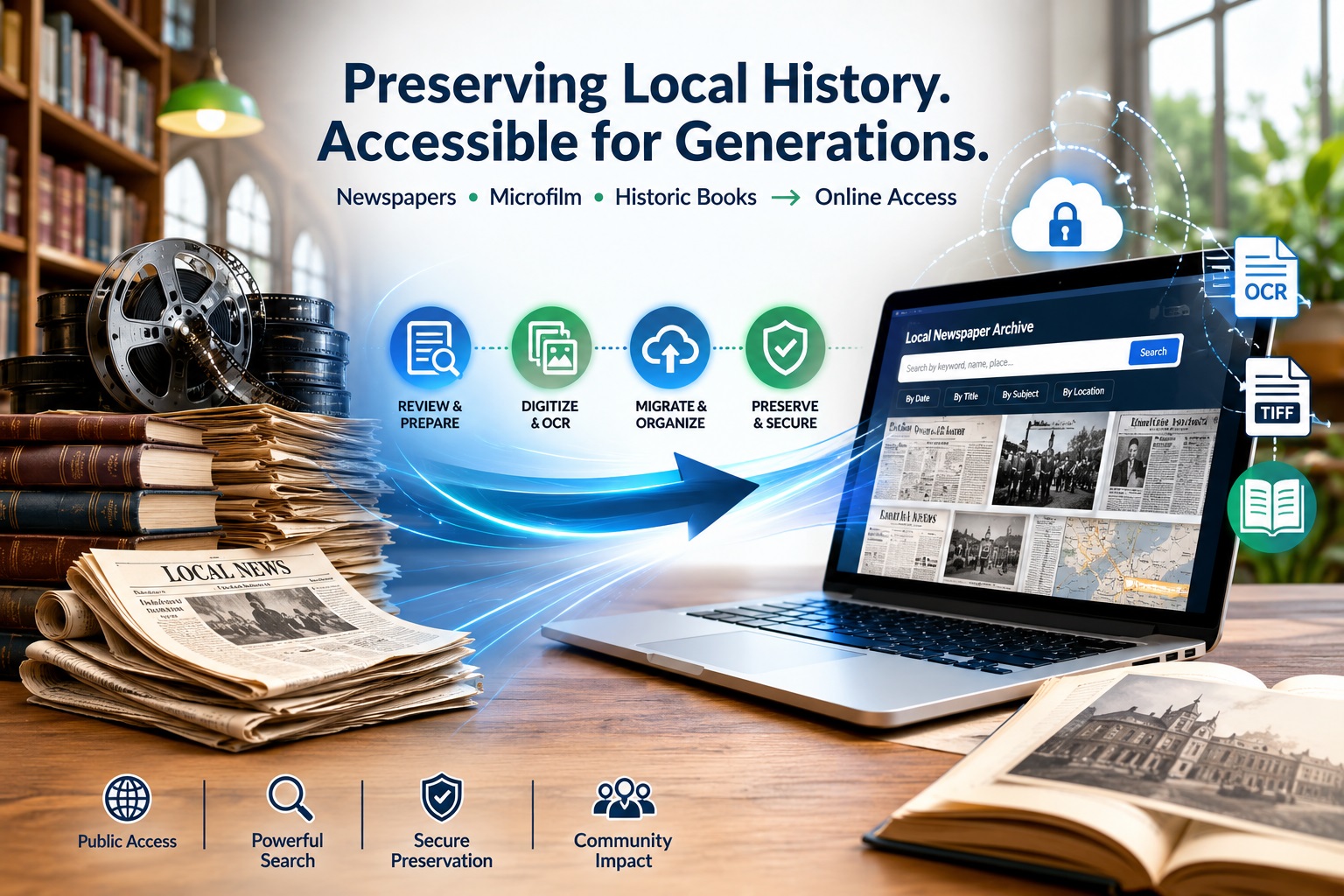
What should a public library do when its local newspaper archive is already online, but the collection still needs to move, expand, and stay searchable?
This is a serious planning issue because public libraries serve large community audiences.
- The Institute of Museum and Library Services reports that U.S. public libraries serve 297.6 million people, equal to 96.4% of the U.S. population (Source).
- At the archive level, scale grows quickly: the Ocean Exchange Report notes that National Digital Newspaper Program applicants typically convert about 100,000 newspaper pages over two years, primarily from microfilm (Source).
- Chronicling America has also digitized more than 20 million historic newspaper pages, with over 3,000 digitized newspapers represented in its map and timeline (Source).
For a county or city library, the challenge is often continuity. Existing TIFF files, OCR text, issue dates, page sequences, title metadata, remaining microfilm, and historic books all need to stay connected when an archive moves to a new vendor.
The goal is not just file transfer. A public library needs an archive model that preserves existing digital assets, supports new microfilm scans, maintains metadata consistency, and keeps local history accessible online.
Why Public Libraries Reevaluate Digital Newspaper Archive Vendors?
Public libraries usually reconsider a digital newspaper archive vendor when the existing platform no longer supports how the collection is used, expanded, or managed. The issue is often not the presence of a digital archive. The issue is whether the archive can continue serving researchers, residents, staff, and future digitization projects without creating access or preservation gaps.
Q: Why do public libraries reevaluate their digital newspaper archive vendor?
A: Six common triggers:
- Search fails: OCR exists, but users can’t find names, places, or obituaries
- Metadata locked: Can’t correct titles, dates, volume numbers, or export records
- Export blocked: No clean access to TIFFs, OCR text, or platform-ready packages
- Growth stalled: Can’t add new microfilm, historic books, or community publications
- Costs rising: Hosting/search/storage fees exceed budget or usage value
- Integration broken: Archive doesn’t connect to the library catalog or the public website
For public libraries, vendor evaluation should focus on continuity. Existing newspaper TIFFs, OCR text, title metadata, page sequences, and access records must remain usable after migration. New microfilm scans and historic books should also fit into the same structure instead of becoming separate digital silos.
A better vendor model should help the library preserve local-history context, keep public access stable, and support future archive growth without losing control of files, metadata, or search quality.
What Must Be Preserved During Archive Migration?
A public library archive migration should protect more than visible newspaper images. It should preserve the file, metadata, and issue-level structure that makes the collection searchable, citable, and usable in a new system.
The most important elements to protect include:
- Preservation files: Existing TIFF masters, file naming patterns, folder structures, and checksum or fixity records.
- Access files: Web images, PDFs, thumbnails, and other derivatives used for public viewing.
- OCR text: Searchable text linked to the correct title, issue, page, and article context.
- Issue structure: Title, issue date, volume/issue number, edition, page order, and publication gaps.
- Metadata records: Descriptive fields, subject terms, place names, rights/collection notes, and source-format details.
- Public access continuity: Search behavior, browse paths, citation links, catalog references, and any URLs that may need redirects.
This matters because one TIFF file may represent a single newspaper page, but that page belongs to an issue, title, date, edition, and local publication history. The same principle applies to historic books and local-history publications, where files should remain connected to title records, authors, publication dates, subject headings, page order, and access notes.
A strong migration plan starts with a file and metadata audit. Before moving platforms, the library should know which assets exist, which records are missing, which files need cleanup, and how the new vendor will receive the collection.
How Existing TIFF Newspaper Files Should Be Reviewed Before Moving Vendors?
Before changing archive vendors, a public library should treat its TIFF collection as a migration dataset, not just a folder of image files. The review should identify whether the files are complete, consistently named, export-ready, and aligned with the library’s public access goals.
Start by checking whether each TIFF file can be traced to a specific newspaper title, issue date, and page number. This confirms that the new vendor can rebuild browse paths, search filters, citation details, and issue-level navigation without guessing from file names alone.
The review should also flag technical and structural issues that may affect migration:
- Unclear file names: Files that do not show title, date, page, or sequence clearly.
- Page-level gaps: Missing pages, duplicate pages, or pages stored out of order.
- Mixed derivatives: preservation TIFFs stored together with PDFs, thumbnails, or web images.
- OCR mismatch: Text files that do not clearly match the correct TIFF page.
- Metadata gaps: Missing location, date, publication title, source format, rights notes, or collection identifiers.
- No integrity record: Missing checksums or fixity logs for long-term file verification.
This review helps the library decide what can move directly, what needs cleanup, and what should be repackaged before the new archive is built. It also gives the vendor a clearer starting point for migration planning, metadata mapping, OCR alignment, and platform-ready delivery.
How Remaining Microfilm Fits Into an Existing Digital Archive?
Remaining microfilm should be treated as a gap-completion project, not a separate digitization effort. Before scanning begins, the library should compare the unscanned reels against the existing online archive to identify missing titles, date ranges, issues, editions, and page sequences.
A practical microfilm-to-archive plan should answer four questions:
- What is missing? Identify which newspaper titles, years, months, or issues are not yet available online.
- Where does each reel belong? Map every reel to the correct title history, publication location, issue range, and existing archive structure.
- How should new scans match older files? Align file naming, OCR output, metadata fields, derivatives, and delivery folders with the current or future archive model.
- What requires review before upload? Flag damaged frames, poor exposures, missing pages, duplicate issues, title changes, or unclear reel labels.
This approach keeps new microfilm scans from becoming a disconnected add-on. If a library already provides access to the Napa Valley Register, St. Helena Star, Weekly Calistogan, American Canyon Eagle, or other local newspapers, new scans should extend those title records rather than create separate collections.
The goal is continuity. Researchers should be able to browse a newspaper title across old and newly added issues without noticing where the original TIFF collection ended, and the new microfilm batch began.
How Local Newspaper Titles Should Be Organized for Public Access?
A public newspaper archive should support both search and browsing. Keyword search helps users find names, places, events, obituaries, businesses, advertisements, and civic records. Browsing helps users move through a publication by title, date, issue, and page order.
For local-history collections, the archive should organize each newspaper title with clear descriptive fields:
| Field | Why It Matters |
| Newspaper title | Separates publications such as local registers, city papers, community weeklies, and regional editions. |
| Issue date | Supports date-based browsing and citation accuracy. |
| Volume and issue number | Helps researchers verify references when citing an issue. |
| Page number and sequence | Keeps articles, ads, notices, and images in the original publication context. |
| Location or coverage area | Connects the publication to a city, county, neighborhood, or region. |
| OCR text | Enables keyword search across pages and issues. |
| Rights or access note | Clarifies whether the item can be viewed, downloaded, reused, or restricted. |
| Source format | Shows whether the digital item came from microfilm, TIFF files, print originals, or another source. |
| Collection notes | Document title changes, publication gaps, merged papers, special editions, or known limitations. |
This structure helps different users reach the same collection in different ways. A genealogist may search for a family name. A student may browse a specific decade. A local historian may trace a business, neighborhood, wildfire, election, festival, or public project across multiple titles.
For libraries, the best archive design keeps search results useful without breaking the original newspaper context. A user should be able to find a keyword result, open the matching page, navigate the full issue, and identify which publication, date, location, and collection the page belongs to.
How Historic Books Fit Alongside Newspaper Collections?
Historic books should be managed as companion assets to newspaper archives, not as newspaper-style records. Newspapers are usually organized by title, issue date, page sequence, and OCR text. Books need item-level records, bibliographic metadata, page order, table of contents access, and preservation files for the full volume.
For public libraries, these materials may include county histories, city directories, anniversary books, yearbooks, local biographies, civic reports, school publications, church histories, and commemorative volumes. They often serve the same researchers who use newspaper archives, but they require different descriptions and access rules.
A historic book record should identify:
- Title and subtitle
- Author, editor, or issuing organization
- Publication year
- Subject headings or local topics
- Page sequence
- Table of contents or chapter structure
- Rights or public access notes
- Source condition or handling notes
This keeps historic books searchable without forcing them into a newspaper issue model. For a local-history portal, the strongest structure keeps newspapers, microfilm-derived files, historic books, and community publications distinct in format but connected through search, metadata, and collection relationships.
What Libraries Should Ask Before Choosing a New Archive or Digitization Vendor?
A public library should evaluate a vendor based on how well they can support archive continuity, not just new scanning. The right partner should be able to work with legacy files, incomplete microfilm holdings, mixed collection types, and the technical requirements of a future access platform.
Key questions to ask include:
- Can you assess our existing digital archive before migration?
The vendor should be able to review legacy files, identify cleanup needs, and explain what is ready for transfer. - Can you prepare files for our next archive platform?
Ask whether they can create platform-ready delivery packages with preservation files, access files, OCR text, metadata, derivatives, and required folder structures. - Can you integrate the remaining microfilm into the same collection model?
New scans should be mapped to the library’s established titles, dates, issue ranges, and public access structure. - Can you support multiple local-history formats?
Public libraries may need newspapers, microfilm-derived files, historic books, directories, photographs, and community publications handled under one archive plan. - Can you document quality and file integrity?
Reports for missing files, naming issues, scan quality, OCR alignment, metadata gaps, and checksum validation help reduce migration risk. - Can the project be phased around funding or grants?
Many libraries need to separate archive migration, microfilm scanning, OCR cleanup, metadata repair, and book digitization into manageable stages.
The strongest vendor model helps the library understand what it already has, what needs to be added, what requires cleanup, and how the full collection will remain searchable after migration.
A Practical Migration Readiness Checklist for Public Library Archives
Before moving a local newspaper archive to a new platform, the library should confirm that internal decisions are clear. This prevents the migration from becoming delayed by unresolved ownership, access, funding, or review questions.
Use this checklist before vendor work begins:
- Assign project ownership: Identify who will approve metadata decisions, review sample outputs, coordinate vendor communication, and sign off on delivery.
- Confirm access goals: Decide whether the archive is intended for public browsing, staff research, genealogy use, local-history discovery, or all of these.
- Set collection priorities: Rank the titles, date ranges, microfilm reels, or historic books that should move or be added first.
- Define review responsibilities: Decide who will check sample files, metadata, OCR usability, public display, and issue navigation before full migration.
- Align funding phases: Separate migration, new microfilm scanning, metadata cleanup, OCR improvement, and historic book digitization according to budget or grant timing.
- Plan public communication: Prepare for archive downtime, link changes, updated catalog records, or announcements to local researchers.
- Document final acceptance criteria: Define what the library must receive before the project is considered complete.
This checklist keeps the project focused on governance and readiness, while the earlier sections cover files, metadata, microfilm, and vendor requirements.
5-Step Pre-Migration Readiness Checklist
Libraries can use this exact sequence before vendor work begins:
- Audit files: Run checksum validation on all TIFFs; flag corrupted files
- Map metadata: Create a spreadsheet of title → date → volume → issue → page sequences
- Identify gaps: Compare microfilm reels against online archive; list missing titles/years
- Define ownership: Assign one person to approve metadata, review outputs, and sign delivery
- Plan communication: Draft researcher notices for downtime, link changes, and catalog updates
How eRecordsUSA Supports Public Library Archive Continuity?
Public library archive projects often involve legacy files, unscanned source materials, and platform-specific delivery requirements. Following the preservation standards established by the Institute of Museum and Library Services (IMLS) and the National Digital Newspaper Program (NDNP), eRecordsUSA supports these projects through preservation-focused workflows that prepare collections for organized transfer, archive expansion, and long-term access.
For libraries evaluating a new archive model, eRecordsUSA can help with:
- Collection assessment: Reviewing current digital assets, remaining source materials, and platform delivery needs before production begins.
- Microfilm and newspaper digitization: Converting additional reels or newspaper materials into structured files that align with the library’s archive plan.
- OCR and metadata support: Preparing searchable text and descriptive records without separating them from the correct title, issue, page, or item.
- Platform-ready delivery: Organizing preservation files, access copies, derivatives, naming structures, and supporting records for ingest into a new archive system.
These workflows are supported by in-house processing, chain-of-custody practices, confidential handling, and preservation-grade attention to institutional collections. For public libraries, the value is controlled archive preparation that helps local-history materials remain usable beyond one vendor platform.
Conclusion: Build a Local Archive That Can Move, Grow, and Stay Searchable
A public library’s local-history archive should not depend on one vendor, one file structure, or one incomplete collection cycle. Existing newspaper files, newly scanned microfilm, historic books, OCR text, metadata, and public access records should work together as one managed archive.
When migration is planned correctly, the library can protect preservation files, improve discoverability, add remaining materials, and keep local newspapers and historic publications accessible for future researchers.
For public libraries evaluating a new archive model, aligned with Library of Congress Chronicling America standards and NDNP digitization best practices, eRecordsUSA can help assess the collection, prepare structured files, support preservation-ready outputs, and organize materials for long-term online access.
FAQs About Public Library Newspaper Archive Migration
Who owns the digital files after a library archive migration?
The library should retain ownership or long-term control of its preservation files, metadata, OCR text, and access copies. Vendor agreements should clearly define export rights, file delivery, and future reuse.
How can libraries reduce public access disruption during migration?
Libraries can plan a phased migration, test sample records first, and prepare notices for researchers before switching platforms. Redirects, catalog updates, and backup access copies help reduce downtime.
Should public libraries review copyright before publishing historic newspapers online?
Yes. Libraries should review publication dates, rights status, publisher agreements, and local access policies before making materials public. Some items may be searchable internally but restricted from public download.
Can a library archive support accessibility needs?
Yes. Searchable text, readable page images, structured metadata, descriptive titles, and clear navigation can improve accessibility. OCR quality and platform design both affect how usable the archive is for patrons.
How should libraries measure whether a new archive model is successful?
Success can be measured through search accuracy, patron usage, staff retrieval time, metadata quality, uptime, citation reliability, and the ability to add future collections without rebuilding the archive.