If your “simple” document scanning quote keeps getting more expensive once a broker or referral network gets involved, it is not your imagination. The price you see is rarely just about per-page document scanning; it also reflects broker commissions, duplicated handling, and coordination overhead that do not improve image quality, OCR accuracy, or turnaround time.
The global document scanning services market is projected to reach roughly $7.5 billion by 2029, which has attracted more intermediaries who position themselves between businesses and the scanning facilities that actually convert paper records into digital files. Broker platforms and lead-generation networks can quietly add markup layers to your document scanning costs, often without giving you direct access to the team preparing, scanning, and indexing your records.
Once a broker controls your project, the pricing model tends to become opaque: per-page rates are blended with “service fees,” and it becomes harder to see who is responsible for secure handling, quality control, and on-time delivery. In contrast, working with a direct document scanning service provider like eRecordsUSA ties your budget to the actual production work—intake, preparation, scanning, OCR, and indexing—performed in-house instead of to a middleman’s resale margin.
This means you are paying for document scanning capacity, infrastructure, and expertise, not for an extra company to sit between you and the scanners. As this guide explains how brokered pricing works, where hidden costs accumulate, and how accountability changes when you add a middle layer, you will see why direct scanning providers often deliver lower total cost and stronger control over your records.
What Is the Real Cost Behind Brokered Document Scanning?
If you are searching for cheap document scanning or affordable document scanning services, brokered solutions can look attractive at first—but the structure often makes your project cost more over the full page count. Brokered document scanning is more expensive because you pay one company to manage the project and another company to actually scan, prepare, and index your records. Instead of your budget flowing directly to a production facility that performs the imaging work, part of every “low” per-page rate quietly funds broker commissions and coordination overhead.
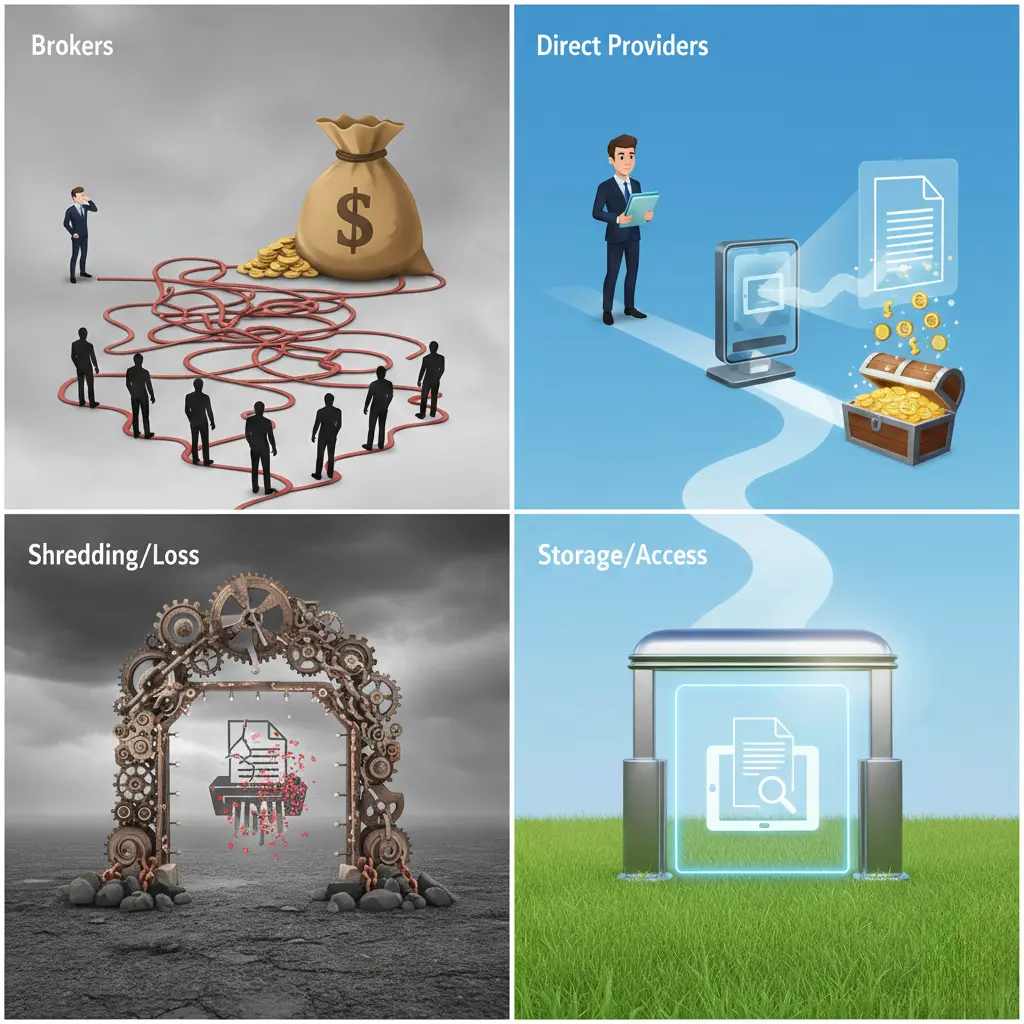
When document scanning is arranged through a broker or referral platform, your quote is shaped more by coordination layers than by the true cost of converting files to searchable digital images. A common broker workflow is: the broker collects your bulk document scanning request, forwards it to a third-party document scanning company, and then resells that same service to you at a higher per-page price. This structure adds cost before a single page is scanned and reduces your visibility into where documents are stored, how they are prepared, and which team controls quality and security.
For organizations trying to keep document scanning costs low, this matters most on high-volume projects, where even a one- or two-cent markup on “cheap” per-page pricing turns into a large, non-productive spend. For example, if a direct document scanning provider charges five cents per page and a broker resells that service at seven cents per page, a one‑million‑page project costs twenty thousand dollars more without any improvement in scan resolution, OCR accuracy, or turnaround time. Industry cost guides consistently show that per-page rates are sensitive to volume, prep work, and OCR; every extra cent introduced by a middle layer directly increases your total project cost without adding real value.
Key cost factors created by brokered document scanning include:
- The broker does not scan, prepare, or index documents but still receives a share of per-page charges built into your “cheap” quote.
- Commission costs are embedded in pricing, even when they are not clearly itemized on the proposal.
- Scanning vendors receive reduced payouts from the broker, which can limit flexibility in scheduling, customization, or truly low-cost options.
- High page volumes multiply small markups into significant added spend on large archive and backfile conversion projects.
- Pricing reflects coordination overhead instead of the efficiency of a direct, streamlined scanning workflow.
If your goal is genuinely affordable document scanning, it helps to compare broker quotes against a direct provider’s core document scanning services to see how pricing aligns with preparation, scanning, OCR, and indexing tasks rather than middleman fees. External cost breakdown resources that explain why document scanning is costly—highlighting legitimate drivers like page volume, document condition, and OCR—can further clarify which charges are tied to real production work and which come from an added broker layer.
How Do Brokers Affect Quality and Accountability?
When more than one company is involved in your document scanning project, it becomes harder to control how documents are scanned and who fixes mistakes when they occur. In a brokered arrangement, the broker does not manage scanning staff, equipment calibration, or daily quality checks; instead, the work is passed to outside vendors, which naturally creates gaps in oversight and slower feedback loops.
These gaps matter more when the project involves regulated, confidential, or time‑sensitive records such as healthcare files, legal case documents, or financial statements. The U.S. National Archives emphasizes that maintaining a clear chain of custody is essential for record integrity during digitization and transfer, and each extra handoff between separate companies increases the chance of tracking errors or misalignment around retention and handling rules.
Common quality and accountability risks seen in brokered document scanning include:
- No single party clearly owns scan accuracy or image quality when issues arise.
- Limited visibility into which facility and which team are actually handling your physical documents.
- Delays when resolving problems requires multiple approvals between broker and vendor.
- Higher exposure for regulated or confidential records because chain-of-custody is split across organizations.
- Slower corrections when errors in indexing, file naming, or image quality are discovered after delivery.
For organizations that need consistent, compliant, and high‑quality digital output, these accountability gaps often make “cheap document scanning” through a broker more expensive in practice—especially once rework, delays, or audit responses are factored in. Direct document scanning providers that manage the entire workflow internally, such as those offering end‑to‑end bulk document scanning services, can assign ownership, define clear quality thresholds, and keep chain-of-custody under one accountable operation.
Why Does eRecordsUSA Cost Less Without Cutting Corners?
eRecordsUSA operates as a direct document scanning provider, so you are not paying a broker to resell someone else’s production capacity. All key steps—intake, preparation, scanning, OCR, indexing, and review—are handled in company-owned facilities, which keeps pricing tied to real work instead of referral fees or markups.
Because workflows are managed in-house, equipment and staff are assigned based on project size and complexity rather than broker volume commitments. Standardized preparation and review checklists reduce rework, while calibrated scanners and consistent OCR settings maintain image quality and searchability across large backfile conversion projects.
This structure allows eRecordsUSA to keep document scanning costs predictable as volume grows: pricing reflects production effort, not a resale structure layered on top of a third‑party vendor. For organizations evaluating truly affordable document scanning services, comparing a broker quote against a direct document scanning services proposal often reveals that removing the middleman delivers both lower total cost and stronger control over timelines and quality.
Broker Network vs Direct Scanning Provider: What Is the Difference?
A broker network coordinates between you and a third-party scanning vendor, while a direct scanning provider performs the work in-house with its own staff and equipment. This single difference changes who controls cost, timelines, and accountability during your document scanning project.
| Decision Factor | Broker Network | Direct Scanning Provider (e.g., eRecordsUSA) |
|---|---|---|
| Role in the project | Matches clients with outside scanning vendors and resells their services | Handles document intake, prep, scanning, OCR, and indexing internally |
| Control during production | Dependent on external vendor availability and priorities | Manages schedules, staffing, and equipment directly |
| Communication flow | Messages pass through an intermediary between client and vendor | Direct communication with the team scanning your documents |
| Responsiveness to changes | Scope updates require broker and vendor approvals | Changes are implemented by a single organization in real time |
| Responsibility for results | Shared across multiple companies | Concentrated in one accountable provider |
| Project visibility | Limited insight into daily scanning operations | Clear visibility into workflow and status updates |
| Issue resolution | Slower due to handoffs between broker and vendor | Faster because the production team can act directly |
For buyers comparing “cheap document scanning” offers, this table can act as a quick checklist: if one quote comes from a broker and another from a professional document scanning company, the direct option usually offers clearer control over quality, timing, and chain of custody at the same or lower total cost.
How Can You Avoid Overpaying for Document Scanning?
Use these quick checks when reviewing quotes from brokers or direct providers:
- Request a review or sample of your documents (types, sizes, condition) before final pricing is locked in.
- Confirm exactly where your documents will be processed and whether scanning is done in-house or by a third-party vendor.
- Ask how preparation (removing staples, sorting, folder separation) and indexing fields are defined and charged.
- Verify how scope changes—extra boxes, new index fields, rush timelines—will affect pricing during production.
- Ensure the quote reflects the full project scope, including OCR, indexing, and secure return or destruction of originals.
Comparing answers from a broker against a direct document scanning services provider makes it easier to see which proposal ties cost to real production work and which one layers in additional coordination and commission fees.
Why Does Skipping the Middleman Benefit Your Scanning Project?
Document conversion projects become more predictable when the same organization prices the work, digitizes your files, and stands behind the final deliverables. Fewer handoffs mean clearer expectations, faster adjustments during active phases, and more consistent outcomes—especially for high-volume backfile scanning or time‑sensitive record digitization.
The most straightforward way to manage budget, image quality, and timelines is to partner directly with the company that runs the imaging center and manages the team handling your records. If you are comparing quotes or questioning why a proposal seems high for bulk file conversion, requesting a direct estimate from eRecordsUSA lets you speak with the people who actually prepare, scan, and index your documents.
You will receive transparent pricing, realistic turnaround expectations, and answers grounded in how the production workflow operates—not in how a broker resells another provider’s services. To explore a direct option, you can contact us to request a free quote or call 510‑900‑8800 to discuss your project, or email he***@*********sa.com for a tailored project assessment.
Most Common Questions About Document Scanning Providers
Q1. How Is Document Scanning Different from Document Imaging?
- Document scanning converts paper records into digital image files, such as PDFs or TIFFs. Document imaging goes further by combining scanning with indexing, metadata tagging, and retrieval systems so you can search, organize, and manage information over time.
Q2. How Are Document Conversion Costs Usually Calculated?
- Pricing for digitizing records is typically based on page count, document condition, preparation labor, indexing requirements, and turnaround expectations. Rates increase when files require manual handling, custom data capture, or detailed classification beyond basic scan-to-PDF.
Q3. Which Types of Documents Are More Expensive to Digitize?
- Bound volumes, mixed-size pages, fragile or damaged paper, handwritten materials, and files that need granular indexing generally cost more to process. These formats require extra preparation, careful feeding, and additional quality checks to ensure legible, usable images.
Q4. Is Digital Scanning More Cost-Effective Than Off-Site Storage?
- Over time, converting archives into electronic records reduces dependence on physical storage and speeds up retrieval. While there is an upfront investment in scanning, many organizations lower their long-term storage, retrieval, and compliance expenses by moving to digital access.
Q5. How Long Does a Large Records Digitization Project Take?
- Timelines depend on page volume, how much prep work is needed, and the depth of indexing or data capture. High‑volume initiatives are often scheduled in phases so your teams can begin using digital files while remaining boxes are still being processed.
Q6. What Security Practices Should a Scanning Vendor Follow?
- A reliable imaging provider should offer controlled-access facilities, secure transportation, staff background checks, and encrypted delivery of digital files. These safeguards protect sensitive information throughout the conversion process, from pickup through final export or upload.
Q7. Why Does Document Indexing Matter?
- Indexing assigns searchable data points—such as names, dates, account numbers, or matter IDs—to each digital file. Good index design improves retrieval speed and reduces the time staff spend hunting for specific documents inside large repositories.
Q8. How Should Records Be Prepared Before Scanning?
- Preparation typically includes removing staples and bindings, organizing pages, separating document types, and flagging sensitive or exception materials. Thorough prep minimizes jams and misfeeds and helps keep the scanning line efficient and error‑free.