Schedule A Call Now

Steps to Scan & Digitize Old Photos – Photo Scanning & Digitizing

Home 9 Blogs 9 Steps to Scan & Digitize Old Photos – Photo Scanning & Digitizing

Do you have stacks of fading family photos gathering dust in albums or boxes, at risk of being lost forever to time and elements?

Yes, countless families do.

88% of surveyed parents report feeling closer to their loved ones when viewing printed family photos, underscoring an emotional power in preserving generational stories and heritage. (Source)

Scanning and digitizing old photos transforms these fragile prints, negatives, slides, and transparencies into durable digital assets, safeguarding irreplaceable memories against deterioration – yellowing, fading, and scratches that accelerate above 60% relative-humidity. (Source)

This complete guide covers everything from why photo preservation matters in our digital photography era, where the market hit $75.99 billion in 2030, to step-by-step methods, equipment, restoration techniques, and cost comparisons.

For seamless, professional results, eRecordsUSA offers:

  • Expert steps to scan & digitize old photos,
  • Ensuring high-resolution archival quality tailored for family history enthusiasts.

Physical photos hold irreplaceable memories, but they won’t last forever without action. Understanding their vulnerability leads to exploring which types of images can actually be saved.

Why Digitizing Old Photos Is Important?

Physical family pictures fade 30-50% within 20 years from light and humidity exposure, risking permanent loss of irreplaceable memories like grandparents’ weddings or childhood milestones. Converting prints, negatives, and slides to digital files creates disaster-proof backups and enables instant sharing across generations.

Scan and Digitize Old Photos

What It Means to Digitize Old Photos?

Digitizing old photos means converting physical prints, negatives, or slides into digital files using scanners or apps. This creates backups that resist environmental damage while enabling easy sharing and editing.

Benefits of Converting Photos to Digital Format

The top benefits of converting photos to digital formats are:

  • Disaster-proof backups protect against fire, flood, or theft that destroys physical copies​
  • Instant sharing via email, social media, or cloud links connects generations effortlessly​
  • AI restoration revives faded colors, scratches, and dust automatically​
  • Endless copies without quality loss—print, edit, or enlarge anytime​

This preservation transforms fragile heirlooms into enduring digital legacies accessible forever. With so many photo formats at risk, knowing your options is key before selecting tools.

Types of Photos That Can Be Digitized

Several types of photos can be digitized, including:

  1. Printed Photographs and Photo Albums – Standard prints from albums scan easily on flatbeds, capturing family snapshots and portraits. Multi-photo scanning speeds up album processing.​
  2. Film Negatives – The next are negatives that require specialized scanners or adapters to invert into positives. Editing software adjusts lighting and color post-scan.​
  3. Slides and Transparencies – 35mm slides use dedicated scanners for great detail. Higher volumes benefit from professional handling to avoid dust.​
  4. Large Format or Fragile Photos – Oversized or delicate items need camera setups or pro services to prevent damage during capture.​

Choosing the right gear sets the foundation for success. Now, let’s walk through the precise steps to execute a flawless image digitization process.

See also  Document Scanning Before an Office Move: A Week-by-Week Project Plan

Methods and Equipment for Digitizing Old Photos

There are series of equipment and methods to digitize old images, like:

  1. Flatbed Photo Scanners – Epson models like Perfection V200 offer 4800 DPI for detailed scans without computer dependency in some cases. These scanners are ideal for home use with batch capabilities.​
  2. Smartphone Photo Scanning Apps – Apps like Photomyne detect edges and process multiples quickly. On the other side, Google PhotoScan reduces glare via multi-angle capture. The choice of selection completely depends on your scanning requirements.
  3. DSLR or Camera Copy Stand Setup – Professional setups use even lighting and stands for superior quality, fragile items. Common in services for archival results.​
  4. Professional Photo Digitization Services – Services like eRecordsUSA handle bulk photo scanning requirements with high DPI.

Following these steps ensures quality results every time. Fine-tuning your scanner settings takes this process to professional levels.

Step-by-Step Process to Scan & Digitize Old Photos
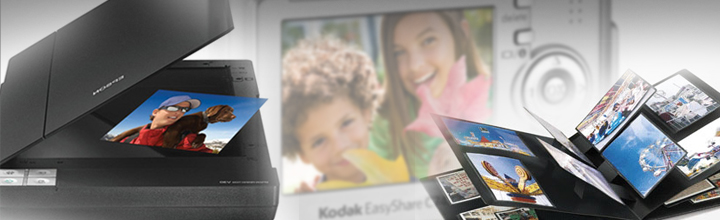
Steps to Scanning Old Photos

Here is the 8-step process to scan and Digitize Old Photos

  • Step 1: Sort and Organize Your Photo Collection – Group by event, date, or person; discard duplicates to streamline. Label boxes for reference.​
  • Step 2: Clean and Prepare Photos Before Scanning – Gently dust with microfiber; avoid liquids on emulsions. Flatten curled edges under weight.​
  • Step 3: Choose the Best Digitization Method – Match to volume: scanners for quality, apps for speed, pros for bulk.​
  • Step 4: Set Scanner Resolution and Color Settings – Aim for 600 DPI at 24-bit color for balance. Use 36-bit for pros.​
  • Step 5: Scan or Photograph Each Photo – Place face-down; preview for alignment. Batch where possible.​
  • Step 6: Crop, Rotate, and Enhance the Image – Use software to trim edges and fix orientation. Basic edits revive clarity.​
  • Step 7: Save the Image in the Correct File Format – TIFF for lossless archiving; JPEG for sharing.​
  • Step 8: Organize and Back Up Your Digital Photos – Tag with metadata; store multiple.​

Optimal settings maximize detail and longevity. But is a scanner always necessary? Compare it directly to smartphone alternatives.

Recommended Scanner Settings for Digitizing Photos

Let’s explore the DPI Settings, resolution, and much more in detail:

  • Best DPI Settings for Photo Scanning – 600 DPI suits most prints for editing flexibility; 1200+ for small or restoration needs. 300 DPI for basic viewing.​
  • Understanding Resolution and Color Depth – DPI measures detail; 24-bit captures 16 million colors standardly, 36-bit for precision pros.​
  • Choosing Between JPEG, TIFF, and PNG Formats – TIFF preserves all data losslessly; JPEG compresses for the web; PNG suits transparency but less for photos.​

Each method has strengths, especially for varying collection sizes. For larger hauls, learn strategies to handle volume efficiently.

How to Digitize Large Photo Collections?

Digitizing a large photo collection is less about individual images and more about designing an efficient workflow. The goal is to balance time, quality, and cost so you can move thousands of prints, negatives, or slides into a reliable digital archive without burning out.

See also  Convert Old Photos to Digital Service - Digitize Photos

How Long Does It Take to Digitize Old Photos?

The time required to digitize old images depends on your method, resolution, and the amount of cleanup you want per image. A detailed DIY workflow, including cleaning, scanning, and basic edits, can average 3–7.5 minutes per photo, which means a 3,000-photo collection can easily require 300+ hours of hands-on work.

Even with a more streamlined approach, home users often scan only 20–30 photos per session, stretching large projects across weeks or months.​

Digitizing Hundreds or Thousands of Photos Efficiently

Efficiency comes from batching every step instead of treating each photo as a separate project.

  • Sorting and cleaning in large groups,
  • Using auto-cropping or auto-rotation tools, and
  • Scanning multiple prints in one pass significantly reduce time spent per image.

For collections in the hundreds or thousands, plugging high-volume sessions into your weekly schedule or outsourcing a portion of the work to a bulk photo scanning service like eRecordsUSA helps you reach the finish line much faster.

Batch Scanning Techniques

Batch-capable scanners and feeders can transform the pace of your project.

  • Dedicated photo feeders such as Canon’s imageFORMULA RS40 can scan up to 40 prints in a single batch at around 30 photos per minute, dramatically outperforming traditional flatbed scanners and manual smartphone captures.
  • Another effective tactic is to place multiple prints on a flatbed, scan them together at high resolution, and then use software to auto-detect and crop each photo into separate files, which is especially effective for smaller prints.

When Bulk Photo Scanning Services Make Sense?

Once your project crosses a few hundred images, the time cost of doing everything yourself becomes significant, especially when a 1,000–2,000 photo collection can easily demand dozens of hours of sorting, cleaning, scanning, and basic editing.

Bulk photo scanning labs often price larger jobs on a sliding scale, with sample rates in the 0.25–0.50 USD per-photo range for 500–1,000 prints, and even lower pricing as quantities increase, particularly when you ship entire boxes or albums together.

For busy families or anyone with tens of albums to preserve, outsourcing ensures consistent quality, high-speed batch scanning, and delivery on USB or cloud while you focus on organizing and sharing the results.

This is where eRecordsUSA’s bulk photo scanning services become especially valuable, offering professional-grade resolution, careful handling of fragile prints, and flexible delivery options tailored to large family archives and legacy projects.

What to Look for in a Photo Digitization Company?

When choosing a photo digitization company, focus on trust, quality, and how safely they handle your originals. A reliable provider should clearly explain how they protect, scan, and deliver your memories, not just advertise low prices.

See also  Legacy Photos Scanning

Key things to look for include:

  • Proven experience and reputation: Check independent reviews, testimonials, and any media or professional mentions that show a consistent track record of careful handling and good results.
  • High-quality scanning standards: Look for clearly stated resolution options (at least 300–600 DPI or higher), examples of scan quality, and included services like dust removal, rotation, and basic color correction.
  • Safe handling and security: Confirm how your photos are tracked, stored, and transported, whether they stay in-country, and what protocols exist to prevent loss or damage.
  • Transparent pricing and deliverables: The company should list what is included in the price (resolution, file format, organization, basic edits) and how your files are returned (USB, cloud download, or both), without hidden add‑ons for essential features.
  • Responsive customer support: Look for knowledgeable support via phone, email, or chat, with clear communication before, during, and after the project, plus a satisfaction guarantee or re-scan policy.

A partner like eRecordsUSA that combines archival-quality scanning, careful chain-of-custody, and transparent communication will give you far more confidence than a low-cost provider that treats your photos like ordinary documents

Preserve Your Memories Forever

Digital copies of your family photos ensure they endure beyond physical decay, ready for generations to share effortlessly. You’ve mastered the steps to scan & digitize old photos—now protect those irreplaceable moments with erecordsusa.com’s professional photo digitization services for high-resolution, archival-quality results.​

Ready to safeguard your family history? Call us at 1.510.900.880, or write us at he***@*********sa.com today for a free quote on bulk photo scanning services —start preserving your legacy today!!!

FAQs About Photo Digitization Services

Q: What should I do with original photos after digitizing them?

  • A: Store prints in acid-free boxes in a cool, dark, dry space, off the floor and away from attics or basements, so physical photos stay protected even after you’ve created a digital archive.

Q: How can I name and organize photo files for easy searching?

  • Use consistent file names with date, event, and key people (for example, 1998-06-15-family-reunion-smith.jpg) and mirror that structure in folders so search and filtering stay fast and intuitive.

Q: Are there privacy risks when storing digitized photos in the cloud?

  • Cloud storage adds redundancy but can raise privacy concerns, so choose services with strong encryption, clear ownership terms, and regular account reviews to avoid lockouts or unwanted data access.
    ​

Q: ​Is it legal to share old family photos of children online?

  • Parents usually control minors’ image rights, but oversharing can still raise privacy or legal issues, so always check the privacy policy of the websites or platforms before doing so.​

Q: How can I share digitized photos with family without oversharing?

  • Create curated private albums, share via invite-only links or encrypted drives, and confirm everyone’s comfort level so your family can enjoy memories without sacrificing control or privacy.

Fill out the form below, to start your digitizing journey

What Our Client Says

Posted on Google Google
Yuri Sasamoto profile picture
Yuri Sasamoto
23 October 2026
Google star 1Google star 2Google star 3Google star 4Google star 5Trustindex verifies that the original source of the review is Google.
Pankaj, Ritika, and team were amazing at helping me getting two books scanned without damaging the books. Those were rare books and nondestructive scanning was absolute must. The price was reasonable considering the quality of the service. The speed was bit longer than expected but I understand now the demand is increasing with the AI boom.
Posted on Google Google
Gordon Wintrob profile picture
Gordon Wintrob
17 October 2026
Google star 1Google star 2Google star 3Google star 4Google star 5Trustindex verifies that the original source of the review is Google.
Very easy process. Mailed them a box of documents and they did a very high-quality job scanning them. It's pretty reasonable cost to ship a box from elsewhere in the Bay Area. Once you sign off, they shred them. You can use ChatGPT to organize and rename the files. Great experience that I'd definitely use again!
Posted on Google Google
Scott Egan profile picture
Scott Egan
13 October 2026
Google star 1Google star 2Google star 3Google star 4Google star 5Trustindex verifies that the original source of the review is Google.
Incredible service. I had them scan 200 year old books and they brought them back in perfect condition. The scans were legible, the books were handled with care, and the staff was professional. Would definitely recommend.
Posted on Google Google
Diego Asturias profile picture
Diego Asturias
15 September 2026
Google star 1Google star 2Google star 3Google star 4Google star 5Trustindex verifies that the original source of the review is Google.
Scanned in 2 books for me. Result was top notch
Posted on Google Google
Daniel D. profile picture
Daniel D.
14 September 2026
Google star 1Google star 2Google star 3Google star 4Google star 5Trustindex verifies that the original source of the review is Google.
Easy to work with and fast turnaround!
Posted on Google Google
August Brenner profile picture
August Brenner
14 September 2026
Google star 1Google star 2Google star 3Google star 4Google star 5Trustindex verifies that the original source of the review is Google.
They were able to digitize 18 years of diaries and multiple yearbooks for me. The quality was excellent and the customer services was also excellent. The price was also very competitive. I highly recommend e-records!
Posted on Google Google
Brian Kaye profile picture
Brian Kaye
12 September 2026
Google star 1Google star 2Google star 3Google star 4Google star 5Trustindex verifies that the original source of the review is Google.
I turned to Document Scanning & Photos Digitizing Services (eRecord) for help converting a low‑quality microfilm of 18th‑century Polish census records into a digital format suitable for historical research. The technical demands of the project were considerable, yet eRecord devoted extraordinary time and care to the transfer. My use of AI enhancement significantly improved the legibility of the images, making the scans genuinely useful for scholarly work. Pankaj’s professionalism stood out: he kept me informed at every stage, explained the challenges clearly, and ensured the final product met the highest standard possible. I recommend Document Scanning & Photos Digitizing Services (eRecord) without reservation.
Posted on Google Google
Keith Kadokura profile picture
Keith Kadokura
11 September 2026
Google star 1Google star 2Google star 3Google star 4Google star 5Trustindex verifies that the original source of the review is Google.
I am a member of the Archives Group for the San Jose Buddhist Church Betsuin. One role of the Archives Group is to preserve our historical physical photos and documents. However, recent fires at the Lahaina and Seattle Buddhist Temples have created urgency for us to digitize our archives for storage in the Cloud for safekeeping. In the SJBCB Archives Room, we have many large-format, panoramic photos. The size of the largest photo is 54x8 inches, and many are longer than 40 inches. The oldest photo with a confirmed date was taken in 1925, and we have one photo we suspect is from 1911. We do not have a way to scan and digitize these large photos in our Archives Room. After searching for ways to scan and digitize our panoramic photos, I was fortunate to find eRecordsUSA. Mr. Sharma was very patient while listening to me describe our situation and requirements, and my asking about his equipment, procedures, and details about file formats and resolutions. Mr. Sharma agreed to provide sample scans for a few of our photos and let us review the results before we decided to proceed. The sample scans were amazing and we delivered 121 photos to eRecordsUSA for scanning and digitization. The staff at eRecordsUSA were very careful handling our fragile photos. They followed our requirements for file format and resolution, and for naming the files. The results exceeded my expectations and the pricing was reasonable. I happily recommend eRecordsUSA and will use their services in the future.
Posted on Google Google
Judy Baker profile picture
Judy Baker
25 August 2026
Google star 1Google star 2Google star 3Google star 4Google star 5Trustindex verifies that the original source of the review is Google.
I couldn't trust just any business to care for and digitize my Dad’s 200+ page handwritten journal, which is a one-of-a-kind family heirloom. After doing some preliminary research, I chose eRecordsUSA, and I am delighted with the quality of the finished pdf and accompanying image files. After speaking with Mr. Sharma and personally meeting with him to drop off the journal, it was crystal clear that he is an expert at this and really cared about preserving my Dad’s book. This business is very professional, highly responsive and trustworthy, and I would definitely drive to Fremont again (it’s a 45 minute drive one way) if I need their services. TIP: Be sure to call or email them to make an appointment because this isn’t a store where you can just drop in.
Posted on Google Google
Greg Archbald profile picture
Greg Archbald
17 August 2026
Google star 1Google star 2Google star 3Google star 4Google star 5Trustindex verifies that the original source of the review is Google.
In 1970-71 my then wife and I traveled to many different countries, taking a year and a quarter to circle the globe. Our parents kept all of our letters and postcards for us -- almost 200 items including flimsy aerogramme stationery with tiny handwriting. As a stack of papers, it would never be read by my children and grandchildren. As a scanned and digitized collection, it became a precious family treasure. It’s also priceless data that I can use with Claude AI to create keepsake documents for the family. Thank goodness I found eRecordsUSA -- the people who made it possible! The scans are perfect. The transcriptions are excellent. My originals were perfectly kept. Working with Pankaj and his team was a pleasure. I recommend eRecordsUSA highly as folks you can trust to do a great job with your precious memorabilia.
Verified by Trustindex
Trustindex verified badge is the Universal Symbol of Trust. Only the greatest companies can get the verified badge who has a review score above 4.5, based on customer reviews over the past 12 months. Read more
Posted on Yelp Yelp
Victoria B. profile picture
Victoria B.
25 September 2026
Yelp star 1Yelp star 2Yelp star 3Yelp star 4Yelp star 5Verified
I had an excellent experience with eRecordsUSA and am extremely pleased with the work they did digitizing my personal book collection. The quality of the scanned PDFs is outstanding--clear, well-organized, and easy to read, while preserving the look and character of the original books. I especially appreciate that the PDFs are fully searchable, which makes accessing and finding specific passages or information incredibly convenient. The entire process was handled with great care and professionalism, and I now have a beautiful, accessible digital archive of my collection that I can enjoy for years to come. I highly recommend eRecordsUSA to anyone looking to preserve their books and convert them into high-quality digital files.
Posted on Yelp Yelp
Brian K. profile picture
Brian K.
12 September 2026
Yelp star 1Yelp star 2Yelp star 3Yelp star 4Yelp star 5Verified
I turned to eRecord USA - Document Scanning & Photos Digitizing Services for help converting a low‑quality microfilm of 18th‑century Polish census records into a digital format suitable for historical research. The technical demands of the project were considerable, yet eRecord devoted extraordinary time and care to the transfer. My use of AI enhancement significantly improved the legibility of the images, making the scans genuinely useful for scholarly work. Pankaj's professionalism stood out: he kept me informed at every stage, explained the challenges clearly, and ensured the final product met the highest standard possible. I recommend eRecordsUSA - Document Scanning & Photos Digitizing Services without reservation.
Posted on Yelp Yelp
Keith K. profile picture
Keith K.
11 September 2026
Yelp star 1Yelp star 2Yelp star 3Yelp star 4Yelp star 5Verified
I am a member of the Archives Group for the San Jose Buddhist Church Betsuin. One role of the Archives Group is to preserve our historical physical photos and documents. However, recent fires at the Lahaina and Seattle Buddhist Temples have created urgency for us to digitize our archives for storage in the Cloud for safekeeping. In the SJBCB Archives Room, we have many large-format, panoramic photos. The size of the largest photo is 54x8 inches, and many are longer than 40 inches. The oldest photo with a confirmed date was taken in 1925, and we have one photo we suspect is from 1911. We do not have a way to scan and digitize these large photos in our Archives Room. After searching for ways to scan and digitize our panoramic photos, I was fortunate to find eRecordsUSA. Mr. Sharma was very patient while listening to me describe our situation and requirements, and my asking about his equipment, procedures, and details about file formats and resolutions. Mr. Sharma agreed to provide sample scans for a few of our photos and let us review the results before we decided to proceed. The sample scans were amazing and we delivered 121 photos to eRecordsUSA for scanning and digitization. The staff at eRecordsUSA were very careful handling our fragile photos. They followed our requirements for file format and resolution, and for naming the files. The results exceeded my expectations and the pricing was reasonable. I happily recommend eRecordsUSA and will use their services in the future. Keith K.
Posted on Yelp Yelp
Jonathan R. profile picture
Jonathan R.
11 September 2026
Yelp star 1Yelp star 2Yelp star 3Yelp star 4Yelp star 5Verified
Sharma was great to work with, he jumped right on a difficult large format very old, very important set of drawings and scanned them to PDF for me. He has the capability to do large 24"x36" and even larger documents! Would highly recommend. Jonathan Reimer HMI Industrial (California's #1Industrial Contractor) S
Posted on Yelp Yelp
Hiroyuki I. profile picture
Hiroyuki I.
6 August 2026
Yelp star 1Yelp star 2Yelp star 3Yelp star 4Yelp star 5Verified
Second time review. I'm very happy with the quality of their service. They completed the job quickly and did an excellent job with the scanning. They also have specialized equipment that can handle large, delicate, and unusual documents that many other scanning services are not equipped to handle. I highly recommend their services to anyone looking for professional, high-quality document scanning.
Posted on Yelp Yelp
Sekandar A. profile picture
Sekandar A.
2 August 2026
Yelp star 1Yelp star 2Yelp star 3Yelp star 4Yelp star 5Verified
I was gifted an old book that my grandfather wrote in Afghanistan. The book was in decent condition, but because it was written in Farsi, I wasn't able to read it properly. Then I had an idea: with the help of AI, I could have it translated and finally read my grandfather's work. This is where eRecordsUSA came in. They took on this project despite its many challenges and scanned the book with excellent quality. Now, I can preserve and share this treasure with the rest of my family. Our family is incredibly thankful for all the hard work eRecordsUSA put into this project. I couldn't be happier with the final result.
Posted on Yelp Yelp
Donald Y. profile picture
Donald Y.
17 July 2026
Yelp star 1Yelp star 2Yelp star 3Yelp star 4Yelp star 5Verified
They helped me scanned thousands of photos and digitized my family's archives. They were very communicative and the pricing was fair. I think the biggest highlight is being able to trust them with some of the most important valuables in my life. Highly recommend!
Posted on Yelp Yelp
Kevin H. profile picture
Kevin H.
20 June 2026
Yelp star 1Yelp star 2Yelp star 3Yelp star 4Yelp star 5Verified
I have a precious hardbound book that my mother made for me with our family history documented in it. I had been looking for someone who could digitize it. Because of the irreplaceable nature of the book, it was critical that I could trust the service to handle my book with care, both in the shipping to and from and the digitizing process. I found eRecordsUSA through a ChatGPT search. They had outstanding reviews on all fronts. They lived up to those reviews. The inquiry process was easy, clear, quick and responsive through their online contact process, and I did have one call with a representative. Their pricing was fair. The digitizing process of my book, which was several hundred pages, was very quick, being done the same week in which they received it. Turnaround shipping was also quick and reliable, just as promised. And the book came back in pristine condition. Communication was excellent throughout. When they quoted me a price, had to estimate the number of pages because the pages are not numbered. Turns out that there were more than double my estimate. However, eRecordsUSA honored the quoted price. Integrity.... So, I highly recommend eRecordsUSA if you are in the market for digitizing services. They fully met and in some ways exceeded my high expectations.
Posted on Yelp Yelp
Bruce G. profile picture
Bruce G.
9 June 2026
Yelp star 1Yelp star 2Yelp star 3Yelp star 4Yelp star 5Verified
Museum level quality scan! Top quality service. Excellent work. Highly recommend. I had my old book scanned with top quality result.
Posted on Yelp Yelp
Cameron V. profile picture
Cameron V.
24 April 2026
Yelp star 1Yelp star 2Yelp star 3Yelp star 4Yelp star 5Verified
Excellent work as always. Great scan quality, customer service, and affordability. I am a repeat customer and value working with eRecordsUSA on all my large volume scanning projects.
Verified by Trustindex
Trustindex verified badge is the Universal Symbol of Trust. Only the greatest companies can get the verified badge who has a review score above 4.5, based on customer reviews over the past 12 months. Read more