It’s not just price. It’s not just location. And it’s definitely not who ranks first in search results.
Organizations across the United States use document scanning services to convert paper records into secure, searchable digital files. But today, digitization is no longer just about convenience. It is about control, compliance, and long-term accessibility.
Paper records create risk. They are difficult to track, difficult to audit, and vulnerable to loss or unauthorized access. Unlike digital systems, physical documents do not provide built-in retention controls, version tracking, or structured access permissions.
As regulatory pressure increases, especially in healthcare, legal, financial, and government sectors, document scanning has become part of a broader information governance strategy.
Federal records frameworks, including guidance from the National Archives and Records Administration (NARA), require organizations to maintain defensible, accessible records over defined retention periods. Digitization supports those obligations by creating traceable, searchable digital assets.
Industries that most frequently evaluate nationwide document scanning providers include:
Government agencies managing public records and retention schedules
Healthcare organizations converting patient files and regulated documentation
Legal teams preserving contracts, case files, and evidentiary records
Enterprises modernizing HR, financial, engineering, and operational archives
Professional document scanning services typically deliver:
The real question is not who scans documents.
The real question is who controls the process, enforces quality, and remains accountable from intake to delivery.
Before comparing providers, we need to define what “best” actually means in operational terms.
Why “Best Document Scanning Services in the USA” Is Not a Location or Price Question?
When organizations search for the best document scanning services in the USA, the results often prioritize two things:
Location
Price
But neither of these alone determines service quality—especially for regulated, large-scale, or high-risk records.
Why Location Alone Is Misleading?
Search queries like “document scanning near me” surface providers based on proximity, not execution capability.
Many nearby results include:
Retail print centers
Shipping stores
Intermediary or broker-based services
For example, retail chains offer small-volume scanning as a convenience service. While suitable for ad hoc needs, they are not structured to manage high-volume custody control, compliance enforcement, or production-grade quality workflows.
Organizations handling medical, legal, mortgage, or financial files must consider:
Who controls intake and processing
Where documents are stored during production
Whether custody is documented at every stage
How exceptions and damaged records are handled
If you are evaluating scanning models, understanding the difference between direct providers and intermediaries becomes critical. We explain this in detail here: Document Scanning Brokers vs Direct Providers
Execution ownership affects security, communication clarity, and accountability.
Why Price Comparisons Often Fail?
Per-page pricing looks simple.
Real-world projects are not.
Advertised rates often assume:
Uniform paper sizes
Minimal preparation
Clean pages
No indexing depth
Basic OCR
Actual archives frequently include:
Mixed sizes
Staples and bindings
Faded or torn documents
Handwritten annotations
Structured indexing requirements
These variables directly affect production effort.
That is why comparing flat pricing without reviewing document condition or workflow design leads to inaccurate expectations.
Cost should reflect workflow complexity—not a marketing headline.
What Actually Determines the “Best” Service?
Instead of location or price, serious buyers evaluate:
Execution Control – Does the provider directly perform scanning, indexing, and QA?
Chain of Custody – Is every transfer documented and auditable?
Quality Enforcement – Are image review and OCR validation built into production?
Workflow Design – Are preparation standards and indexing levels defined upfront?
Accountability – Is there a single project owner responsible from intake to delivery?
These operational variables directly affect:
Compliance readiness
Audit defensibility
Data integrity
Retrieval usability
Timeline predictability
For regulated environments—such as healthcare, federal agencies, or legal institutions—these controls matter far more than ZIP code proximity.
Organizations operating under federal retention mandates require structured execution models commonly seen in federal government document scanning services, where custody documentation and audit readiness are enforced at every stage.
In healthcare environments, medical records scanning services must align with regulated handling standards to protect sensitive patient data throughout intake, processing, and delivery.
The Real Meaning of “Best”
The best document scanning service in the USA is not the closest.
It is not the cheapest.
It is the provider that:
Designs workflows before production begins
Controls records end-to-end
Enforces quality during scanning—not after delivery
Maintains documented custody
Accepts written accountability for scope, timelines, and outcomes
Once location and price are removed from the center of the evaluation, the next step is understanding how to systematically choose a provider based on execution standards.
How to Choose the Best Document Scanning Service in the USA?
Once location and price are removed from the center of the evaluation, the next step is execution analysis.
Choosing the best document scanning service in the USA depends on how the provider designs, controls, and enforces its operational workflow—not how it markets its services.
High-performing providers distinguish themselves through five structural pillars.
1. Execution Model: Direct vs Brokered
Some companies perform scanning in-house. Others act as coordinators who subcontract production.
This distinction directly affects:
Custody continuity
Communication clarity
Quality enforcement
Issue resolution speed
When the same organization controls intake, preparation, scanning, indexing, and quality review, accountability remains centralized. Each handoff eliminated reduces operational variability.
Document scanning is not just image capture. It is controlled handling.
Providers should clearly define:
Where documents are stored during processing
Who has physical and digital access
How transfers are logged
Whether custody documentation is audit-ready
For regulated industries, security must be systematic—not implied.
Structured security environments are typically outlined under secure handling frameworks such as: Secure and Compliant Operations
Without documented custody, even technically accurate scans may fail compliance review.
3. Quality Control & OCR Validation
Scanning quality is more than resolution.
Serious providers define:
Image review thresholds
OCR accuracy targets
Exception handling protocols
Re-scan criteria
OCR that is not validated can create downstream usability problems in document management systems. If structured extraction or advanced text recognition is part of your project, it is important to understand how intelligent capture workflows are implemented and enforced during production, particularly in environments that require structured OCR data extraction services rather than basic text recognition.
Searchability must be enforceable—not assumed.
4. Workflow Engineering Before Production
The best document scanning services do not begin production immediately.
They define:
Preparation standards
Indexing level (box, folder, document, or field)
File naming conventions
Output format requirements (PDF, PDF/A, TIFF)
Acceptance criteria
When workflow design is engineered upfront, timeline predictability increases and scope drift decreases.
Organizations digitizing large-scale archives often require structured backfile strategies.
Workflow clarity prevents cost surprises.
5. Project Accountability
A serious provider assigns a single project owner responsible for:
Timeline coordination
Scope enforcement
Quality validation
Reporting
Final acceptance
Without defined ownership, delays and miscommunication increase.
Organizations evaluating providers often benefit from using a structured checklist during vendor interviews—such as these 10 questions to ask a scanning provider—to clarify execution standards, custody controls, and accountability expectations before production begins.
Clear answers signal operational maturity.
What This Evaluation Framework Achieves?
By assessing providers across execution control, security enforcement, quality validation, workflow engineering, and accountability, organizations move from marketing comparison to operational comparison.
That shift determines whether a digitization project supports:
Audit readiness
Regulatory compliance
Long-term retrieval usability
Risk reduction
Governance alignment
Once evaluation standards are clear, the next question becomes organizational fit.
Because the “best” provider for a federal archive may not be the same as the best provider for a healthcare network, legal practice, or enterprise archive.
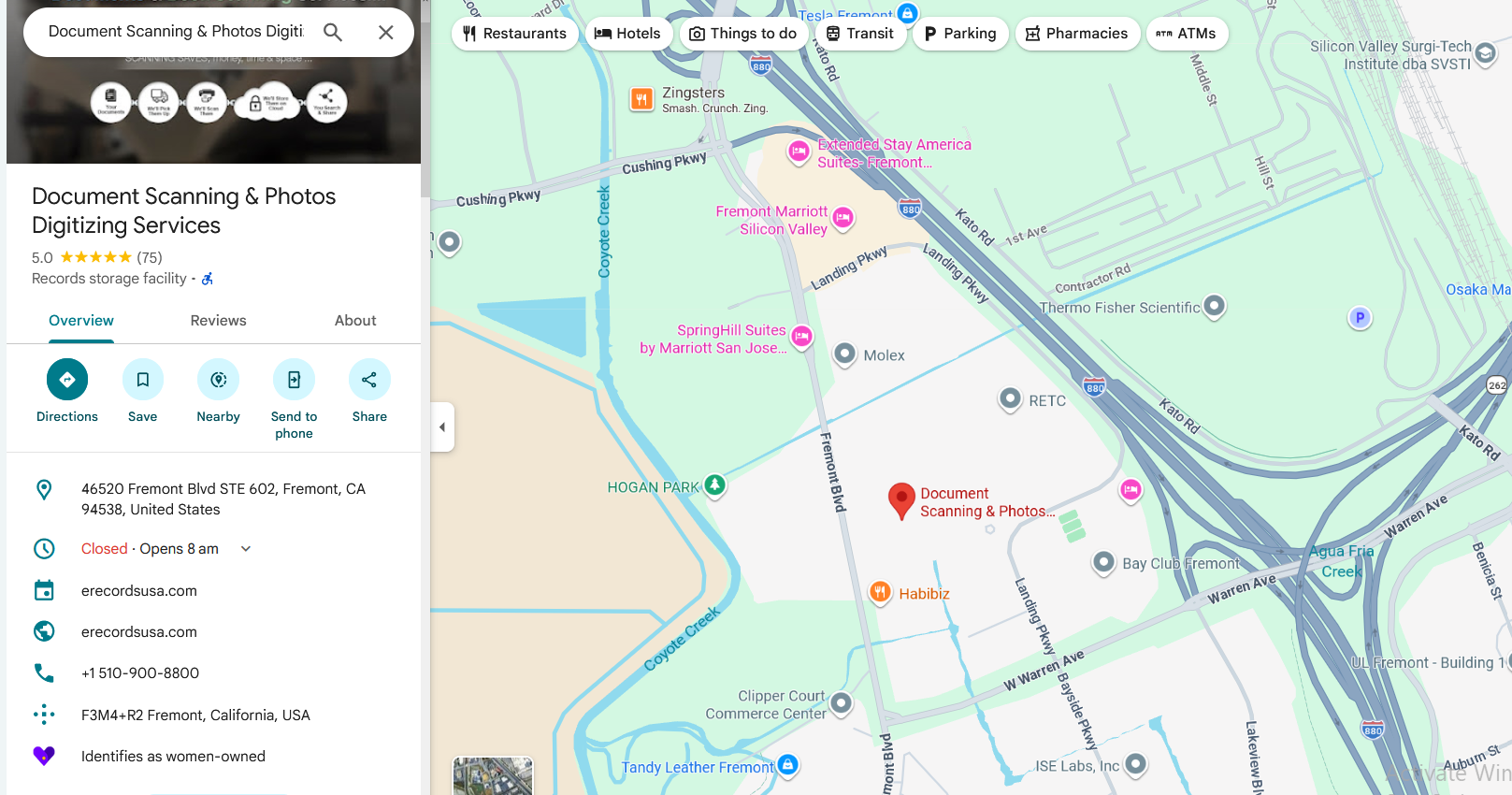
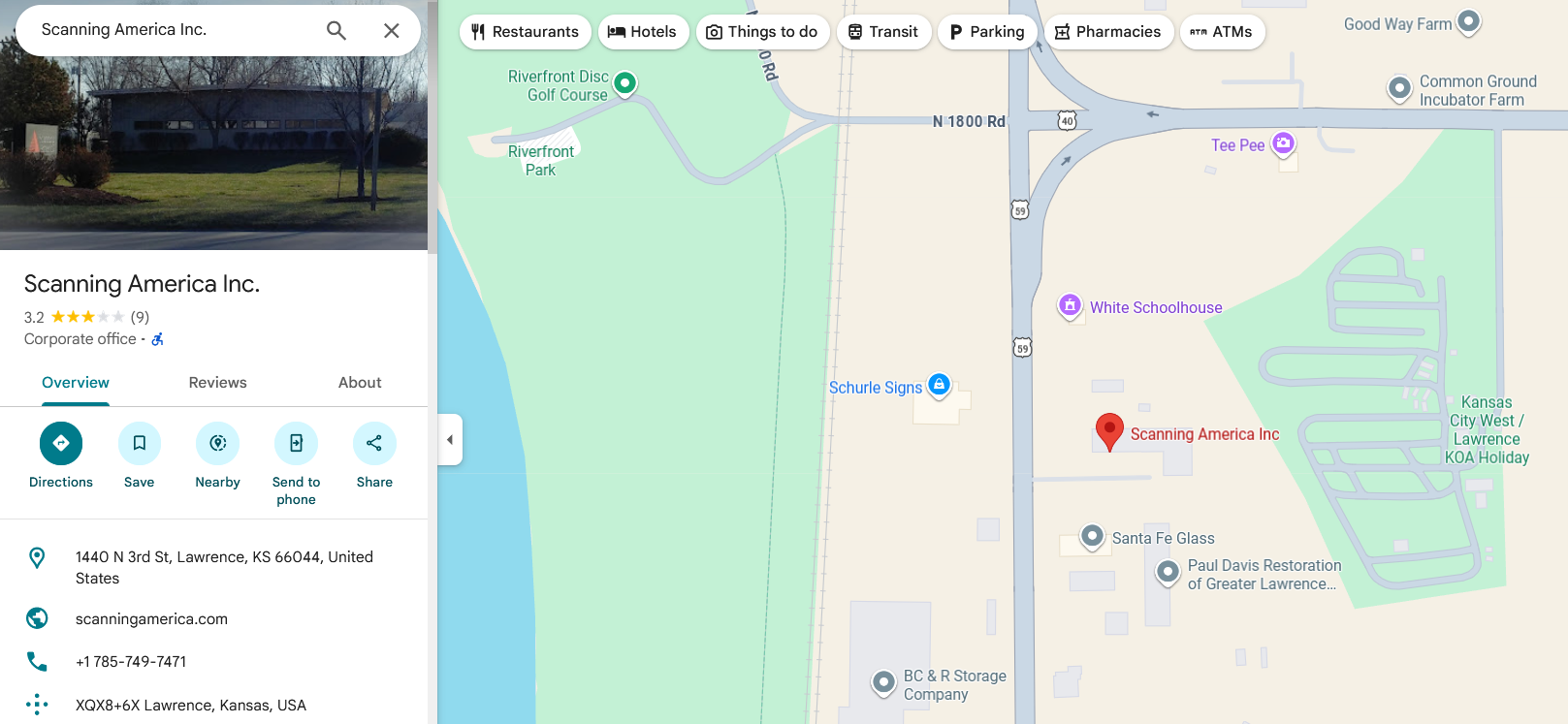
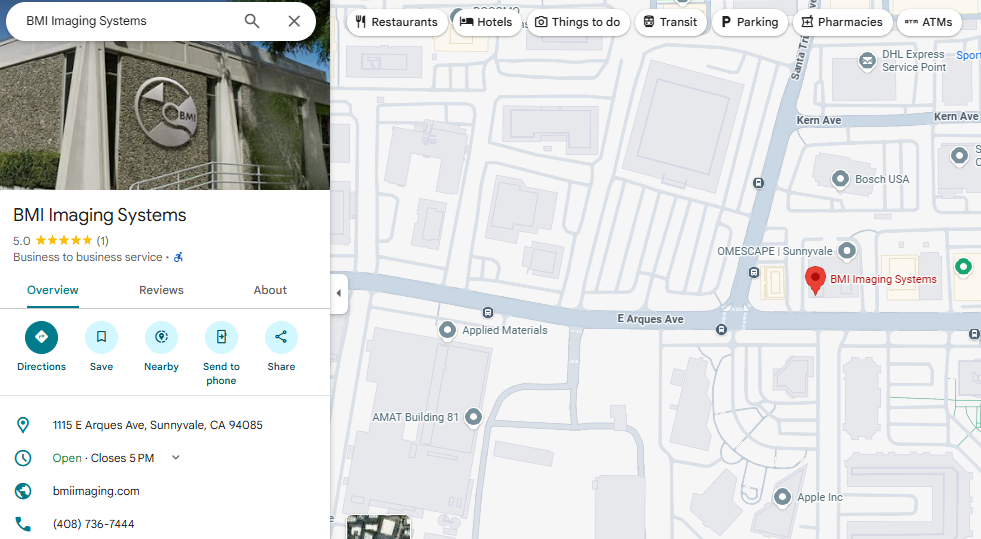
Top 15 Document Scanning Providers in the USA
Business Focus & Operating Models
Organizations searching for the best document scanning services in the USA encounter providers operating under different structural models.
Some specialize exclusively in document digitization.
Others integrate scanning within records storage programs.
Some coordinate vendors.
Others offer scanning as a retail convenience.
Understanding these differences helps buyers compare services based on execution structure — not brand familiarity.
Business Focus: Logistics and retail print services
Service Model: On-demand document scanning
Typical Use Cases:
One-off scanning and convenience-based needs.
Why Structural Classification Matters?
These providers operate under different execution frameworks:
Direct scanning specialists
Storage-first lifecycle providers
Vendor-matching platforms
Equipment manufacturers
Retail convenience outlets
The “best document scanning service in the USA” depends on:
Execution ownership
Compliance exposure
Volume scale
Integration requirements
Custody expectations
Comparing providers by structure — rather than brand recognition — enables more informed evaluation.
Why Organizations Across the USA Choose eRecordsUSA?
When organizations evaluate document scanning providers, the deciding factor is often operational clarity.
eRecordsUSA is selected when execution ownership, structured workflow design, and documented accountability are required from intake through final delivery.
Unlike coordination-based or storage-first models, scanning projects are executed directly by dedicated in-house teams. The organization defining the scope is the same organization performing preparation, scanning, indexing, quality review, and delivery.
This alignment reduces ambiguity during production.
1. Direct Execution Without Intermediaries
All document handling remains under a single operational structure. There are no broker handoffs or subcontracted production stages.
For organizations managing regulated or large-scale archives, eliminating additional custody transfers reduces risk exposure and communication delays.
2. Workflow Engineered Before Production Begins
Every project begins with defined:
Preparation standards
Indexing depth
OCR validation requirements
File structure and naming conventions
Acceptance criteria
Production starts only after workflow parameters are documented. This reduces mid-project change orders and unexpected cost adjustments.
3. Documented Custody & Audit-Ready Handling
Records remain within controlled processing environments from intake to delivery.
Handling stages are documented, access is restricted, and quality controls are embedded during scanning—not after completion.
This structured approach supports organizations facing:
Regulatory oversight
Audit exposure
Long-term retention mandates
4. Experience Across Regulated & Complex Archives
Over two decades of operational experience support projects involving:
Government and public-sector records
Healthcare documentation
Legal and evidentiary archives
Financial and enterprise backfiles
Fragile and historical collections
Execution consistency across these environments informs process design and risk management.
5. Single Point of Project Accountability
Each engagement is overseen by a designated project lead responsible for:
Scope alignment
Timeline tracking
Exception resolution
Final acceptance validation
Centralized ownership minimizes confusion and accelerates decision-making during production.
The Outcome
Organizations choose eRecordsUSA not for marketing claims, but for structural execution control.
When custody continuity, workflow clarity, and production accountability matter, operational design becomes the deciding factor.
Conclusion: Choosing the Right Document Scanning Partner
Selecting the best document scanning services in the USA is not about brand size, location, or advertised pricing.
It is about structural fit.
Organizations should evaluate:
Who controls execution
How custody is documented
Whether quality standards are enforced during production
If workflows are engineered before scanning begins
And who remains accountable from intake through delivery
Different providers operate under different models — direct execution, storage-first lifecycle programs, coordination platforms, equipment suppliers, or retail convenience services.
Understanding those structural differences enables informed comparison.
When records are regulated, high-volume, or mission-critical, operational clarity becomes more important than proximity or headline pricing.
If you are evaluating document scanning services and need clarity before transferring custody of records, speaking directly with the team that would execute the project can help define scope, workflow expectations, and accountability standards upfront.
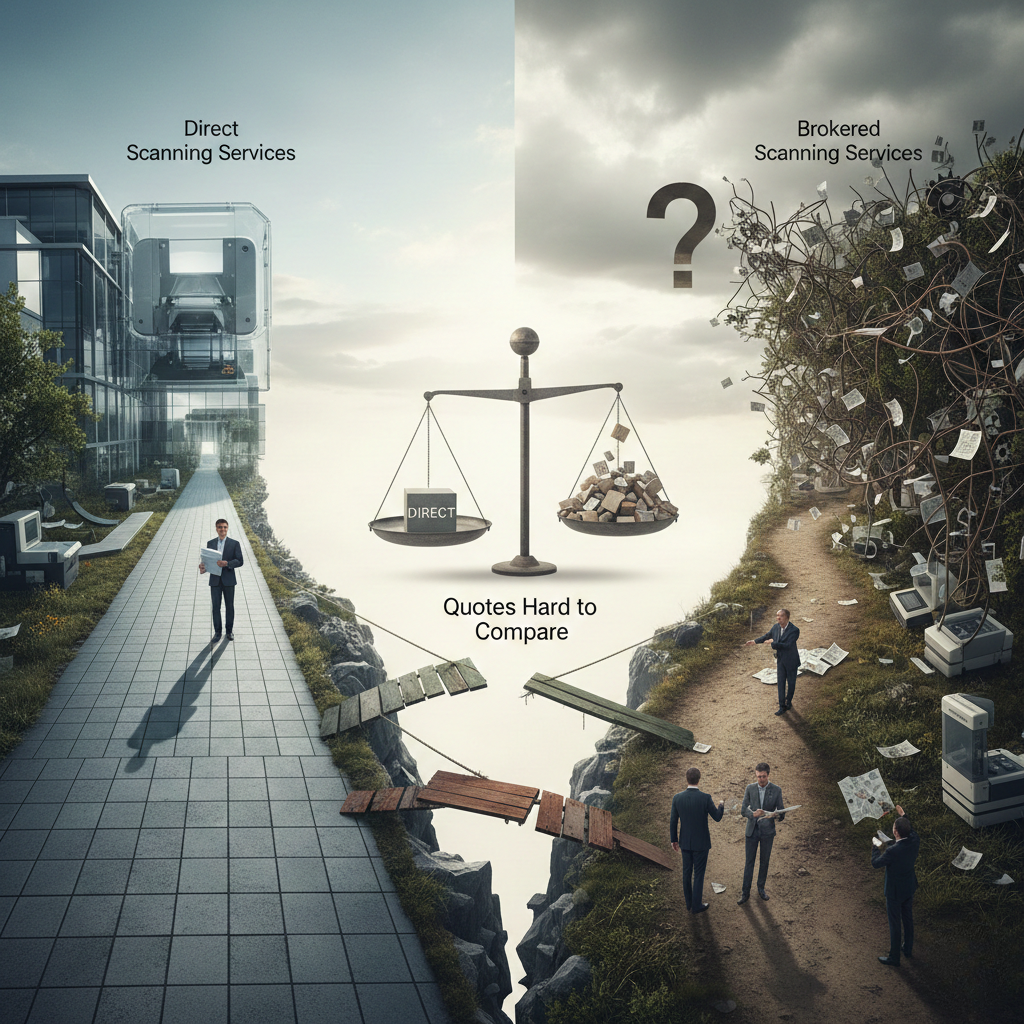
Why Do Document Scanning Quotes Never Line Up—and Why Does the Decision Feel Riskier Than It Should?
If you’re responsible for hiring a professional document scanning company, the hardest part usually isn’t deciding to digitize records—it’s trying to compare quotes that never seem to mean the same thing.
One proposal looks cheaper but excludes document preparation.
Another includes OCR, but not indexing.
A third mentions security, yet never explains who actually touches your files.
For agencies, healthcare providers, legal teams, and enterprises managing sensitive records, this creates a real problem: you’re being asked to approve a budget without a stable scope, a clear workflow, or a single accountable owner.
Professional document scanning is not a commodity service. It is an operational process that involves physical custody, preparation standards, scanning settings, quality assurance, indexing logic, OCR accuracy, and secure delivery. Each of these variables affects cost, timelines, risk, and downstream usability—yet most quotes hide these details behind a single per-page number.
This is why document scanning projects often stall during approvals, expand after kickoff, or trigger security and compliance concerns long before the first box is scanned.
The issue isn’t that scanning is complicated.
The issue is how scanning services are sold.
Most buyers are pushed into comparing estimates from brokers, generalists, or quote-first vendors—instead of evaluating whether working directly with the company that actually performs the scanning would reduce risk, speed approvals, and simplify accountability from day one.
Before comparing another price sheet, it’s worth understanding what agencies and operators experience on opposite sides of the same project—and why going direct consistently produces better outcomes.
If you’re planning a scanning project and want clarity before committing budget, the first step isn’t a quote—it’s defining the workflow behind it.
Customer Reality: What Frustrates Agencies When They Search for Document Scanning Services
1) Why Does Comparing Document Scanning Quotes Feel Impossible?
For agencies and regulated organizations, quote comparison breaks down almost immediately—because the scope is never equal, even when the page counts look similar.
Most document scanning quotes are built on unstated assumptions, not shared definitions. Each vendor silently prices a different version of the work.
One quote assumes documents arrive fully prepared.
Another quietly excludes staples, bindings, folds, or repairs.
One includes OCR and basic indexing.
Another prices both as optional add-ons after approval.
One includes pickup, secure transport, and documented chain-of-custody.
Another ignores physical handling entirely.
From the buyer’s perspective, every quote looks precise—but none are actually comparable.
Agency impact
Procurement teams spend days trying to normalize proposals that were never designed to align.
Internal reviewers cannot approve a budget because the scope keeps shifting during clarification.
What should be a straightforward service decision turns into a stalled internal debate.
At this stage, agencies aren’t choosing between vendors. They’re trying to decode what each vendor thinks the project is.
2) Why Do Buyers Get Stuck in Sales Loops Instead of Getting a Real Plan?
Many vendors optimize for speed-to-quote, not execution clarity. That usually means more calls, more reps, and less continuity.
Buyers are asked to explain the same project repeatedly:
First to a sales rep
Then to a solutions consultant
Then again when operations reviews the scope
Each handoff introduces reinterpretation. Requirements are rephrased. Assumptions change. Details drift.
What sounded agreed upon in one call quietly shifts in the next proposal revision.
Agency impact
Confidence erodes that execution will match what was discussed.
Internal stakeholders sense instability before work even begins.
Progress feels performative rather than real.
Agencies don’t need more conversations. They need a defined workflow.
3) Why Do “Low Quotes” Grow Once Scanning Starts?
Initial estimates often exclude the very conditions that dominate real-world scanning projects.
Common cost drivers left undefined upfront include:
Staples, clips, bindings, folds, and torn pages
Mixed media sizes (receipts, photos, legal, A4)
Poor originals requiring rescans
Metadata rules that were never finalized
OCR quality expectations that were never agreed upon
Once production begins, these omissions surface as change orders.
Agency impact
Budgets that were approved with difficulty begin to expand.
Vendor conversations shift from delivery to justification.
Trust degrades as every exception becomes a negotiation.
What looked inexpensive on paper becomes expensive in practice—because the work was never fully scoped.
4) Why Does Security Anxiety Increase During Vendor Selection?
For agencies handling sensitive or regulated records, uncertainty around who touches the files creates friction long before execution.
Buyers are routinely unable to get clear answers to basic questions:
Who physically handles the documents?
Where are records stored overnight?
Are subcontractors involved?
Is access logged and auditable?
Is chain-of-custody documented end-to-end?
When multiple parties are involved, responsibility becomes diffuse—and evidence becomes hard to produce.
Agency impact
Legal and compliance reviews slow approvals.
Risk discussions dominate internal meetings.
Brokers struggle to provide documentation they don’t control.
Security concerns don’t delay projects because teams are overly cautious. They delay projects because answers are incomplete.
5) Why Do Agencies Ultimately Want Accountability, Not Explanations?
When something goes wrong—a missing box, misindexed batch, or unreadable scans—buyers are not looking for reasons. They want resolution.
Specifically, they want:
One owner
One corrective plan
One timeline
One approval path
Brokered and multi-vendor models make this difficult. Problems trigger explanation chains instead of solutions.
Agency impact
Time is spent managing vendors instead of outcomes.
Responsibility shifts instead of resolving.
The agency absorbs coordination work it never planned for.
At this point, the core issue becomes clear: the service model itself is creating risk.
From the buyer side, the pattern looks chaotic.
From the operator side, the cause is much simpler.
Document scanning succeeds or fails based on control—over scope, custody, standards, and quality systems.
That’s why projects delivered directly by professional scanning companies behave very differently once execution begins.
Document Scanning Company Owner POV: Why Direct Projects Succeed More Often
1) Why Does Direct Control Protect Quality From Intake to Delivery?
From an operator’s perspective, document scanning quality isn’t a feature—it’s the result of a tightly controlled system. That system starts the moment records are received and ends only when final deliverables are accepted.
When execution stays in-house, each step reinforces the next. Prep standards align with scanner configurations. QA thresholds reflect agreed acceptance criteria. Indexing rules are enforced consistently across batches.
When work is outsourced or brokered, this system breaks. Standards drift as documents move between parties. Assumptions replace rules. Quality becomes dependent on interpretation rather than process.
Owner truth: Quality is a system, not a promise. Once execution is fragmented, quality becomes unpredictable.
2) Why Does Direct Work Reduce Miscommunication?
Most scanning failures are not caused by hardware or software. They come from unclear or unstable definitions of “done.”
Direct providers can lock critical elements early, including:
Scope definitions
Metadata fields
Naming conventions
OCR targets and exception rules
Acceptance criteria
When the same team defines and executes these standards, there is no translation layer. Questions are resolved where the work happens, not escalated across organizations.
In brokered models, requirements are interpreted, summarized, and reinterpreted before they reach production. By the time scanning begins, what was sold and what is executed are no longer the same thing.
Owner truth: Most scanning failures come from unclear acceptance criteria, not scanning equipment.
3) Why Do Direct Operations Reduce Timeline Risk?
From an execution standpoint, delays rarely come from scanner speed. They come from handoffs.
Direct providers avoid:
Waiting for broker approvals
Re-bidding work mid-project
Subcontractor scheduling conflicts
Staffing inconsistencies across phases
When one organization controls staffing, sequencing, and prioritization, work moves continuously. Adjustments are made internally without resetting timelines or renegotiating scope.
Brokered projects introduce pauses at every decision point. Each issue requires coordination instead of correction.
Owner truth: Faster starts come from fewer handoffs, not faster scanners.
4) Why Does Direct Custody Reduce Liability Exposure?
Every additional party that touches physical records increases risk and complicates compliance evidence.
Direct providers can document:
Chain-of-custody at every transfer
Controlled access areas
Role-based permissions
Batch-level audit trails
Secure destruction of prep waste
Because custody never leaves the organization executing the work, documentation remains complete and defensible. There are no custody gaps to explain and no third-party logs to reconcile.
In multi-vendor models, liability is diluted. Evidence is fragmented. When auditors ask for proof, brokers often rely on assurances they cannot independently verify.
Owner truth: Each additional party increases risk and weakens compliance defensibility.
5) Why Is Pricing Clearer When the Operator Designs the Scope?
Accurate pricing depends on understanding the workflow—not just the output.
Direct scanning companies can price reliably when scope defines:
Page count estimation method
Preparation level (light, standard, heavy)
Indexing depth (folder, document, field)
OCR requirements (searchable vs data capture)
Media handling (photos, oversized, fragile)
Output formats (PDF, TIFF, PDF/A)
Delivery method (SFTP, encrypted media, system ingestion)
When operators design the scope, pricing reflects real handling effort. When intermediaries price the job, estimates are reduced to spreadsheets and averages.
Owner truth: Brokers price a spreadsheet. Direct providers price a workflow.
When buyer frustration and operator reality are viewed together, the conclusion is hard to avoid.
The decision to go direct isn’t about preference—it’s about protecting approvals, timelines, security, and outcomes.
That’s why agencies that go direct experience fewer surprises once projects begin.
Why “Going Direct” Is the Decision That Protects Agencies
When agencies work directly with a professional document scanning company, the quoting process changes fundamentally—because scope is defined before pricing, not after approval.
Instead of juggling multiple interpretations, agencies get:
One provider defining the scope in writing
One list of what is included and excluded
One workflow tied to a single schedule
There are no silent assumptions spread across multiple vendors. Preparation, OCR, indexing, custody, and delivery are documented as part of one plan.
Agency win
Internal approvals move faster because the proposal stays stable
Procurement discussions focus on validation, not reconciliation
Decision-makers can approve with confidence that the scope won’t shift mid-project
Going direct turns quote comparison into scope confirmation, which is what approvals actually require.
B) How Does Going Direct Reduce Project Management Burden?
Brokered scanning projects quietly turn agencies into coordinators.
When execution is split across parties, agencies end up managing:
Status updates from multiple vendors
Conflicting timelines
Issue escalation between organizations
Direct engagement eliminates this overhead.
Agencies work with:
One project manager
One escalation path
One reporting structure (progress, exceptions, completion metrics)
Agency win
Internal teams stop babysitting vendors
Reporting becomes predictable and actionable
Accountability is immediate instead of negotiated
The agency’s role shifts from vendor management to outcome oversight.
C) How Does Going Direct Improve Security Posture Immediately?
Security risk is cumulative. Every additional handoff increases exposure and weakens auditability.
Going direct reduces:
Physical touchpoints
Unknown handlers
Fragmented access logs
With one provider controlling custody end-to-end, security evidence is centralized and verifiable.
Agency win
Compliance teams review one set of controls
Audit questions are answered with documentation, not assurances
Approvals move faster because risk is easier to evaluate
Security improves not because policies change—but because execution becomes simpler.
D) How Does Going Direct Improve the Final Digitized Records?
Consistency is the hidden driver of downstream usability.
When scanning, indexing, and QA are enforced under one system:
Scan quality stays uniform across batches
Indexing rules are applied consistently
OCR failures are identified and corrected early
This matters most after delivery, when users rely on the records.
Agency win
Fewer complaints about unreadable or missing files
Better search and retrieval performance
Less rework months after project completion
The value of digitization is realized only when records perform reliably in daily use.
At this point, the distinction between direct providers and brokers becomes measurable—not philosophical.
The next step for buyers is knowing how to identify direct operators quickly and avoid vendors who coordinate work they don’t control.
That starts with asking the right questions.
Buyer-Ready “Proof Questions” That Expose Brokers & Generalists Fast
When document scanning projects fail, it’s rarely because buyers didn’t ask enough questions. It’s because they asked the wrong kind—questions about features instead of execution ownership.
The fastest way to separate direct operators from brokers is to ask questions that require operational control, not sales explanations.
Ask these 10 questions. Direct providers answer cleanly.
1. Who physically performs the scanning work—employees or subcontractors?
Direct providers can name their teams. Brokers describe partners.
2. Where are records stored overnight, and who has access?
Direct operators control facilities. Intermediaries relay policies.
3. Do you provide chain-of-custody logs at pickup, transfer, and delivery?
Operators produce documentation. Brokers promise coordination.
4. What QA method do you use: 100% review, sampling, or exception-based?
Execution teams explain their thresholds. Sales teams generalize.
5. What is included in document preparation?
Look for specifics: staples, clips, bindings, repairs, unfolding.
6. What indexing level is priced—box, folder, document, or field?
Direct providers lock this early. Brokers leave it flexible.
7. Is OCR included? If yes, what quality standard do you target?
Searchable PDF alone is not a standard. Accuracy targets are.
8. What file formats do you deliver?
Clear answers include PDF, TIFF, PDF/A, and system-ready outputs.
9. How do you handle exceptions like torn pages, faint text, or mixed sizes?
10. Who owns the schedule and acceptance criteria in writing?
If ownership is unclear, accountability will be too.
Each question tests whether the vendor:
Controls execution
Owns custody
Enforces standards
Accepts accountability
Brokers can answer some of these. They struggle to answer all of them without deferring responsibility.
Direct providers don’t need to defer—because the work never leaves their control.
Once buyers can identify who actually owns execution, the final decision becomes simpler.
The remaining question is not who can coordinate the work—but who should be accountable for the outcome.
That’s where direct providers and agencies finally align.
Direct-Provider Value Statement That Aligns Both Buyer and Owner POVs
Agencies do not go direct to simplify vendor selection. They go direct to reduce risk, stabilize scope, and ensure accountability before committing public funds, regulated data, or mission-critical records.
From the buyer’s perspective, going direct solves practical problems:
Quotes stop shifting because scope is defined once
Security reviews move faster because custody is centralized
Project management burden drops because ownership is clear
Approvals hold because execution matches what was approved
From the operator’s perspective, direct engagement enables execution discipline:
Custody never fragments
Standards stay enforced across batches
QA issues are corrected at the source
Timelines stay intact because decisions are internal
This alignment is not accidental. It exists because the same organization defines the scope, performs the work, enforces quality, and accepts responsibility for the outcome.
When agencies work through brokers or generalists, responsibility is split:
One party sells
Another prepares
Another scans
Another indexes
Another explains what went wrong
When agencies work directly with a professional document scanning company, responsibility is unified:
One owner
One workflow
One set of controls
One acceptance standard
That unity is what protects budgets, timelines, compliance reviews, and final record usability.
Direct providers succeed not because they promise more—but because they control more.
Once agencies understand the operational difference between coordination and execution, the remaining question is straightforward:
Which scanning providers actually operate the workflows they sell—and which ones resell capacity they don’t control?
Answering that question is how agencies avoid quote chaos, project resets, and accountability gaps before they start.
Why Agencies Choose to Work Directly With eRecordsUSA
Once agencies decide to go direct, the final evaluation is no longer about price comparisons—it’s about operational credibility.
eRecordsUSA is structured specifically for organizations that cannot afford scope drift, custody ambiguity, or execution gaps.
1) True Direct-Execution Model (No Brokers, No Resellers)
eRecordsUSA performs document scanning services using its own teams and facilities.
No third-party scanning vendors inserted after agreements are signed
No resale of capacity the company does not control
No disconnect between what is scoped and what is delivered
What this protects: Agencies avoid blame-shifting, rework delays, and unclear ownership when issues arise.
2) End-to-End Chain-of-Custody Ownership
Records remain under one provider’s control from pickup through final delivery.
Documented custody at intake, transport, processing, and return
No third-party transfers creating custody gaps
Centralized logs for compliance and audit review
What this protects: Compliance approvals move faster because evidence is complete and defensible.
Experience with government, healthcare, legal, and enterprise archives
Operating discipline aligned with regulated data environments
Processes built for audits, not just throughput
What this protects: Internal reviewers can validate controls without chasing documentation across vendors.
6) Single Project Ownership and Clear Escalation
One project manager oversees execution end-to-end
Decisions made internally, not relayed through intermediaries
Issues resolved at the source
What this protects: Agencies manage outcomes—not vendors.
7) Transparent, Workflow-Based Pricing
Pricing reflects real execution requirements:
Preparation level
Indexing depth
OCR expectations
Media complexity
Delivery format
What this protects: Approved budgets don’t unravel once production starts.
Frequently Asked Questions
What is professional document scanning used for?
Professional document scanning is used to convert physical records into secure, searchable digital files for compliance, retention, access, and operational efficiency across government, healthcare, legal, and enterprise environments.
Will document scanning disrupt daily business operations?
No. Direct providers stage intake, batch records, and sequence work to preserve access during production. Properly planned scanning does not interrupt daily operations.
Do agencies need to prepare documents before scanning?
No. Preparation—including staples, bindings, repairs, and mixed formats—is handled in-house when working with a professional scanning company. Prep standards are defined upfront.
What happens if issues are found during scanning?
Direct providers resolve issues during production through internal QA and exception workflows. Corrections occur immediately without third-party escalation or project delays.
What should be confirmed before signing a document scanning agreement?
Agencies should confirm scope, custody ownership, acceptance criteria, security controls, delivery formats, and escalation paths in writing before execution begins.
Speak Directly With the eRecordsUSA’s Team That Executes and Is Accountable
If you’re planning a document scanning or digitization project and want clarity before committing budget:
Define the scope before comparing quotes
Speak directly with the team that executes the work
Get pricing based on real workflow requirements
No brokers. No resellers. No guesswork.
Speak Directly With eRecordsUSA’s Team With 20+ Years of Document Scanning Experience and Full Execution Accountability.
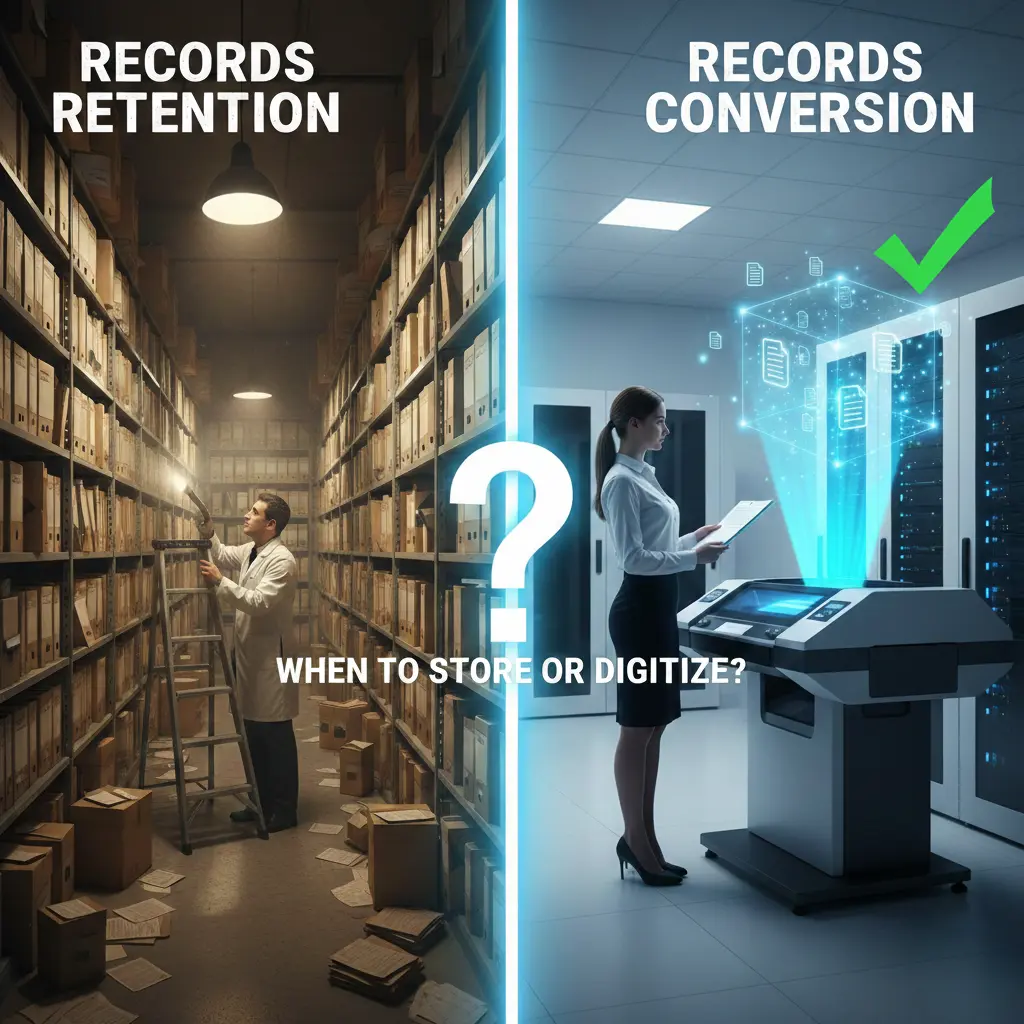
Are records retention and records conversion really solving the same problem in your organization, or are they designed for completely different stages of the records lifecycle? The two services are often discussed together under “records management,” but one focuses on preserving original files, while the other focuses on turning those files into usable digital information.
Records retention providers (such as traditional offsite storage companies) concentrate on secure physical records storage, compliance-based retention schedules, documented chain of custody, and controlled access to original paper documents. This approach supports organizations that must keep physical records intact for legal, regulatory, or operational reasons, even if those files are accessed only during audits or periodic reviews.
By contrast, records conversion specialists like eRecordsUSA address a different requirement: converting paper-based records into structured digital formats through document scanning, OCR, indexing, and secure electronic archiving. This model supports teams that need frequent access to historical information, faster retrieval, and tight alignment with document management platforms, case management tools, or other digital business systems instead of manual file handling.
Understanding how physical records retention and digital records conversion support different points in the records lifecycle is the first step to aligning your records strategy with how information is accessed, governed, and used across your organization.
Why Aren’t Records Retention and Records Conversion the Same Thing?
Think of records retention and records conversion as two different jobs in the same department—not one thing with two names. Both protect information, but they focus on different questions and different stages of the records lifecycle.
What question does each one answer?
Records retention asks:
“How long do we keep the original record, and how do we prove it was stored correctly?”
Records conversion asks:
“How do we turn this record into a usable digital file without losing integrity or compliance?”
What does records retention actually do?
Keeps original paper files in secure, controlled storage.
Follows a formal retention schedule (e.g., 7 years, 10 years, permanent).
Tracks boxes and files with inventory and chain-of-custody logs.
Supports audits, legal reviews, and regulatory checks using the physical record.
What does records conversion actually do?
Scans paper or microfilm into digital formats (PDF, TIFF, PDF/A, etc.).
Uses OCR and indexing so records can be searched by name, date, account, or case ID.
Stores digital records in document management or case management systems.
Keeps the information usable for daily work, reporting, and analytics—while retention rules still apply.
How do they work together?
Retention protects the original record for as long as required.
Conversion protects the information by moving it into a digital format that people can actually use.
A retention partner may manage your boxes; a conversion specialist like eRecordsUSA prepares those same records for consistent digital access.
What Do Records Retention Companies Actually Do (and When Does That Model Fit)?
Records retention companies are the specialists you use when you must keep original records, but you don’t need to use them every day.
What is the main job of a retention provider?
Store physical records (boxes, files, cartons) in secure offsite facilities.
Apply retention schedules so each box/file is kept for the correct number of years.
Maintain chain of custody and location tracking for every carton or file.
Retrieve and return specific files when audits, legal reviews, or investigations occur.
These services are a fit when regulations or policies require original paper to be preserved, or when your records are rarely accessed but must be available on demand.
When does a retention-only model make sense?
Use a records retention provider when:
Access is infrequent and mostly tied to audits, disputes, or compliance checks.
Laws or internal policy say “keep the original paper for X years.”
Your priority is risk management and traceability, not day‑to‑day digital use.
You are in a transition period (merger, system migration, regulatory review) and need stable control over physical archives while you plan next steps.
Retention companies solve the “keep it safe and compliant” problem for physical records; conversion partners like eRecordsUSA solve the “make it digital and usable” problem once your teams need faster access and system integration.
What Do Records Conversion Specialists Do (and How Does That Enable Digital Transformation)?
Records conversion specialists step in when keeping boxes in storage is no longer enough and your teams need information to move at the same speed as your digital systems. Instead of focusing on where records sit, conversion focuses on how those records flow into everyday work, reporting, and decision-making.
What is the real job of a conversion provider?
Rather than re-storing records, a conversion partner redesigns how information shows up in your digital environment:
Turns paper or microfilm into electronic files your systems can actually use (PDF, PDF/A, TIFF, etc.).
Structures data with indexing and metadata so staff can find what they need by client, case, account, or date—not by box number.
Aligns outputs with your existing tools (DMS, ECM, case management, ERP) so records land in the right place, with the right fields, ready to work.
Applies quality checks to keep digital copies consistent and reliable across large, multi-year backfile projects.
eRecordsUSA specializes in this “make it work digitally” layer—large-scale scanning, OCR, and metadata preparation that turn static archives into usable, governed digital collections.
When does records conversion become the smarter move?
Conversion becomes the better long-term decision when the bottleneck is access and workflow, not storage space:
Teams are repeatedly pulling the same records for audits, customer support, or casework.
Staff in multiple offices—or remote staff—need the same information without waiting for boxes to ship.
New applications, automations, or analytics projects depend on historical data that is still locked in paper.
Leadership wants a consistent way to search, report, and govern records without juggling physical files.
In these scenarios, records conversion does not replace your retention rules—it brings those rules into a digital context where information can support daily operations, not just sit on a shelf
Record Retention vs. Record Conversion — A Side-by-Side Reality Check
Aspect
Records Retention
Records Conversion
Primary focus
Maintaining physical records in a secure, compliant state
Preparing information for access and use in digital systems
What is preserved
Original paper documents
Information and its digital representation
Custody emphasis
Physical location, inventory tracking, and controlled handling
Documented handling during scanning, processing, and digital storage
Access method
Retrieval of physical files when requested
Search-based access using metadata and indexing
Typical use pattern
Infrequent access tied to audits or reviews
Regular access tied to operations and analysis
Operational role
Supports compliance and risk management
Supports compliance, workflows, reporting, and decision-making
Scalability model
Scales with storage volume
Scales with users, systems, and access needs
End state
Records remain stored until retention requirements expire
Records exist as searchable, governed digital assets
Once the functional differences between retention and conversion are clear, the next consideration is timing. Organizations often reach a point where meeting compliance requirements is no longer the primary challenge; instead, the focus shifts to how records support ongoing work, audits, and growth.
When Is Records Conversion the Smarter Long-Term Decision?
Records conversion becomes the smarter move when your records stop being “just in case” assets and start becoming everyday inputs to how your teams work.
What are the signs it is time to convert?
You are likely at that point when:
Staff regularly pull the same historical files for audits, customer queries, or case reviews.
Different departments need to see the same information without waiting for boxes or file pulls.
New digital workflows, automations, or analytics projects are blocked because key data is still trapped on paper.
How does conversion support long-term planning?
Over the long term, conversion shifts records from “stored” to “searchable”:
Digital archives let you search, filter, and review records without touching physical files.
Records can be governed consistently as volumes grow and access needs become more complex.
Retention rules still apply, but they are now applied to digital objects that actually fit how your organization works today—and how it will operate across locations and systems in the future.
Why Does eRecordsUSA Focus on Records Conversion Instead of Storage?
eRecordsUSA steps in once organizations decide their records should fuel daily work, not just sit in boxes for compliance. The specialization is clear: rather than running long-term storage programs, eRecordsUSA focuses on turning legacy paper into reliable, structured digital information that fits modern systems and workflows.
What exactly does eRecordsUSA do?
Instead of managing warehouse shelves, eRecordsUSA concentrates on end-to-end records conversion projects:
Preparing documents for high-volume scanning (sorting, organizing, exception handling).
Applying quality controls so digital images and OCR output are consistent and trustworthy.
Structuring metadata and index fields so records can be found by client, case, policy, matter, or date.
Delivering digital archives that align with each client’s access, security, and governance requirements.
The emphasis is on accuracy, continuity, and system readiness—ensuring converted records can flow into document management, case management, or other line-of-business platforms without disrupting existing retention programs.
How should you choose the right partner for your records strategy?
The right partner depends on what you need your records to do next, not only how long you must keep them.
If your primary need is regulated physical preservation, a records retention provider manages custody, retention schedules, and secure storage of original files.
When the priority shifts to access, review, cross-location use, and system alignment, a conversion specialist such as eRecordsUSA prepares those same records for consistent digital use.
Successful records strategies match expertise to intent: preserving originals satisfies regulatory obligations, while converting records prepares information for ongoing use, automation, and growth. For teams ready to move beyond purely physical handling and into dependable digital access, working with a conversion-focused partner makes that transition deliberate and controlled—starting with a focused records conversion assessment and a plan that fits how your organization works today and where it is headed
FAQs About Records Retention vs Records Conversion
Can we convert records without disrupting our retention program?
Yes. Records conversion runs alongside your existing retention schedule, not against it. Physical records can stay under retention control while selected files are scanned, indexed, and stored digitally, so you gain online access without changing how long records must be kept.
How do we decide which records to convert first?
Most organizations start with records that create the most friction if they stay on paper. High-priority candidates include files used for audits, customer service, case work, or reporting, while very low-access boxes usually remain in physical retention until their retention period ends.
Does digitizing records change our legal or regulatory retention requirements?
No. Digitization does not shorten, reset, or remove retention obligations. Retention policies still govern how long each record series must exist; conversion simply changes the format of those records so they can be accessed through digital systems instead of only as paper.
What should we ask a conversion partner before starting a project?
Before you start, ask how the provider will:
Map your record series and retention categories into digital structures (indexes, folders, metadata).
Handle exceptions like mixed files, sensitive content, or legal holds.
Integrate outputs with your document management or case management systems.
Clear answers to these questions make it easier to align conversion work with your governance and IT landscape.
What types of organizations see the biggest ROI from records conversion?
Organizations that touch records constantly—not occasionally—see the most benefit. This often includes healthcare, legal, financial services, government, and multi-location enterprises where teams must share information quickly and support audits, customers, and operations with the same set of records.
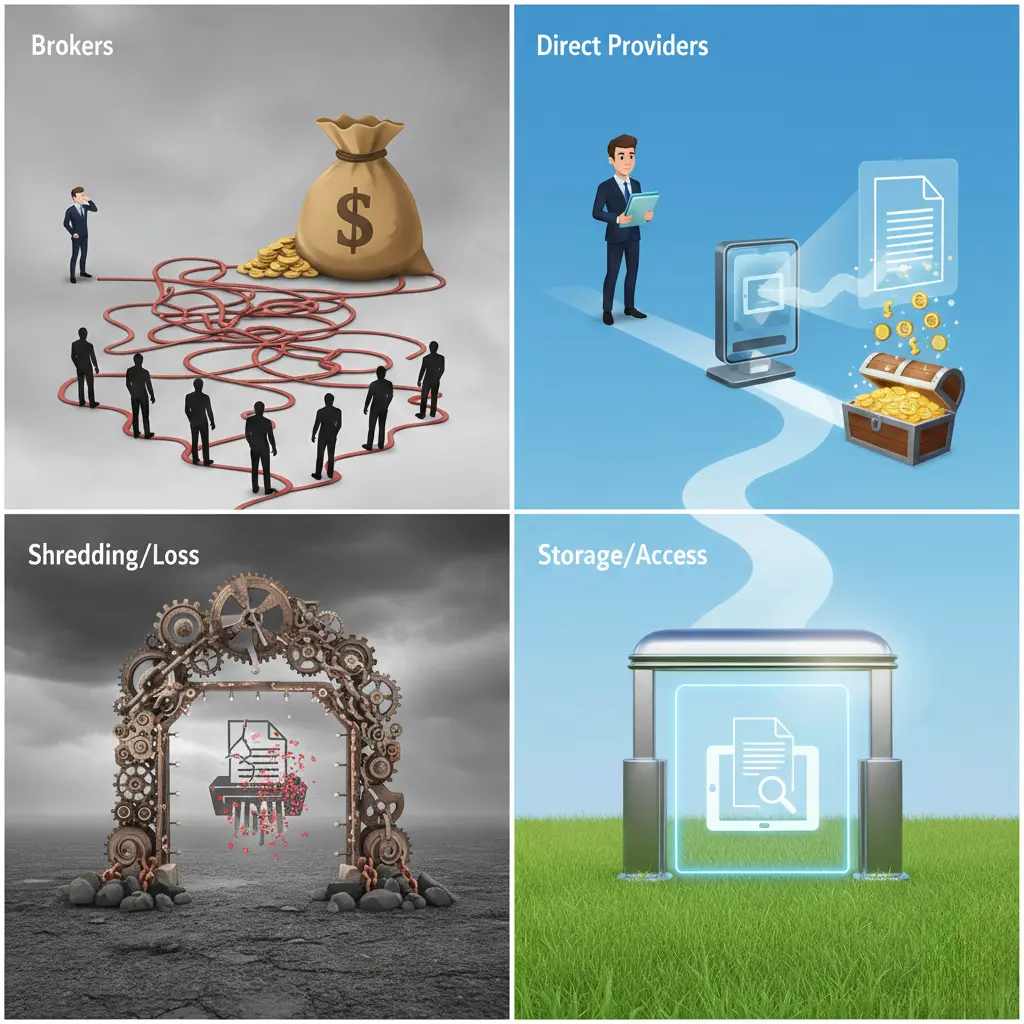
If your “simple” document scanning quote keeps getting more expensive once a broker or referral network gets involved, it is not your imagination. The price you see is rarely just about per-page document scanning; it also reflects broker commissions, duplicated handling, and coordination overhead that do not improve image quality, OCR accuracy, or turnaround time.
The global document scanning services market is projected to reach roughly $7.5 billion by 2029, which has attracted more intermediaries who position themselves between businesses and the scanning facilities that actually convert paper records into digital files. Broker platforms and lead-generation networks can quietly add markup layers to your document scanning costs, often without giving you direct access to the team preparing, scanning, and indexing your records.
Once a broker controls your project, the pricing model tends to become opaque: per-page rates are blended with “service fees,” and it becomes harder to see who is responsible for secure handling, quality control, and on-time delivery. In contrast, working with a direct document scanning service provider like eRecordsUSA ties your budget to the actual production work—intake, preparation, scanning, OCR, and indexing—performed in-house instead of to a middleman’s resale margin.
This means you are paying for document scanning capacity, infrastructure, and expertise, not for an extra company to sit between you and the scanners. As this guide explains how brokered pricing works, where hidden costs accumulate, and how accountability changes when you add a middle layer, you will see why direct scanning providers often deliver lower total cost and stronger control over your records.
What Is the Real Cost Behind Brokered Document Scanning?
If you are searching for cheap document scanning or affordable document scanning services, brokered solutions can look attractive at first—but the structure often makes your project cost more over the full page count. Brokered document scanning is more expensive because you pay one company to manage the project and another company to actually scan, prepare, and index your records. Instead of your budget flowing directly to a production facility that performs the imaging work, part of every “low” per-page rate quietly funds broker commissions and coordination overhead.
When document scanning is arranged through a broker or referral platform, your quote is shaped more by coordination layers than by the true cost of converting files to searchable digital images. A common broker workflow is: the broker collects your bulk document scanning request, forwards it to a third-party document scanning company, and then resells that same service to you at a higher per-page price. This structure adds cost before a single page is scanned and reduces your visibility into where documents are stored, how they are prepared, and which team controls quality and security.
For organizations trying to keep document scanning costs low, this matters most on high-volume projects, where even a one- or two-cent markup on “cheap” per-page pricing turns into a large, non-productive spend. For example, if a direct document scanning provider charges five cents per page and a broker resells that service at seven cents per page, a one‑million‑page project costs twenty thousand dollars more without any improvement in scan resolution, OCR accuracy, or turnaround time. Industry cost guides consistently show that per-page rates are sensitive to volume, prep work, and OCR; every extra cent introduced by a middle layer directly increases your total project cost without adding real value.
Key cost factors created by brokered document scanning include:
The broker does not scan, prepare, or index documents but still receives a share of per-page charges built into your “cheap” quote.
Commission costs are embedded in pricing, even when they are not clearly itemized on the proposal.
Scanning vendors receive reduced payouts from the broker, which can limit flexibility in scheduling, customization, or truly low-cost options.
High page volumes multiply small markups into significant added spend on large archive and backfile conversion projects.
Pricing reflects coordination overhead instead of the efficiency of a direct, streamlined scanning workflow.
If your goal is genuinely affordable document scanning, it helps to compare broker quotes against a direct provider’s core document scanning services to see how pricing aligns with preparation, scanning, OCR, and indexing tasks rather than middleman fees. External cost breakdown resources that explain why document scanning is costly—highlighting legitimate drivers like page volume, document condition, and OCR—can further clarify which charges are tied to real production work and which come from an added broker layer.
How Do Brokers Affect Quality and Accountability?
When more than one company is involved in your document scanning project, it becomes harder to control how documents are scanned and who fixes mistakes when they occur. In a brokered arrangement, the broker does not manage scanning staff, equipment calibration, or daily quality checks; instead, the work is passed to outside vendors, which naturally creates gaps in oversight and slower feedback loops.
These gaps matter more when the project involves regulated, confidential, or time‑sensitive records such as healthcare files, legal case documents, or financial statements. The U.S. National Archives emphasizes that maintaining a clear chain of custody is essential for record integrity during digitization and transfer, and each extra handoff between separate companies increases the chance of tracking errors or misalignment around retention and handling rules.
Common quality and accountability risks seen in brokered document scanning include:
No single party clearly owns scan accuracy or image quality when issues arise.
Limited visibility into which facility and which team are actually handling your physical documents.
Delays when resolving problems requires multiple approvals between broker and vendor.
Higher exposure for regulated or confidential records because chain-of-custody is split across organizations.
Slower corrections when errors in indexing, file naming, or image quality are discovered after delivery.
For organizations that need consistent, compliant, and high‑quality digital output, these accountability gaps often make “cheap document scanning” through a broker more expensive in practice—especially once rework, delays, or audit responses are factored in. Direct document scanning providers that manage the entire workflow internally, such as those offering end‑to‑end bulk document scanning services, can assign ownership, define clear quality thresholds, and keep chain-of-custody under one accountable operation.
Why Does eRecordsUSA Cost Less Without Cutting Corners?
eRecordsUSA operates as a direct document scanning provider, so you are not paying a broker to resell someone else’s production capacity. All key steps—intake, preparation, scanning, OCR, indexing, and review—are handled in company-owned facilities, which keeps pricing tied to real work instead of referral fees or markups.
Because workflows are managed in-house, equipment and staff are assigned based on project size and complexity rather than broker volume commitments. Standardized preparation and review checklists reduce rework, while calibrated scanners and consistent OCR settings maintain image quality and searchability across large backfile conversion projects.
This structure allows eRecordsUSA to keep document scanning costs predictable as volume grows: pricing reflects production effort, not a resale structure layered on top of a third‑party vendor. For organizations evaluating truly affordable document scanning services, comparing a broker quote against a direct document scanning services proposal often reveals that removing the middleman delivers both lower total cost and stronger control over timelines and quality.
Broker Network vs Direct Scanning Provider: What Is the Difference?
A broker network coordinates between you and a third-party scanning vendor, while a direct scanning provider performs the work in-house with its own staff and equipment. This single difference changes who controls cost, timelines, and accountability during your document scanning project.
Decision Factor
Broker Network
Direct Scanning Provider (e.g., eRecordsUSA)
Role in the project
Matches clients with outside scanning vendors and resells their services
Handles document intake, prep, scanning, OCR, and indexing internally
Control during production
Dependent on external vendor availability and priorities
Manages schedules, staffing, and equipment directly
Communication flow
Messages pass through an intermediary between client and vendor
Direct communication with the team scanning your documents
Responsiveness to changes
Scope updates require broker and vendor approvals
Changes are implemented by a single organization in real time
Responsibility for results
Shared across multiple companies
Concentrated in one accountable provider
Project visibility
Limited insight into daily scanning operations
Clear visibility into workflow and status updates
Issue resolution
Slower due to handoffs between broker and vendor
Faster because the production team can act directly
For buyers comparing “cheap document scanning” offers, this table can act as a quick checklist: if one quote comes from a broker and another from a professional document scanning company, the direct option usually offers clearer control over quality, timing, and chain of custody at the same or lower total cost.
How Can You Avoid Overpaying for Document Scanning?
Use these quick checks when reviewing quotes from brokers or direct providers:
Request a review or sample of your documents (types, sizes, condition) before final pricing is locked in.
Confirm exactly where your documents will be processed and whether scanning is done in-house or by a third-party vendor.
Ask how preparation (removing staples, sorting, folder separation) and indexing fields are defined and charged.
Verify how scope changes—extra boxes, new index fields, rush timelines—will affect pricing during production.
Ensure the quote reflects the full project scope, including OCR, indexing, and secure return or destruction of originals.
Comparing answers from a broker against a direct document scanning services provider makes it easier to see which proposal ties cost to real production work and which one layers in additional coordination and commission fees.
Why Does Skipping the Middleman Benefit Your Scanning Project?
Document conversion projects become more predictable when the same organization prices the work, digitizes your files, and stands behind the final deliverables. Fewer handoffs mean clearer expectations, faster adjustments during active phases, and more consistent outcomes—especially for high-volume backfile scanning or time‑sensitive record digitization.
The most straightforward way to manage budget, image quality, and timelines is to partner directly with the company that runs the imaging center and manages the team handling your records. If you are comparing quotes or questioning why a proposal seems high for bulk file conversion, requesting a direct estimate from eRecordsUSA lets you speak with the people who actually prepare, scan, and index your documents.
You will receive transparent pricing, realistic turnaround expectations, and answers grounded in how the production workflow operates—not in how a broker resells another provider’s services. To explore a direct option, you can contact us to request a free quote or call 510‑900‑8800 to discuss your project, or email [email protected] for a tailored project assessment.
Most Common Questions About Document Scanning Providers
Q1. How Is Document Scanning Different from Document Imaging?
Document scanning converts paper records into digital image files, such as PDFs or TIFFs. Document imaging goes further by combining scanning with indexing, metadata tagging, and retrieval systems so you can search, organize, and manage information over time.
Q2. How Are Document Conversion Costs Usually Calculated?
Pricing for digitizing records is typically based on page count, document condition, preparation labor, indexing requirements, and turnaround expectations. Rates increase when files require manual handling, custom data capture, or detailed classification beyond basic scan-to-PDF.
Q3. Which Types of Documents Are More Expensive to Digitize?
Bound volumes, mixed-size pages, fragile or damaged paper, handwritten materials, and files that need granular indexing generally cost more to process. These formats require extra preparation, careful feeding, and additional quality checks to ensure legible, usable images.
Q4. Is Digital Scanning More Cost-Effective Than Off-Site Storage?
Over time, converting archives into electronic records reduces dependence on physical storage and speeds up retrieval. While there is an upfront investment in scanning, many organizations lower their long-term storage, retrieval, and compliance expenses by moving to digital access.
Q5. How Long Does a Large Records Digitization Project Take?
Timelines depend on page volume, how much prep work is needed, and the depth of indexing or data capture. High‑volume initiatives are often scheduled in phases so your teams can begin using digital files while remaining boxes are still being processed.
Q6. What Security Practices Should a Scanning Vendor Follow?
A reliable imaging provider should offer controlled-access facilities, secure transportation, staff background checks, and encrypted delivery of digital files. These safeguards protect sensitive information throughout the conversion process, from pickup through final export or upload.
Q7. Why Does Document Indexing Matter?
Indexing assigns searchable data points—such as names, dates, account numbers, or matter IDs—to each digital file. Good index design improves retrieval speed and reduces the time staff spend hunting for specific documents inside large repositories.
Q8. How Should Records Be Prepared Before Scanning?
Preparation typically includes removing staples and bindings, organizing pages, separating document types, and flagging sensitive or exception materials. Thorough prep minimizes jams and misfeeds and helps keep the scanning line efficient and error‑free.

![Best Document Scanning Services in USA [2026 Guide ]](https://www.erecordsusa.com/wp-content/uploads/2026/01/Best-Document-Scanning-Services-in-USA-1024x675.webp)