

How to Digitize Historical Documents & Records: Best Practices for Scanning
Last Updated on May 20, 2026
Historical document digitization is the process of converting fragile or aging physical records into high-resolution digital files that can be searched, organized, preserved, and accessed without repeatedly handling the originals. Unlike basic scanning, digitization includes safe document preparation, archival-quality capture, OCR, metadata tagging, quality control, access copies, and long-term digital preservation planning.
Historical records such as letters, ledgers, photographs, maps, newspapers, government files, and bound volumes can lose information through fading ink, brittle paper, mold, water damage, or repeated handling. Once detail is lost from the original, digitization cannot fully recreate it.
A proper digitization project starts before the scanner is chosen. It includes collection assessment, safe handling, resolution and file-format decisions, OCR, metadata, quality control, access copies, archival masters, and a long-term storage plan.
This guide explains how historical document digitization works, what standards and formats matter, when DIY scanning is enough, and when fragile or high-value collections need a professional archival workflow.
Why Preservation Planning Matters?
Record loss can affect families, researchers, and institutions for generations. In one genealogy discussion, a user explained that their grandfather’s World War II service records were lost in the 1973 National Personnel Records Center fire. With the official file gone, they had to use a final pay voucher and hometown newspaper letters to piece together service details.
The National Archives reports that the 1973 NPRC fire destroyed about 16–18 million Official Military Personnel Files. Once original records are destroyed or incomplete, later recovery often depends on scattered secondary sources.
July 12, 2023, marks 50 years since the disastrous 1973 fire at the Military Personnel Records Center in St. Louis that destroyed millions of military personnel records. To commemorate the occasion, we are featuring a three-part series on its aftermath.https://t.co/mhwq48xot8
— U.S. National Archives (@USNatArchives) July 5, 2023
What Is Historical Document Digitization?
Historical document digitization is the process of converting physical records—such as letters, manuscripts, ledgers, newspapers, photographs, maps, books, microfilm, and government files—into structured digital files that can be searched, organized, accessed, and preserved without repeatedly handling the original materials.
It is important to separate three related terms:
- Scanning is the act of capturing a digital image of a physical document.
- Digitization is the full workflow that turns the physical record into a usable digital file. This may include scanning, image review, file naming, OCR, metadata tagging, indexing, and delivery in preservation-ready formats.
- Digital preservation is the long-term management of those digital files so they remain accessible and usable over time. It includes backup planning, storage management, format monitoring, file integrity checks, and future migration when technology changes.
In simple terms, digitization creates a digital surrogate of the original record. Digital preservation keeps that surrogate usable for future researchers, institutions, families, and communities.
This distinction matters because historical records are often fragile, unique, and context-dependent. A scanned image may capture what a page looks like, but a complete digitization workflow helps preserve the record’s content, order, metadata, searchability, and long-term access value. Anderson Archival also frames digitization as one part of a broader preservation plan, while the Digital Preservation Coalition definition cited there describes digital preservation as managed activities that ensure continued access over time.
Digitization does not replace the original. It protects access to the original’s information while reducing physical handling. Once a faithful digital copy exists, the physical record can be stored in a safer, climate-controlled environment and accessed only when necessary. For libraries, museums, historical societies, government agencies, universities, churches, estates, and family collections, that means fewer handling risks, better discoverability, and stronger continuity for future use.
Scanning vs Digitization vs Digital Preservation
Scanning, digitization, and digital preservation are related, but they are not the same. Scanning captures an image. Digitization turns the physical record into a usable digital asset. Digital preservation keeps that asset accessible and reliable over time.
| Term | What It Means | Main Purpose | Example |
|---|---|---|---|
| Scanning | Capturing a digital image of a physical document. | Create a visual copy. | Scanning a handwritten letter as an image or PDF. |
| Digitization | Converting physical records into organized digital files with OCR, indexing, metadata, and quality checks. | Make records usable, searchable, and easier to manage. | Creating searchable PDFs from a box of historical records. |
| Digital Preservation | Managing digital files over time so they remain accessible, authentic, and usable. | Protect long-term access and file integrity. | Storing archival files with backups, checksums, metadata, and format monitoring. |
What Historical Records and Archive Materials Can Be Digitized?
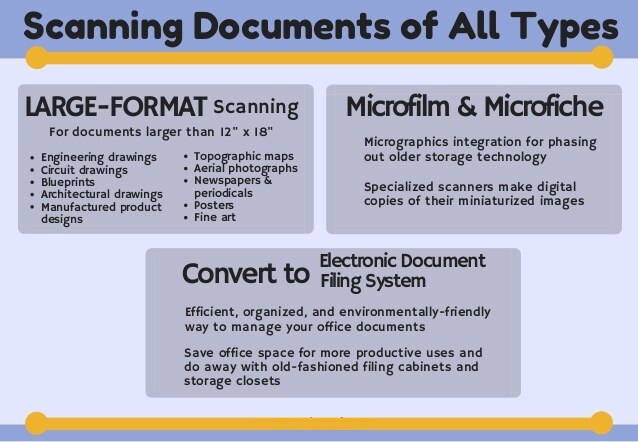
Most historical documents can be digitized, but the safest method depends on the material’s format, size, condition, binding, and level of detail. A loose letter, bound ledger, fragile photograph, oversized map, and microfilm reel all require different handling, scanning equipment, image settings, and quality checks.
Common historical materials suitable for digitization include:
- Paper records: manuscripts, letters, diaries, journals, certificates, deeds, court files, government records, and family archives.
- Bound materials: rare books, ledgers, registers, yearbooks, periodicals, and archival volumes.
- Visual collections: photographs, postcards, negatives, glass plate negatives, posters, illustrations, and art prints.
- Large-format materials: maps, atlases, blueprints, architectural drawings, engineering plans, and oversized records.
- Film-based records: microfilm, microfiche, photographic film, transparencies, and negatives.
- Printed archives: newspapers, magazines, clippings, journals, sheet music, and historical publications.
Before scanning begins, collections should be grouped by format, fragility, size, and access priority. This helps determine whether the project needs a flatbed scanner, overhead scanner, book cradle, large-format scanner, or dedicated film scanner.
Fragile materials need special care. Bound volumes with weak spines, brittle paper, folded pages, damaged photographs, scrolls, and restricted bindings may require preservation review before digitization. The Library of Congress notes that form-feed equipment is not appropriate for fragile, high-value, archival, manuscript, newsprint, photograph, and similar special collection materials because it can increase the risk of damage.
In most cases, the question is not whether a historical document can be digitized. It is how to digitize it safely while preserving the original’s detail, order, and long-term research value.
Reader Concern: Will Scanning Damage Very Old Documents?
A Reddit discussion in r/Archivists raised a common question: can documents from the late 1700s to mid-1800s be scanned without damaging the paper or ink? The replies emphasize scanning once at good quality, avoiding auto-feeders, and reducing repeated handling of the originals.
Scanning documents from 1800
byu/AbsolutelyNotAnEgg inArchivists
How Are Historical Documents Digitized Without Damage?
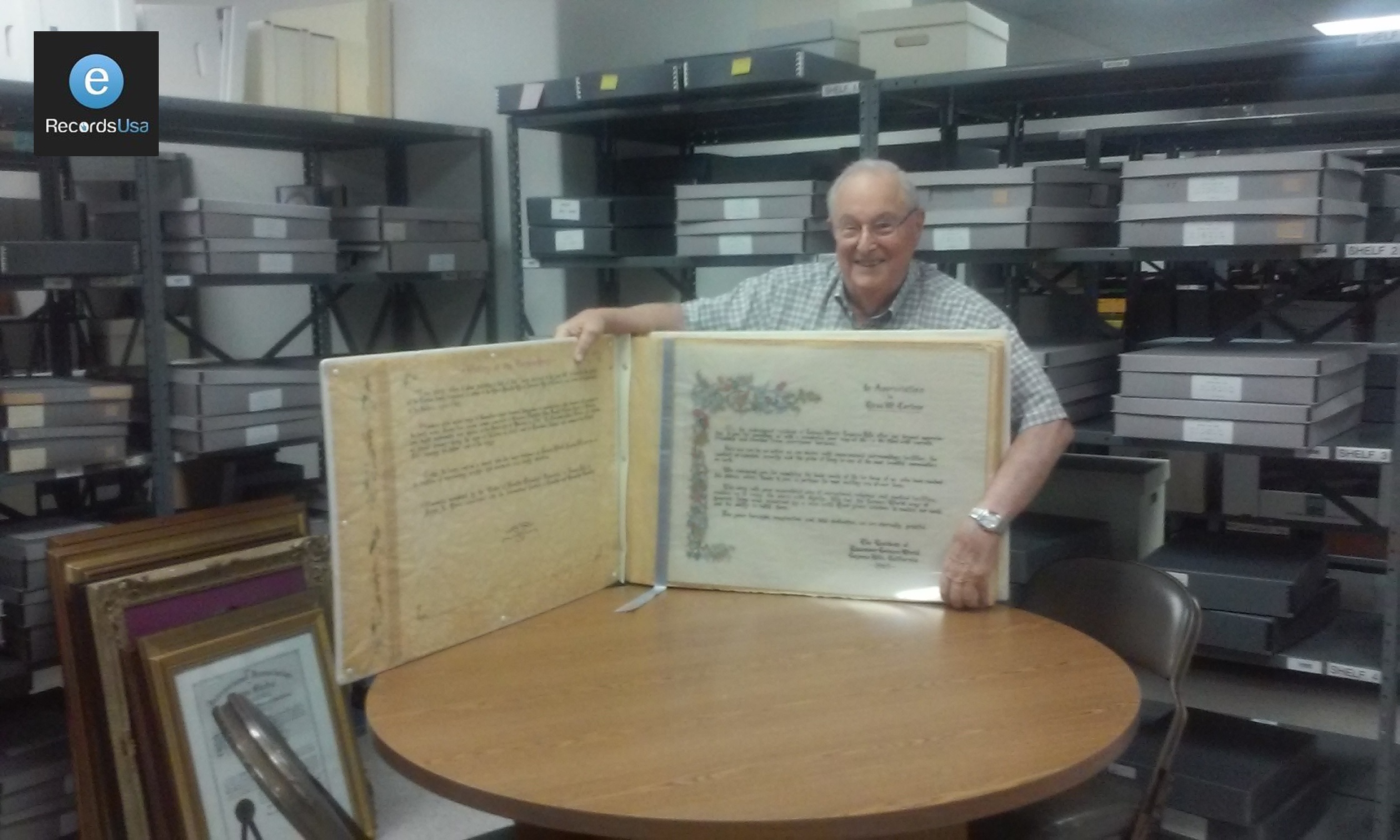
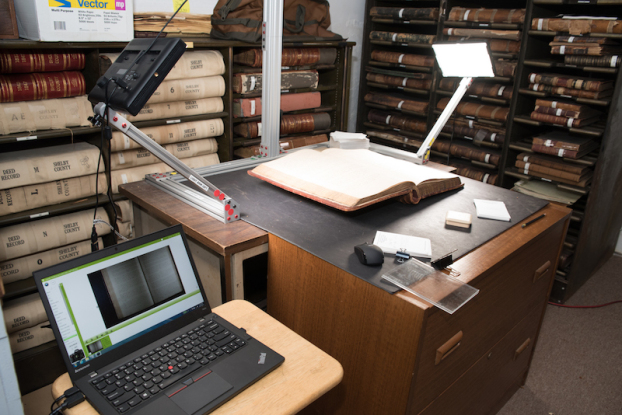
Digitizing historical documents is not just about scanning pages. The goal is to create clear, searchable, well-organized digital copies while protecting the original materials from unnecessary handling.
A good historical digitization project usually follows five simple stages:
1. Review the collection first
Before scanning begins, the collection should be checked for document type, size, condition, binding, fragility, and intended use. This helps decide which items can be scanned safely, which need special handling, and which should be reviewed by a preservation specialist first.
2. Prepare fragile materials carefully
Old documents may have brittle paper, weak bindings, folded pages, fading ink, torn edges, mold damage, or attached seals and photographs. These items should not be forced flat, pushed through automatic feeders, or handled like modern office paper.
3. Capture the document using the right method
The scanning method should match the original item. Loose records, bound books, photographs, oversized maps, and microfilm may all require different equipment. Fragile or high-value materials often need non-contact scanning, book cradles, or overhead capture to reduce pressure on the original.
4. Create usable digital files
After scanning, the files should be reviewed for clarity, page order, missing pages, cropping, orientation, and readability. For most archive projects, the final output may include preservation files, searchable PDFs, access copies, and basic metadata so the collection can be found and used later.
5. Store and preserve the digital archive
Digitization does not end when the file is created. Digital records need organized file names, secure storage, backups, and a plan for long-term access. NARA’s current digitization resources also emphasize project planning, digitization guidance, and requirements for managing digitized federal records over time.
A good historical digitization workflow should answer a few practical questions before work begins: Are the materials safe to handle? What capture method protects the original? What file quality is needed for long-term use? How will the records be named, checked, searched, stored, and accessed later? These decisions keep the project focused on preservation, usability, and long-term access instead of scanning alone. In simple terms, the process should answer three questions: Is the original safe? Is the digital copy accurate? Can people find and use the file later?
Reader Concern: What Equipment Do Archives Need?
A Reddit user from a 125-year-old faith institution asked what equipment to buy for digitizing two rooms of archive materials, including documents, photos, artifacts, and fragile records. The discussion quickly moved beyond cameras and scanners to metadata, cataloging, storage, lighting, copy stands, and long-term access planning.
The takeaway is simple: the right equipment matters, but historical digitization works best when equipment decisions are tied to safe handling, file organization, and future usability.
DIY vs Professional Historical Document Digitization
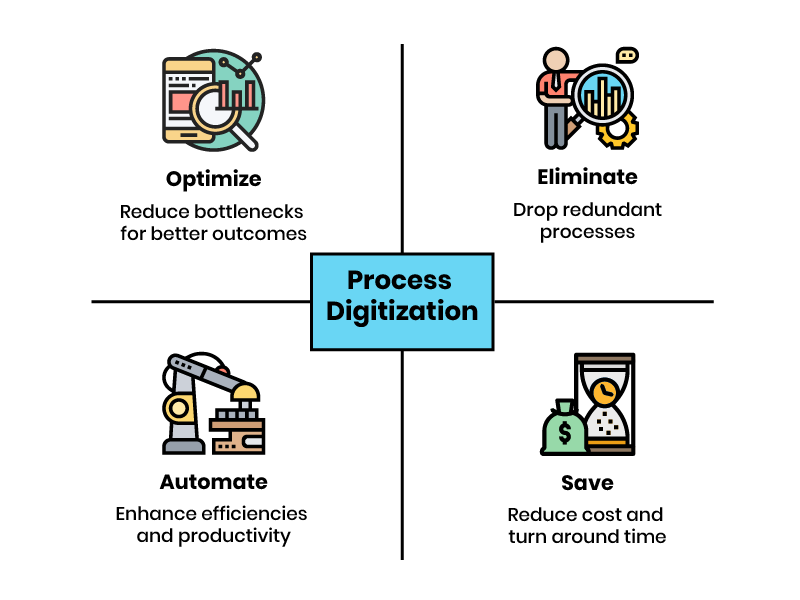
Some historical documents can be scanned in-house, but fragile, oversized, bound, or high-value collections usually need a professional digitization workflow. The decision depends on the condition of the materials, the required image quality, the need for searchable files, and the long-term purpose of the archive.
| Factor | DIY Digitization | Professional Digitization |
|---|---|---|
| Best for | Small personal collections, stable loose papers, and low-risk family records. | Fragile archives, rare books, bound ledgers, oversized maps, photos, microfilm, and institutional records. |
| Material condition | Works when documents are flat, clean, stable, and easy to handle. | Better when items are brittle, torn, faded, folded, bound, oversized, or historically valuable. |
| Risk to originals | Higher risk if using flatbeds, feeders, pressure, poor lighting, or repeated handling. | Lower risk when using non-contact capture, book cradles, preservation handling, and trained review. |
| Searchability | Basic scanning may create image-only PDFs unless OCR is added separately. | OCR, indexing, file naming, and metadata can be built into the workflow. |
| Quality control | Usually limited to visual checking by the person scanning. | Includes review for missing pages, order, orientation, clarity, cropping, and file consistency. |
| Long-term use | Suitable for simple access or personal backup. | Better for research access, public archives, grant projects, legal records, and preservation planning. |
| When to choose it | Choose DIY if the collection is small, stable, replaceable, and not technically demanding. | Choose professional digitization if the collection is fragile, valuable, complex, large, or needs reliable preservation output. |
In simple terms, DIY works when the material is safe to handle and the goal is basic access. Professional digitization makes more sense when the original cannot be replaced, the collection includes mixed formats, or the final files need to support search, preservation, compliance, or long-term institutional use.
Real-World Example: When Volume and Fragility Overlap
A Reddit user recently described a common archive challenge: more than 100,000 historical records, some up to 250 years old, needed to be digitized, preserved, and made available. Their main concern was how to scan the records quickly without damaging them, especially because some were the only copies in existence.
This is exactly where the DIY vs professional decision becomes practical. The risk is not just whether the scanner can capture the page. It is whether the project can protect fragile originals, keep files organized, and produce usable records at scale.
Gotta digitize, preserve, and make available 100k+ records that are up to 250 years old. How should I scan them all?
byu/NotHosaniMubarak inDataHoarder
Common Mistakes in Historical Document Digitization
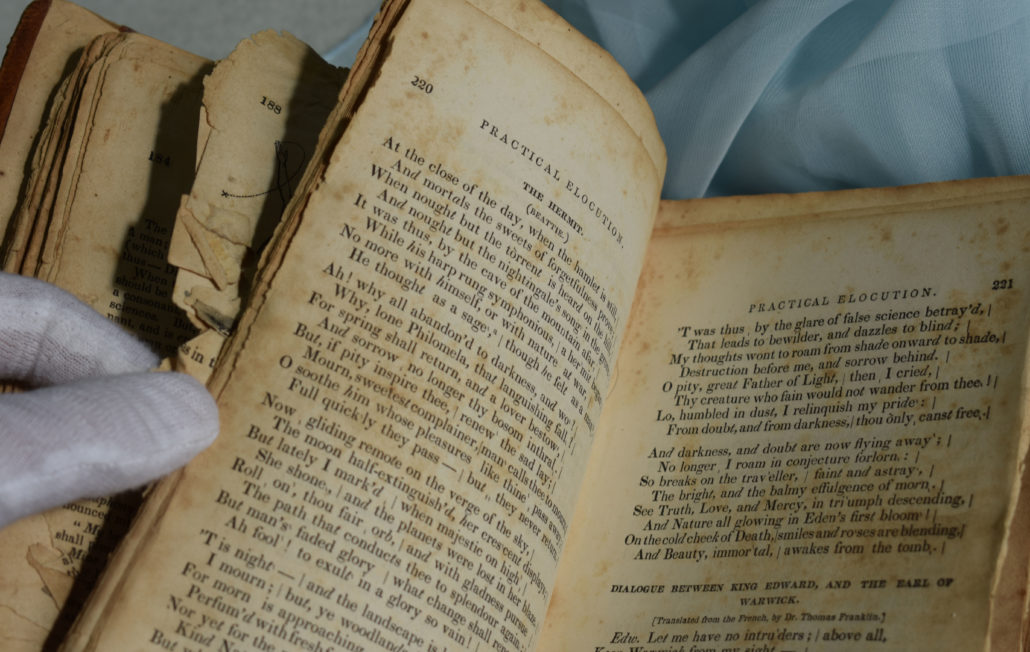
Digitizing historical documents is not difficult because of the scan itself. The real risk comes from poor handling, weak file quality, missing organization, and no plan for long-term access.
Here are the mistakes that cause the most problems.
1. Treating fragile records like regular office paper
Old newspapers, manuscripts, photographs, letters, and bound volumes should not be handled like modern paperwork. Sheet-fed or form-feed scanners can bend, pull, tear, or damage fragile materials.
The Library of Congress says form-feed equipment is not acceptable for fragile, high-value, archival, manuscript, newsprint, photograph, and similar special collection materials. It also recommends careful support for brittle paper, weak bindings, restricted book openings, foldouts, photographs, and oversized items.
2. Scanning without checking the condition first
Some records need review before scanning. This includes brittle paper, weak book spines, torn pages, folded documents, curled photographs, attached seals, flaking ink, mold damage, and oversized materials.
A quick condition check helps decide whether the document can be scanned safely or needs special handling first.
3. Saving files only for quick viewing
Low-quality PDFs or JPEGs may be fine for sharing, but they should not be the only copy of a historical archive.
Important collections usually need two types of files: a high-quality preservation copy for long-term storage and a smaller access copy for everyday use.
4. Skipping file names and metadata
A digital archive is only useful if people can find what they need.
Without clear file names, dates, titles, subjects, folder labels, or collection notes, thousands of scanned pages can become hard to search and manage. NARA’s digitization work focuses on making records available through the National Archives Catalog, showing how access and organization are central parts of large-scale archival digitization.
5. Trusting OCR without checking the results
OCR can make scanned documents searchable, but it is not perfect. Handwriting, old typefaces, faded ink, stains, and damaged pages can lead to missed words or incorrect text.
For important collections, OCR should be reviewed enough to confirm that names, dates, places, and key terms can be found.
6. Forgetting that digital files also need preservation
Digitization is not finished once the files are created. Digital archives still need organized folders, backups, stable file formats, and a plan for future access.
NARA’s digitization resources include technical guidance, archival digitization practices, and public access planning, which reinforces that digital records need management after scanning.
In simple terms, a good digitization project should do three things: protect the original, create usable files, and keep the archive easy to find later.
Reader Concern: Can a Basic Scanner Handle Old Family Records?
A Reddit user asked how to digitize a weathered 150–200 page family-history document without damaging the original. The discussion shows why office-level scanners, automatic feeders, and casual scanning methods may not be enough for brittle or historically meaningful records.
The takeaway is simple: historic records need a scanning method that matches the paper condition, handling risk, and long-term purpose of the archive.
Looking for advice on digitization, sorry if not allowed.
byu/DTownForever inArchivists
When Does a Historical Archive Need Professional Digitization?
A historical archive needs professional digitization when the materials are fragile, rare, oversized, bound, handwritten, faded, or intended for long-term research access. In these cases, the goal is not only to scan the item. The goal is to protect the original, preserve document order, create searchable files, and prepare the collection for future use.
Professional archival digitization is most useful when a collection includes:
- Fragile newspapers, manuscripts, photographs, or handwritten records
- Bound ledgers, rare books, journals, or institutional volumes
- Large format documents such as Oversized maps, blueprints, engineering drawings, or architectural plans
- Microfilm, microfiche, negatives, or mixed-format archive boxes
- Public records, museum collections, library archives, or grant-funded preservation projects
This is where field experience matters. eRecordsUSA’s case study archive shows work across fragile manuscripts, historical newspapers, oversized blueprints, and business records, with workflows covering preparation, capture, OCR, metadata, and delivery. Its historical archive projects include the Campbell Museum newspaper archive, California State Library records, and Golden Gate Bridge archives.
The Golden Gate Bridge archive project is a useful example. The collection included engineer field books, handwritten construction logs, manager reports, blueprints, sketches, bound volumes, fold-outs, and over 100 years of documentation. The work required non-destructive scanning, metadata structure, OCR-compatible files, chain-of-custody controls, and outputs such as PDF, PDF/A, TIFF, and metadata-indexed files.
The California State Library project also shows why this type of workflow matters. eRecordsUSA digitized more than 64,000 pages of rare government records and cultural heritage materials, using non-destructive workflows, FADGI 3-star standards, XML metadata, and .md5 checksums for file integrity.
In simple terms, professional digitization makes sense when the collection cannot be replaced, cannot be handled casually, or needs to become a searchable and preservation-ready digital archive. The value is not the scan alone. It is the combination of safe handling, organized structure, quality review, metadata, and long-term usability.
Historical Document Digitization FAQs
How much does historical document digitization cost?
Historical document digitization cost depends on volume, condition, size, format, handling needs, OCR, metadata, and delivery requirements. Fragile, oversized, bound, or mixed-format archives usually cost more than stable loose paper.
How long does it take to digitize historical documents?
The timeline depends on page count, material condition, preparation needs, scanning method, OCR, quality review, and metadata requirements. Small collections may take less time, while fragile or institutional archives often need phased processing.
What happens to the original documents after digitization?
Digitization does not replace the original. Historical, legal, cultural, or rare documents should usually be preserved after scanning because the physical record may still hold evidentiary, material, or research value. NARA also notes that digitizing for access does not mean originals are destroyed.
Can old handwritten documents be made searchable?
Handwritten documents can sometimes be indexed or transcribed, but OCR works better on typed or printed text. For older handwriting, faded ink, and damaged pages, searchability may require manual review, metadata, or transcription support.
What file formats should I request for a historical archive?
For preservation-focused projects, request a high-quality master file and an access copy. TIFF is commonly used for archival image masters, while PDF/A or searchable PDF is often used for access, review, and sharing.
How do I know if my documents are too fragile for regular scanning?
Documents may be too fragile for regular scanning if they are brittle, torn, mold-affected, water-damaged, tightly bound, curled, flaking, oversized, or historically valuable. The Library of Congress warns that form-feed equipment is not suitable for fragile or high-value archival materials.
Should historical documents be scanned in color or black and white?
Historical documents should usually be scanned in color when ink tone, stains, annotations, seals, photographs, maps, or paper condition matter. Black-and-white scanning may lose visual details that help researchers interpret the original.
Can digitized historical records be added to a website or public archive?
Yes. Digitized records can be prepared for websites, research portals, catalogs, or public archives when files include clear names, access copies, OCR, metadata, and rights information.
How should digitized historical records be protected long term?
Digitized historical records should be stored in stable formats, backed up, checked for file integrity, and reviewed over time. NARA’s digital preservation program emphasizes metadata, fixity checks, public-use copies, audits, and ongoing usability.
When should a collection be handled by a professional digitization service?
Use professional digitization when records are fragile, rare, oversized, bound, handwritten, faded, high-volume, legally important, or intended for research access. These projects need controlled handling, quality checks, OCR, metadata, and preservation-ready delivery.