Schedule A Call Now
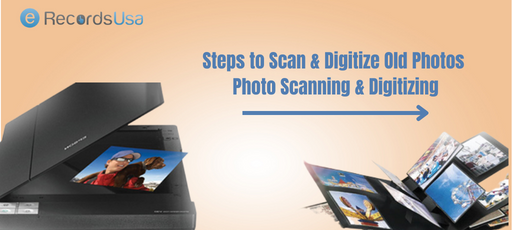
Steps to Scan & Digitize Old Photos – Photo Scanning & Digitizing

Steps to Scan & Digitize Old Photos – Photo Scanning & Digitizing

Scan and Digitize Old Photos

If you want to know, how to preserve old photos digitally? The options are scanning them with a smartphone, using a scanner, or sending them to a photo scanning service. Preserving old photographs is an important task to keep our memories and family history alive. With the advancement of technology, it’s now easier than ever to scan and digitize old photos

(more…)

Bound Book Scanning Process – Prepare Books for Scanning

Bound Book Scanning Process – Prepare Books for Scanning

Bound Book Scanning Process

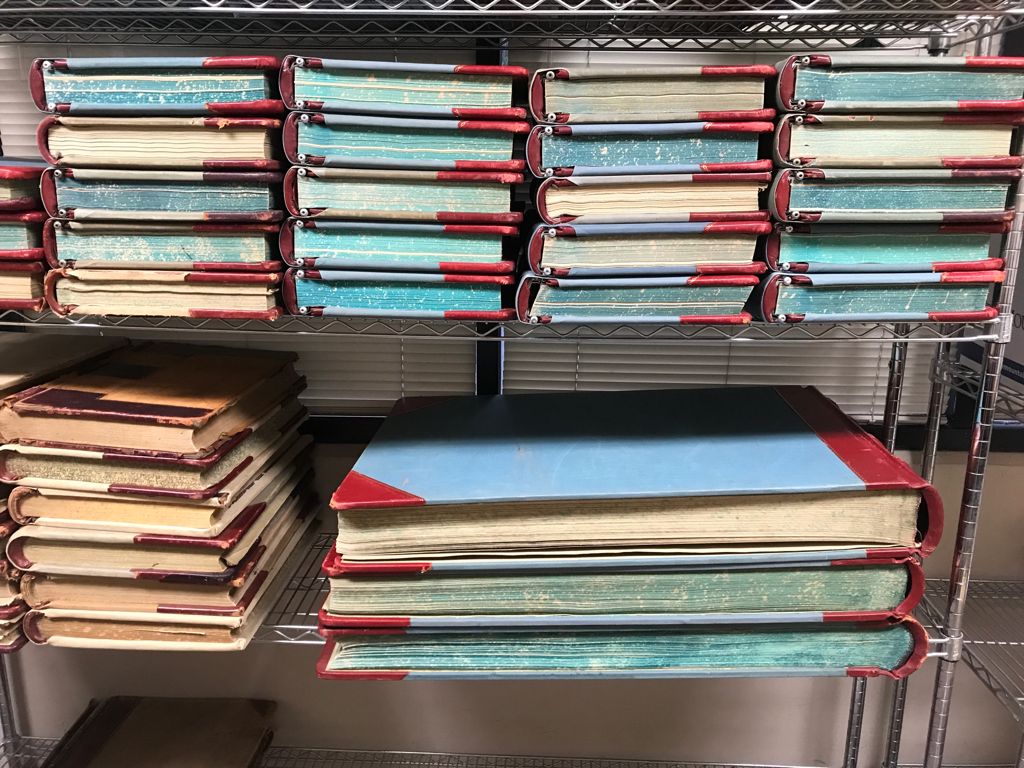
Bound books, also known as hardcover books, are an important part of our cultural and historical heritage. They contain valuable information and knowledge that can be used for research, education, and personal enjoyment. However, as time goes by, these books can become fragile and deteriorate. Such condition of books, makes it difficult to access their contents. This is where bound book scanning comes in.

The blog post will emphasize the importance of using professional bound book scanning company for book scanning. Professional book scanning companies have the necessary equipment, expertise, and experience to ensure that the books are handled and scanned properly. Preserving the integrity of the book and making the scanned text accessible to a wider audience, is the top most priority of bound book scanning services provider.

Importance of Bound Book Scanning

Bound book scanning is the process of digitizing the contents of a bound book, making it accessible in a digital format. This process preserves the integrity of the book while allowing for easy access to its contents. With bound book scanning, the information and knowledge contained in the book can be shared and used by a wider audience, including researchers, educators, and students.

Bound book scanning plays an important role in book archiving for future generations. By digitizing the book, it can be protected from further deterioration and made available for future reference. This is especially important for books that are rare or have historical significance.

Overall, bound book scanning is a crucial step in preserving and making accessible the valuable information and knowledge contained in bound books. It ensures that these books can be used and enjoyed by future generations and contributes to the preservation of our cultural and historical heritage.

Explore our specialized rare book scanning services

Process of Preparing Bound Books for Scanning

  • Assessing the condition of the books
  • Cleaning and preservation of the books
  • Choosing the appropriate scanning technique
  • Preparing the books for scanning
  • Scanning the books
  • Quality assurance and post-scanning processing
  • OCR (Optical Character Recognition) to make the scanned text searchable and editable

I. Assessing the Condition of the Books

Identifying any potential issues or damage to the books: This includes checking for any tears, stains, or missing pages in the book. It also includes checking for any mold or mildew that may have affected the book.

Determining the best method of handling and scanning based on the condition of the books: Based on the condition of the book, the book scanning company will determine the best method of handling and scanning the book.

For example, if the book is in poor condition, it may be scanned using a flatbed scanner. While a book in good condition may be scanned using a high-speed document scanner.

II. Cleaning and Preservation of the Books

Cleaning the books to remove dust and debris: Before bound book scanning, the books are thoroughly cleaned to remove any dust, dirt, or debris that may have accumulated on the pages. This helps to ensure that the book scans are as clear and legible as possible.

Preservation methods to protect the books during the scanning process: The bound book scanning company may use various preservation methods to protect the books during the scanning process. This may include using acid-free paper, UV-protective sleeves, or special preservation boxes.

III. Choosing the Appropriate Bound Book Scanning Technique

Overview of different scanning methods available for bound books: The most common methods used for scanning bound books include flatbed scanning, sheet-fed scanning, and drum scanning. Each method has its own advantages and disadvantages. The bound book scanning service provider will determine the best method based on the condition of the book and the desired outcome.

Explanation of the advantages and disadvantages of each method: Flatbed scanning is the most common method and is the most gentle on the bound book. It is also the most accurate and produces high-quality book scans. Sheet-fed scanning is faster than flatbed scanning but can cause more wear and tear on the book. Drum scanning is the most expensive method but produces the highest-quality scans.

IV. Preparing the Books for Scanning

This is the process of getting a book ready to be digitized. This process can include steps such as cleaning the book, removing any dust or debris, ensuring that pages are properly aligned and not stuck together. This includes rebinding the book if it is in poor condition.

Additionally, it may include making sure the book is open to a certain page or set of pages so that the scanner can easily capture the images. This step is important to ensure that the scanned images are of high quality and that the book is not damaged during the digitization process.

V. Scanning the Bound Books

Gathering necessary materials
Selecting the first bound book and opening it to the first page
Carefully scanning each page of the book for relevant information
Recording relevant information in the notebook (including page number and other details)
Repeating the process for all bound books
Reviewing notes and ensuring all necessary information is recorded
Organizing notes in a logical and easy-to-read manner
Saving notes in a safe place (digital file or physical binder) for future reference

VI. Post-Scanning Processing

Quality assurance procedures to ensure accurate and high-quality scans: After the book is scanned, the scanning company will perform quality assurance procedures to ensure that the scans are accurate and of high-quality. This may include checking for any distortion, blurring, or missing pages.

OCR (Optical Character Recognition) technology to make the scanned text searchable and editable: The scanning company may use OCR technology to make the scanned text searchable and editable. This means that the text can be easily searched and selected, making it easier to navigate the book and find specific information.

VII. OCR to Make the Scanned Text Searchable and Editable

It is a technology that converts scanned text images into machine-readable text, making it searchable and editable. The OCR process involves analyzing the scanned text image, recognizing the characters and symbols in the image. After that converting images into a digital format that can be edited, searched and stored on a computer.

This process allows you to use search functions to quickly locate specific words or phrases within the book. Furthermore, since the text is now in digital format, you can make changes and corrections to the document as needed.

OCR technology is useful when you want to convert paper documents to digital, books, or any other text-based material that you would like to make searchable and editable.

Conclusion

The process of preparing bound books for scanning involves several important steps. These steps ensure that the final scanned images are of high quality and easy to read. These steps include selecting the right bookbinding method, properly cleaning the book, and carefully handling the book during the book scanning process.

Properly preparing bound books for scanning can save time and resources in the long run, resulting in a better end results. Additionally, the use of specialized equipment and techniques can also improve the books final scanned images. Overall, careful preparation and attention to detail are crucial for achieving the best results when scanning bound books.

Book Scanning Methods – Kinds of Book Scanning Explained

Book Scanning Methods – Kinds of Book Scanning Explained

What drives organizations to adopt book scanning methods like destructive, non-destructive, and professional techniques for converting physical volumes into digital assets?

In an era where the global book scanner market is projected to grow from USD 1.5 billion in 2024 to USD 3.2 billion by 2033 at a CAGR of 8.6%, driven by library digitization and archival needs, these methods address key relational entities such as page curvature correction, OCR accuracy, binding preservation, raster-to-vector conversion, and high-resolution TIFF outputs. (Source)

Destructive scanning prioritizes bulk throughput by removing spines for sheet-fed processing, while non-destructive approaches use V-shaped cradles and overhead systems to safeguard rare books’ structural integrity alongside semantic elements like metadata indexing and searchable PDFs.

For erecordsUSA, book scanning methods integrate these techniques to handle high-volume collections, ensuring compliance with 300–600 DPI standards for text and illustrated works.

This foundational choice between speed and preservation leads directly to understanding the equipment that powers each approach.

What is Book Scanning?

Book scanning converts bound volumes into digital formats through image-based capture or vector recreation. Image-based methods photograph or scan pages as raster images, while vector approaches reconstruct text and graphics mathematically.

Common outputs include:

  • PDF for universal access,
  • TIFF for lossless archiving, and
  • searchable PDFs via OCR integration.

Projects balance preservation of originals against improved access for research or distribution.​

With these core concepts established, the next decision centers on whether to prioritize speed through destructive methods or preservation via non-destructive techniques.

The Primary Decision: Destructive vs Non-Destructive Book Scanning

The core choice in book scanning hinges on destructive versus non-destructive approaches, each suited to specific priorities like speed, volume, and preservation.

A. Destructive Book Scanning

This method involves removing the spine to separate pages into loose sheets for high-speed, sheet-fed scanners. It excels for bulk, non-archival volumes where originals lack long-term value. The tradeoff favors speed over preservation—throughput reaches thousands of pages per hour—making it ideal for mass digitization of common texts.​

B. Non-Destructive Book Scanning

Binding remains intact, using V-shaped cradles that open books to 90°–120° angles. Overhead capture systems photograph pages, with software correcting page curvature and shadows. This suits rare, fragile, or archival books, prioritizing structural preservation over raw speed.

Factor Destructive Non-Destructive
Binding Preserved No Yes
Speed High Moderate
Archival Suitability Low High
Use Case Bulk digitization Rare/fragile collections

Beyond this fundamental tradeoff, various equipment types execute these approaches with distinct capabilities and limitations.

Equipment-Based Book Scanning Methods

Book scanning equipment falls into key categories, each with defined use cases, limitations, and preservation impacts.

A. Flatbed Scanning

Flatbed scanners press books against a glass platen, ideal for small, flexible volumes like paperbacks. Limitations include gutter distortion from spine pressure and manual page turning, which slows throughput. It handles limited spine thickness and risks minor binding stress.​

B. Overhead / Planetary Scanning

Cameras capture from above using cradles that minimize binding strain, common in institutional digitization like OCLC’s WorldCat, which grew by 52 million records in 2024.

Dual-camera systems scan facing pages simultaneously. Ideal for mid-sized collections; limitations involve moderate speed and curvature correction needs, with low preservation impact.​

C. Drum Scanning

Rotating drums produce ultra-high resolution for illustration-heavy volumes like art books. Best for graphic reproduction, but less practical for full-bound books due to disassembly requirements. Limitations: high cost and time; preservation impact is neutral for separated pages.​

D. Handheld Scanning

Portable wands or apps enable field use for low-volume capture, such as on-site ledgers. Limitations: inconsistent resolution and alignment control. Preservation impact stays minimal, though handling risks of fragility.

E. Photographic Capture

DSLR or mirrorless cameras with controlled lighting suit glossy or delicate materials. Ideal for high-fidelity color work; requires post-processing for stitching and correction. Limitations: setup time; low binding stress preserves structure.

F. 3D Book Scanning (Specialized Preservation Use)

Structured light or laser scanners capture page surfaces and book geometry for museum conservation. Ideal for 3D modeling of artifacts; limitations: high complexity and cost, unsuitable for standard text digitization. Preservation impact is highly positive, avoiding any flattening.

Selecting the right equipment ultimately depends on achieving consistent image quality across diverse book conditions.

Image Quality & Resolution Standards in Book Scanning

Standards ensure readability and fidelity. Text-based books use 300 DPI at 200–400 ppi for sharp OCR, while illustrated works demand 400–600 DPI per archival guidelines like FADGI. Color depth ranges from grayscale for mono texts to 24-bit for color plates. TIFF serves as the archival master for its lossless compression, while PDF enables access copies. OCR accuracy drops with curved pages, improving from ~20% to 82% post-correction in tests.

Even with optimal equipment and resolution standards, digitization projects encounter persistent technical challenges that demand strategic solutions.

Common Challenges in Book Digitization

Digitization faces repeatable hurdles, exacerbated in tightly bound volumes:

  • Tight gutter margins obscure inner text, distorting OCR.​
  • Page curvature distorts focus, reducing readability by up to 60% pre-correction.
  • Brittle paper cracks under handling.
  • Fragile bindings limit opening angles.
  • Large folios exceed standard equipment beds.
  • Annotations fade or smudge in capture.
  • Page transparency causes bleed-through from reverse sides.

Navigating these challenges requires matching specific book scanning methods to the unique characteristics of each collection.

Choosing the Right Book Scanning Method Based on Book Type

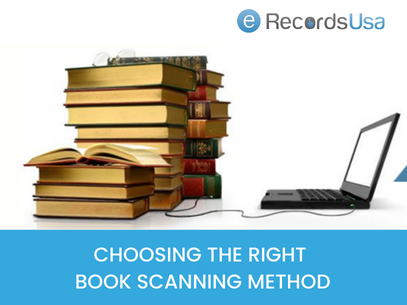
Choosing the Right Book Scanning Method

Match methods to book characteristics for optimal results.

Book Type Recommended Method
Rare archival book Non-destructive cradle scanning
Mass-market paperback Destructive sheet-fed scanning
Illustrated art book Overhead or drum scanning
Field-bound ledger Overhead or photographic capture

While method selection provides the technical foundation, certain projects exceed the scope of standard approaches and benefit from professional workflows.

When Professional Book Scanning is Recommended?

Professional digitization applies when projects exceed DIY thresholds, especially amid 67% of libraries adopting AI-enhanced scanning in 2025 (Source):​

  • Large volumes demand scalable throughput.
  • Archival preservation requires specialized cradles.
  • Metadata indexing supports searchability.
  • OCR accuracy must hit research-grade levels.
  • Quality control ensures consistency at scale.

Ultimately, these considerations converge on selecting the optimal approach for each specific preservation goal and collection profile.

All-in-all, book scanning methods vary by preservation goal, volume, and technical requirements. The correct approach depends on the

  • Binding Condition,
  • Resolution Needs, and
  • Archival Objectives.

Organizations managing rare, fragile, or high-volume collections often evaluate specialized book digitization workflows to ensure preservation and consistent output quality.

Ready to match the optimal book scanning method to your collection? Call us at 1.510.900.8800, or write us at [email protected] for a free digitization assessment to identify destructive, non-destructive, or professional techniques best suited to your preservation priorities and throughput goals.

  Get a Quote

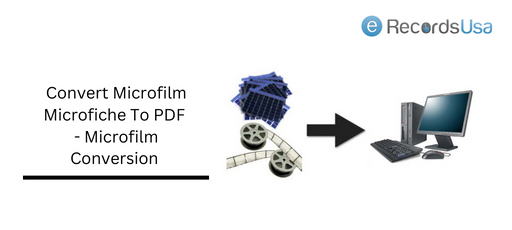
Convert Microfilm Microfiche To PDF – Microfilm Conversion

Convert Microfilm Microfiche To PDF – Microfilm Conversion

Microfilm to Pdf Conversion

Microfilm and microfiche conversion can seem like a daunting, complex, and time-consuming process. You can handle the conversion process within budget without exhausting yourself. Converting microfilms and microfiches will completely change the way to store information and records.

The document scanning and digitizing agencies have advanced microfilm and microfiche scanners that can produce accurate digital copies from microfilm rolls and microfiche cards. The rolls and cards may contain images, research data, medical records, historical documents, and so on.  Here in this post, we are discussing the process of microfilm conversion to pdf.

Converting Microfilm to Digital Images

Microfilms/Microfiche has a long life span of 500 years as per the manufacturers. However, the decay starts happening at a much earlier stage despite having the best climate-controlled environments. It is essential to digitize documents, but keep an eye out for any errors on microfilm or microfiche

  • Measles/blemishes
  • Vinegar smell
  • Brittleness
  • Stickiness
  • Fungus

If so, you should immediately opt for document scanning services before you lose some important information. While conversion of rolls and frames, accuracy and precision are the two most important factors to consider. The scanned images are stored in PDF, Tiff, or JPEG formats. Microfilms and microfiches can be converted digitally for the following reasons::

  • Accurate and Clear Images are preserved in digital formats
  • Improved document control improves life span making it indexed and searchable
  • Instant accessibility, hassle-free storage
  • Increased efficiency, cost-effective storage methods
  • Digital backups are the ultimate relief from saving and preserving physical copies.

Want to know more about Microfilm Scanning And Conversion? Having a pile of rolls or frames to scan? Get a free consultation on converting microfilm and microfiche for a reasonable price.

Tips to Convert Microfilm to Digital

The conversion process is a step-by-step process to create digital copies from microfilm/microfiche. The information converted is indexed using the software. Microfilm Conversion into pdfs is useful only when the information is limited. Suppose you have 2500 cards then converting and creating 2500 pdfs is not an optimized format.

To arrange such a big PDF, you need to use an indexing technique. Follow these methods if you want to Prepare Microfilm for Conversion to Digital Files Such as,

A Compression Tool

Compression tools help you create digital files with the same clarity as the originals. When you capture images from a 24x reduction, you have to make sure the details are clear. The compression must meet the document maintenance and retention standards. After image reduction, image enhancement is done to obtain quality images. Normally, the most adaptable format is PDF documents.

Grayscale Microfilm/Microfiche Conversion

Grayscale here does not mean black and white but documents having images along with the text. For these kinds of documents, capturing them in bitonal is not enough. You need adjustable grayscale shades to retain the look of the original image. Sometimes even that is not enough. In the end, you should have the same quality as the original one.

In most cases, directly scanning from microfilm/microfiche produces better quality. However, scanning from the frames and rolls needs expertise-level skills.

Convert Microfilm to PDF

Ultra high quality scanning machines are used for the microfilm/ microfiche scanning. The high-resolution images are thus created which are of superior quality.

Sometimes, the cleaning process is required to improve the scanning quality. The re- editing and image enhancement techniques are used to improve the quality of the documents.

The process followed for microfilm scanning includes
< The microfilm is placed in the microfilm (Mekel Mach) scanner
< A dedicated technician handles the scanning job to maintain the superior quality.
< After the scanning process is carried, the quality of the digital image is checked. If required , the digital copy is edited to obtain a better quality and clarity of the document.
< The process is carried out with a batch processing process for time saving.

Convert Microfiche to PDF

Microfiche and microfilm are made up of the same composition,but one is available in the form of a roll and the other one (microfiche) is in the form of a card.

The Mekel Mach technique is used to scan microfiche. The sheets are placed in the scanning machine one by one and the scanning is done.

The process is similar to microfilm scanning. Here instead of microfilm rolls , sheets are placed. However,post scanning image processing is identical to microfilm. So, after the scanning task is completed , the data obtained from the microfiche is stored in PDF. This digital copy is sharable and can be stored even on the cloud.

Still , if you want to retrieve more precise information from the PDF copy, OCR tools will help you extract bit by bit information.

About Microfilm Conversion Scanners

The scanners used for microfilm scanning are expensive as they are equipped with a high-resolution magnifying lens. A variety of scanners such as Mekel Rollfilm Scanners, Mekel Microfiche Scanners, and UScan Film Scanner are some of the on-demand scanners used for creating superior image quality.

The speed is high speeds (up to 200 images per minute) from even the most difficult-to-read films. These scanners can produce images up to 600 dpi true optical resolution. (create a link here)

eRecordsUSA is an industry leader in microfilm conversion services and microfiche conversion services. At eRecordsUSA, we work with minute detail and ensure superior digital copies (PDFs) from microfilms /microfiche with an accuracy level of 99%. We are using Mekel MACH7 Microfiche Scanner for this process. Moreover, we have an experienced and skilled team to do the microfilm conversion job.

Convert Any Types of Microfilm or Microfiche to PDF

Our scanning process starts with scanning microfiche. We do scanning for the formats such as jacketed, COM, ultrafiche, step & repeat, rewritable, and any microfiche format (diazo, silver, and vesicular). We will then upload the digitized images to your document management software or file server.

The purpose of an industrial roll/card scanner is to increase productivity.  We are an ISO/ISMS Certified doccument scanning company in San Francisco Bay Area known for quality scanning and digitization of Microfilms and microfiche.  As a document digitization company with years of experience and a very formal approach to project processing, we are also flexible enough to meet the needs of our clients.  

Get Free Quotes on Microfilm & Microfiche Scanning Services Today!

Get microfilm/microfiche conversion from the experts at eRecordsUSA. Our conversion solutions can provide a reliable document scanning storage for your effortless access. To get started, contact us right now!

Best Microfilm & Microfiche Scanners List in 2025 [Updated]

Best Microfilm & Microfiche Scanners List in 2025 [Updated]

Have you ever wondered why microfilm and microfiche are still widely used despite the digital age? While cloud storage and high-speed digital databases dominate modern archiving, microfilm and microfiche remain indispensable for preserving historical records, legal documents, and research materials. Institutions like libraries, government agencies, and corporate archives continue to rely on these analog storage formats due to their longevity, security, and cost-effectiveness.

However, with aging film degrading over time and modern retrieval systems shifting towards digital-first solutions, organizations must find a way to bridge the gap between analog preservation and digital accessibility. This is where microfilm and microfiche scanners play a crucial role—converting fragile film into high-resolution digital files that are easier to access, store, and search using optical character recognition (OCR) and metadata tagging.

What This Guide Covers

In this comprehensive guide, you’ll learn:

  1. Microfilm vs. Microfiche Difference
  2. Benefits of Scanning Microfilm & Microfiche
  3. Key Considerations When Choosing a Scanner
  4. Best Microfilm & Microfiche Scanners List
  5. Choosing the Right Scanner for Your Needs

Whether you’re an archivist digitizing historical records, a researcher accessing legacy documents, or an enterprise managing film-based records, this guide will help you make informed decisions about choosing the right scanning solution.

Now, let’s start by understanding the differences between microfilm and microfiche and why they continue to be essential for long-term archival storage.

Microfilm & Microfiche Differences: What Sets Them Apart?

As organizations and researchers explore digitization strategies, understanding the differences between microfilm and microfiche becomes essential. Both formats serve the same fundamental purpose—storing vast amounts of documents in a compact, durable format—but they differ in structure, usability, and scanning requirements.

Aspect Microfilm Microfiche
Definition A roll-based film storage medium developed for high-capacity document storage. A sheet-based alternative to microfilm that allows easier document retrieval.
Formats Standard sizes: 16mm, 35mm reels, and 105mm for engineering documents. Typically 4×6-inch transparent sheets holding 60-98 miniature document images.
Storage Capacity 16mm roll: ~2,500 pages.
35mm roll: ~600 high-resolution images.
Each sheet holds up to 98 images.
Retrieval Process Requires scrolling through a roll to locate specific documents. Instant access to specific documents without scrolling.
Longevity Can last for years with proper storage conditions. Similar lifespan to microfilm under optimal storage conditions.
Use Cases Ideal for newspapers, legal records, historical manuscripts, and architectural plans. Common in libraries, medical archives, and patent offices.

The Benefits of Scanning Microfilm & Microfiche

While microfilm and microfiche provide long-term storage, their accessibility issues in modern digital workflows make scanning and digitization critical. By converting film to high-resolution digital files, organizations benefit from:

  • Enhanced Searchability: With OCR (Optical Character Recognition), scanned documents become keyword-searchable, eliminating the need for manual lookup.
  • Improved Longevity: Digital backups prevent film deterioration caused by moisture, temperature fluctuations, or physical damage.
  • Easier Sharing & Access: Researchers, legal teams, and medical professionals can retrieve and share digitized microfilm in seconds rather than relying on specialized reading equipment.
  • Space-Saving Archival Management: Digitized records eliminate bulky storage cabinets, streamlining document retrieval workflows across organizations.

With a clear understanding of microfilm and microfiche, the next step is choosing the right scanner for efficient document conversion and archival preservation. In the next section, we’ll explore key features to consider when selecting a microfilm & microfiche scanner to ensure optimal image quality, speed, and compatibility.

Key Considerations When Choosing a Microfilm & Microfiche Scanner

Now that we’ve explored the differences between microfilm and microfiche, the next step is selecting the right scanner for your specific digitization needs. Whether you’re an archive manager, librarian, legal professional, or corporate document specialist, understanding the key factors that impact scanning quality and efficiency is crucial.

1. Scanning Resolution & Image Quality: What Level of Detail Do You Need?

Resolution (measured in PPI or DPI) plays a critical role in determining the clarity and readability of scanned images. Higher resolutions capture finer text and intricate details, essential for historical documents, newspapers, and engineering drawings.

Choosing the Right Resolution for Your Needs:

  • 200-300 DPI – Suitable for standard text documents and general archival scanning.
  • 400-600 DPI – Ideal for detailed images, historical records, and small text documents.
  • Above 600 DPI – Recommended for high-fidelity preservation, rare books, and intricate drawings.

💡 Tip: Some advanced scanners offer dynamic DPI adjustment, optimizing file size without sacrificing clarity.

2. Software Features: OCR, File Formats, and Metadata Indexing

Modern microfilm scanners come equipped with intelligent software that enhances usability and retrieval.

Must-Have Software Features:

  • OCR (Optical Character Recognition): Converts scanned film into searchable PDFs and text documents.
  • Metadata Tagging: Allows indexing with document titles, dates, and reference numbers.
  • Multi-Format Output: Supports TIFF, JPEG, PDF, and PNG for various archiving needs.
  • Auto-Enhancement: Corrects brightness, contrast, and removes film defects.

💡 Example: ScanPro 3000 scanners include integrated OCR, auto-indexing, and cloud storage integration, making them ideal for digital record-keeping.

3. Handling Different Film Formats: Versatility Matters

Not all scanners support both microfilm and microfiche. Some only handle 16mm & 35mm reels, while others are designed for flat-sheet microfiche scanning.

Ensure Your Scanner Supports:

  • 16mm & 35mm Roll Microfilm – Used for government archives, legal documents, and newspapers.
  • Microfiche Sheets (4×6-inch) – Common in medical and university records.
  • Aperture Cards & Ultrafiche – Specialized engineering and technical document storage.

💡 Example: ST Imaging’s ViewScan 4 scanner supports all standard microform formats, making it a versatile choice.

Next Steps: Selecting the Best Scanner for Your Needs

Now that you understand the key factors in choosing a scanner, it’s time to explore the top-rated microfilm and microfiche scanners available in 2025. The next section provides a curated list of the best models, detailing their features, use cases, and technical specifications.

Best Microfilm and Microfiche Scanners List

With numerous microfilm and microfiche scanners on the market, selecting the right one depends on document volume, required resolution, and automation level. Below, we review five top-rated scanners, analyzing their features, use cases, and unique advantages.

1. Mekel MACH7 Microfiche Scanner

The Mekel MACH7 is an industrial-grade microfiche scanner designed for high-volume digitization with batch processing capabilities. It’s particularly well-suited for libraries, historical archives, and government institutions that require fast, high-resolution scans.

Key Features

  • Automated Batch Scanning: Processes up to 200 microfiche sheets per hour, making it ideal for bulk conversion projects.
  • High-Resolution Imaging: Supports up to 600 DPI, ensuring clear scans of small text and detailed images.
  • Intelligent Image Processing: Features auto-enhancement, deskew, and dewarping algorithms for optimal image quality.
  • Multi-Format Output: Supports TIFF, JPEG, PDF, and searchable PDFs using integrated OCR software.
  • Minimal Operator Intervention: Automated scanning reduces manual effort, improving workflow efficiency.

💡 Best For: Libraries, universities, government archives, and large-scale digitization projects requiring fast, automated processing.

2. ST ViewScan 4 Microfilm Scanner

The ST ViewScan 4 is a user-friendly scanner commonly found in libraries, research facilities, and corporate archives. It offers an intuitive touchscreen interface and excellent image enhancement tools.

Key Features

  • Compact, Library-Friendly Design: Ideal for public access workstations in museums, libraries, and research centers.
  • Adjustable Optical Zoom: Allows users to manually adjust film focus and magnification, ensuring clarity in scanned documents.
  • Plug-and-Play Setup: Compatible with Windows and MacOS, requiring no extensive IT configuration.
  • SmartScan Technology: Auto-detects film type, enhances images, and removes imperfections for superior readability.
  • Multi-Format Compatibility: Supports 16mm and 35mm roll microfilm, microfiche, and aperture cards.

💡 Best For: Small-to-medium-scale scanning operations, library archives, and research institutions requiring flexibility and ease of use.

3. FlexScan Microfilm Scanner

The FlexScan Microfilm Scanner is a versatile dual-format scanner capable of handling both microfilm reels and microfiche sheets or aperture card scanning. It’s an excellent choice for institutions managing diverse archival formats.

Key Features

  • Hybrid Scanning Capabilities: Supports 16mm/35mm microfilm rolls, microfiche, and aperture cards.
  • Adjustable Resolution: Offers 200-600 DPI scanning, making it adaptable for both standard and high-definition archival needs.
  • Fast Processing Speed: Scans up to 150 images per minute, making it suitable for moderate to high-volume digitization.
  • Advanced OCR Functionality: Converts scanned documents into searchable PDFs, ensuring quick text retrieval.

💡 Best For: Organizations with mixed-format archives needing both microfilm and microfiche digitization capabilities.

4. ScanPro All-In-One Microfilm Scanner

The ScanPro All-In-One scanner combines versatility, compact design, and powerful scanning features—making it a great choice for businesses, legal firms, and small archives looking for a reliable scanning solution.

Key Features

  • All-in-One Functionality: Handles microfilm, microfiche, and roll film in a single unit.
  • Ultra-Compact & Easy to Use: Small footprint, making it ideal for offices, law firms, and small research departments.
  • Smart Image Correction: Features auto-focus, image enhancement, and grayscale/color adjustments.
  • OCR-Powered Text Searchability: Converts documents into searchable PDFs, Microsoft Word, and Excel-compatible formats.
  • HD Optical Lens: Provides up to 26x magnification for reading even the smallest text.

💡 Best For: Small-to-medium businesses, legal firms, and professional researchers looking for a cost-effective, all-in-one solution.

5. Sunrise Imaging SpeedScan Microform Scanner

The Sunrise Imaging SpeedScan is a premium, enterprise-class scanner designed for high-speed production environments. It’s perfect for digitization companies, government agencies, and corporations handling large-scale archival scanning.

Key Features

  • Ultra-High-Speed Scanning: Processes over 200 images per minute, ideal for bulk conversion projects.
  • Multi-Document Handling: Scans microfilm, microfiche, aperture cards, and oversized documents.
  • Fully Automated Workflow: Reduces operator intervention with pre-set scanning sequences and batch processing.
  • Enterprise Connectivity: Supports networked archival systems, cloud integration, and secure data storage.

💡 Best For: Large-scale digitization projects, corporate record management, and government agencies needing high-throughput, automated scanning.

Choosing the Right Scanner for Your Needs

Scanner Model Best For Key Strengths
Mekel MACH7 Large-scale digitization projects Ultra-fast batch scanning, minimal manual intervention
ST ViewScan 4 Libraries & research institutions Compact, intuitive interface, adjustable zoom
FlexScan Mixed-format archives Hybrid scanning for microfilm & microfiche
ScanPro All-In-One Small businesses & legal firms Versatile, compact, OCR-powered text search
Sunrise Imaging SpeedScan High-volume, enterprise-grade scanning AI-driven automation, high-speed processing

Let eRecordsUSA Handle Your Microfilm Digitization—Save Time & Resources!

If you’re looking for hassle-free microfilm microfiche scanning, let eRecordsUSA do the heavy lifting. Our state-of-the-art technology and experienced team ensure crystal-clear digital conversions, making your documents easy to access, search, and preserve for decades.

📞 Get a Free Quote Today! Start Your Digital Transformation Now! Don’t let valuable records fade away—digitize your microfilm today with eRecordsUSA!

Digitize Your Microfilm & Microfiche with eRecordsUSA

Preserve your historical archives, legal documents, and research records with Professional Microfilm Microfiche Scanning Services. Instead of handling time-consuming DIY scanning, trust eRecordsUSA for fast, accurate scanning process.

Why Choose eRecordsUSA?

✔️ High-Speed Bulk Scanning – Digitizing 16mm/35mm microfilm, microfiche sheets, and aperture cards
✔️ Secure & Compliant Services – Adheres to HIPAA, NARA, and GDPR standards
✔️ Cloud Storage & Instant Access – Retrieve your documents anytime, anywhere

Contact us for a free quote at [email protected] or Call 510.900.8800 to learn more.

Preserve, Protect & Digitize—Trust eRecordsUSA!