Schedule A Call Now
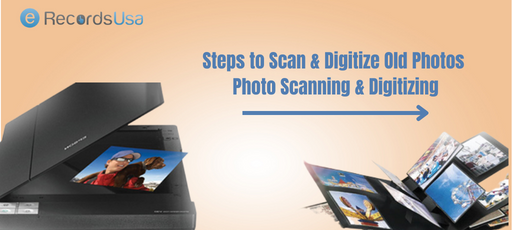
Steps to Scan & Digitize Old Photos – Photo Scanning & Digitizing

Steps to Scan & Digitize Old Photos – Photo Scanning & Digitizing

Last Updated on March 12, 2026

Do you have stacks of fading family photos gathering dust in albums or boxes, at risk of being lost forever to time and elements?

Yes, countless families do.

88% of surveyed parents report feeling closer to their loved ones when viewing printed family photos, underscoring an emotional power in preserving generational stories and heritage. (Source)

Scanning and digitizing old photos transforms these fragile prints, negatives, slides, and transparencies into durable digital assets, safeguarding irreplaceable memories against deterioration – yellowing, fading, and scratches that accelerate above 60% relative-humidity. (Source)

This complete guide covers everything from why photo preservation matters in our digital photography era, where the market hit $75.99 billion in 2030, to step-by-step methods, equipment, restoration techniques, and cost comparisons.

For seamless, professional results, eRecordsUSA offers:

  • Expert steps to scan & digitize old photos,
  • Ensuring high-resolution archival quality tailored for family history enthusiasts.

Physical photos hold irreplaceable memories, but they won’t last forever without action. Understanding their vulnerability leads to exploring which types of images can actually be saved.

Why Digitizing Old Photos Is Important?

Physical family pictures fade 30-50% within 20 years from light and humidity exposure, risking permanent loss of irreplaceable memories like grandparents’ weddings or childhood milestones. Converting prints, negatives, and slides to digital files creates disaster-proof backups and enables instant sharing across generations.

Scan and Digitize Old Photos

What It Means to Digitize Old Photos?

Digitizing old photos means converting physical prints, negatives, or slides into digital files using scanners or apps. This creates backups that resist environmental damage while enabling easy sharing and editing.

Benefits of Converting Photos to Digital Format

The top benefits of converting photos to digital formats are:

  • Disaster-proof backups protect against fire, flood, or theft that destroys physical copies​
  • Instant sharing via email, social media, or cloud links connects generations effortlessly​
  • AI restoration revives faded colors, scratches, and dust automatically​
  • Endless copies without quality loss—print, edit, or enlarge anytime​

This preservation transforms fragile heirlooms into enduring digital legacies accessible forever. With so many photo formats at risk, knowing your options is key before selecting tools.

Types of Photos That Can Be Digitized

Several types of photos can be digitized, including:

  1. Printed Photographs and Photo Albums – Standard prints from albums scan easily on flatbeds, capturing family snapshots and portraits. Multi-photo scanning speeds up album processing.​
  2. Film Negatives – The next are negatives that require specialized scanners or adapters to invert into positives. Editing software adjusts lighting and color post-scan.​
  3. Slides and Transparencies – 35mm slides use dedicated scanners for great detail. Higher volumes benefit from professional handling to avoid dust.​
  4. Large Format or Fragile Photos – Oversized or delicate items need camera setups or pro services to prevent damage during capture.​

Choosing the right gear sets the foundation for success. Now, let’s walk through the precise steps to execute a flawless image digitization process.

Methods and Equipment for Digitizing Old Photos

There are series of equipment and methods to digitize old images, like:

  1. Flatbed Photo Scanners – Epson models like Perfection V200 offer 4800 DPI for detailed scans without computer dependency in some cases. These scanners are ideal for home use with batch capabilities.​
  2. Smartphone Photo Scanning Apps – Apps like Photomyne detect edges and process multiples quickly. On the other side, Google PhotoScan reduces glare via multi-angle capture. The choice of selection completely depends on your scanning requirements.
  3. DSLR or Camera Copy Stand Setup – Professional setups use even lighting and stands for superior quality, fragile items. Common in services for archival results.​
  4. Professional Photo Digitization Services – Services like eRecordsUSA handle bulk photo scanning requirements with high DPI.

Following these steps ensures quality results every time. Fine-tuning your scanner settings takes this process to professional levels.

Step-by-Step Process to Scan & Digitize Old Photos
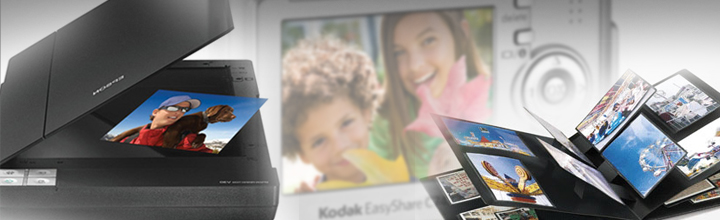
Steps to Scanning Old Photos

Here is the 8-step process to scan and Digitize Old Photos

  • Step 1: Sort and Organize Your Photo Collection – Group by event, date, or person; discard duplicates to streamline. Label boxes for reference.​
  • Step 2: Clean and Prepare Photos Before Scanning – Gently dust with microfiber; avoid liquids on emulsions. Flatten curled edges under weight.​
  • Step 3: Choose the Best Digitization Method – Match to volume: scanners for quality, apps for speed, pros for bulk.​
  • Step 4: Set Scanner Resolution and Color Settings – Aim for 600 DPI at 24-bit color for balance. Use 36-bit for pros.​
  • Step 5: Scan or Photograph Each Photo – Place face-down; preview for alignment. Batch where possible.​
  • Step 6: Crop, Rotate, and Enhance the Image – Use software to trim edges and fix orientation. Basic edits revive clarity.​
  • Step 7: Save the Image in the Correct File Format – TIFF for lossless archiving; JPEG for sharing.​
  • Step 8: Organize and Back Up Your Digital Photos – Tag with metadata; store multiple.​

Optimal settings maximize detail and longevity. But is a scanner always necessary? Compare it directly to smartphone alternatives.

Recommended Scanner Settings for Digitizing Photos

Let’s explore the DPI Settings, resolution, and much more in detail:

  • Best DPI Settings for Photo Scanning – 600 DPI suits most prints for editing flexibility; 1200+ for small or restoration needs. 300 DPI for basic viewing.​
  • Understanding Resolution and Color Depth – DPI measures detail; 24-bit captures 16 million colors standardly, 36-bit for precision pros.​
  • Choosing Between JPEG, TIFF, and PNG Formats – TIFF preserves all data losslessly; JPEG compresses for the web; PNG suits transparency but less for photos.​

Each method has strengths, especially for varying collection sizes. For larger hauls, learn strategies to handle volume efficiently.

How to Digitize Large Photo Collections?

Digitizing a large photo collection is less about individual images and more about designing an efficient workflow. The goal is to balance time, quality, and cost so you can move thousands of prints, negatives, or slides into a reliable digital archive without burning out.

How Long Does It Take to Digitize Old Photos?

The time required to digitize old images depends on your method, resolution, and the amount of cleanup you want per image. A detailed DIY workflow, including cleaning, scanning, and basic edits, can average 3–7.5 minutes per photo, which means a 3,000-photo collection can easily require 300+ hours of hands-on work.

Even with a more streamlined approach, home users often scan only 20–30 photos per session, stretching large projects across weeks or months.​

Digitizing Hundreds or Thousands of Photos Efficiently

Efficiency comes from batching every step instead of treating each photo as a separate project.

  • Sorting and cleaning in large groups,
  • Using auto-cropping or auto-rotation tools, and
  • Scanning multiple prints in one pass significantly reduce time spent per image.

For collections in the hundreds or thousands, plugging high-volume sessions into your weekly schedule or outsourcing a portion of the work to a bulk photo scanning service like eRecordsUSA helps you reach the finish line much faster.

Batch Scanning Techniques

Batch-capable scanners and feeders can transform the pace of your project.

  • Dedicated photo feeders such as Canon’s imageFORMULA RS40 can scan up to 40 prints in a single batch at around 30 photos per minute, dramatically outperforming traditional flatbed scanners and manual smartphone captures.
  • Another effective tactic is to place multiple prints on a flatbed, scan them together at high resolution, and then use software to auto-detect and crop each photo into separate files, which is especially effective for smaller prints.

When Bulk Photo Scanning Services Make Sense?

Once your project crosses a few hundred images, the time cost of doing everything yourself becomes significant, especially when a 1,000–2,000 photo collection can easily demand dozens of hours of sorting, cleaning, scanning, and basic editing.

Bulk photo scanning labs often price larger jobs on a sliding scale, with sample rates in the 0.25–0.50 USD per-photo range for 500–1,000 prints, and even lower pricing as quantities increase, particularly when you ship entire boxes or albums together.

For busy families or anyone with tens of albums to preserve, outsourcing ensures consistent quality, high-speed batch scanning, and delivery on USB or cloud while you focus on organizing and sharing the results.

This is where eRecordsUSA’s bulk photo scanning services become especially valuable, offering professional-grade resolution, careful handling of fragile prints, and flexible delivery options tailored to large family archives and legacy projects.

What to Look for in a Photo Digitization Company?

When choosing a photo digitization company, focus on trust, quality, and how safely they handle your originals. A reliable provider should clearly explain how they protect, scan, and deliver your memories, not just advertise low prices.

Key things to look for include:

  • Proven experience and reputation: Check independent reviews, testimonials, and any media or professional mentions that show a consistent track record of careful handling and good results.
  • High-quality scanning standards: Look for clearly stated resolution options (at least 300–600 DPI or higher), examples of scan quality, and included services like dust removal, rotation, and basic color correction.
  • Safe handling and security: Confirm how your photos are tracked, stored, and transported, whether they stay in-country, and what protocols exist to prevent loss or damage.
  • Transparent pricing and deliverables: The company should list what is included in the price (resolution, file format, organization, basic edits) and how your files are returned (USB, cloud download, or both), without hidden add‑ons for essential features.
  • Responsive customer support: Look for knowledgeable support via phone, email, or chat, with clear communication before, during, and after the project, plus a satisfaction guarantee or re-scan policy.

A partner like eRecordsUSA that combines archival-quality scanning, careful chain-of-custody, and transparent communication will give you far more confidence than a low-cost provider that treats your photos like ordinary documents

Preserve Your Memories Forever

Digital copies of your family photos ensure they endure beyond physical decay, ready for generations to share effortlessly. You’ve mastered the steps to scan & digitize old photos—now protect those irreplaceable moments with erecordsusa.com’s professional photo digitization services for high-resolution, archival-quality results.​

Ready to safeguard your family history? Call us at 1.510.900.880, or write us at [email protected] today for a free quote on bulk photo scanning services —start preserving your legacy today!!!

FAQs About Photo Digitization Services

Q: What should I do with original photos after digitizing them?

  • A: Store prints in acid-free boxes in a cool, dark, dry space, off the floor and away from attics or basements, so physical photos stay protected even after you’ve created a digital archive.

Q: How can I name and organize photo files for easy searching?

  • Use consistent file names with date, event, and key people (for example, 1998-06-15-family-reunion-smith.jpg) and mirror that structure in folders so search and filtering stay fast and intuitive.

Q: Are there privacy risks when storing digitized photos in the cloud?

  • Cloud storage adds redundancy but can raise privacy concerns, so choose services with strong encryption, clear ownership terms, and regular account reviews to avoid lockouts or unwanted data access.

Q: ​Is it legal to share old family photos of children online?

  • Parents usually control minors’ image rights, but oversharing can still raise privacy or legal issues, so always check the privacy policy of the websites or platforms before doing so.​

Q: How can I share digitized photos with family without oversharing?

  • Create curated private albums, share via invite-only links or encrypted drives, and confirm everyone’s comfort level so your family can enjoy memories without sacrificing control or privacy.
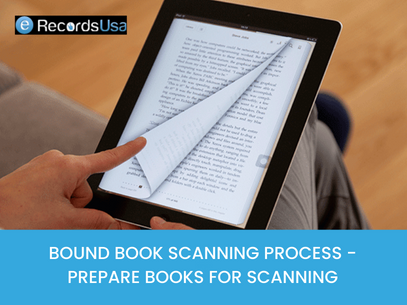
Bound Book Scanning Process – Prepare Books for Scanning

Bound Book Scanning Process – Prepare Books for Scanning

Last Updated on November 4, 2025

Bound Book Scanning Process

Bound books, also known as hardcover books, are an important part of our cultural and historical heritage. They contain valuable information and knowledge that can be used for research, education, and personal enjoyment. However, as time goes by, these books can become fragile and deteriorate. Such condition of books, makes it difficult to access their contents. This is where bound book scanning comes in.

The blog post will emphasize the importance of using professional bound book scanning company for book scanning. Professional book scanning companies have the necessary equipment, expertise, and experience to ensure that the books are handled and scanned properly. Preserving the integrity of the book and making the scanned text accessible to a wider audience, is the top most priority of bound book scanning services provider.

Importance of Bound Book Scanning

Bound book scanning is the process of digitizing the contents of a bound book, making it accessible in a digital format. This process preserves the integrity of the book while allowing for easy access to its contents. With bound book scanning, the information and knowledge contained in the book can be shared and used by a wider audience, including researchers, educators, and students.

Bound book scanning plays an important role in book archiving for future generations. By digitizing the book, it can be protected from further deterioration and made available for future reference. This is especially important for books that are rare or have historical significance.

Overall, bound book scanning is a crucial step in preserving and making accessible the valuable information and knowledge contained in bound books. It ensures that these books can be used and enjoyed by future generations and contributes to the preservation of our cultural and historical heritage.

Explore our specialized rare book scanning services

Process of Preparing Bound Books for Scanning

  • Assessing the condition of the books
  • Cleaning and preservation of the books
  • Choosing the appropriate scanning technique
  • Preparing the books for scanning
  • Scanning the books
  • Quality assurance and post-scanning processing
  • OCR (Optical Character Recognition) to make the scanned text searchable and editable

I. Assessing the Condition of the Books

Identifying any potential issues or damage to the books: This includes checking for any tears, stains, or missing pages in the book. It also includes checking for any mold or mildew that may have affected the book.

Determining the best method of handling and scanning based on the condition of the books: Based on the condition of the book, the book scanning company will determine the best method of handling and scanning the book.

For example, if the book is in poor condition, it may be scanned using a flatbed scanner. While a book in good condition may be scanned using a high-speed document scanner.

II. Cleaning and Preservation of the Books

Cleaning the books to remove dust and debris: Before bound book scanning, the books are thoroughly cleaned to remove any dust, dirt, or debris that may have accumulated on the pages. This helps to ensure that the book scans are as clear and legible as possible.

Preservation methods to protect the books during the scanning process: The bound book scanning company may use various preservation methods to protect the books during the scanning process. This may include using acid-free paper, UV-protective sleeves, or special preservation boxes.

III. Choosing the Appropriate Bound Book Scanning Technique

Overview of different scanning methods available for bound books: The most common methods used for scanning bound books include flatbed scanning, sheet-fed scanning, and drum scanning. Each method has its own advantages and disadvantages. The bound book scanning service provider will determine the best method based on the condition of the book and the desired outcome.

Explanation of the advantages and disadvantages of each method: Flatbed scanning is the most common method and is the most gentle on the bound book. It is also the most accurate and produces high-quality book scans. Sheet-fed scanning is faster than flatbed scanning but can cause more wear and tear on the book. Drum scanning is the most expensive method but produces the highest-quality scans.

IV. Preparing the Books for Scanning

This is the process of getting a book ready to be digitized. This process can include steps such as cleaning the book, removing any dust or debris, ensuring that pages are properly aligned and not stuck together. This includes rebinding the book if it is in poor condition.

Additionally, it may include making sure the book is open to a certain page or set of pages so that the scanner can easily capture the images. This step is important to ensure that the scanned images are of high quality and that the book is not damaged during the digitization process.

V. Scanning the Bound Books

Gathering necessary materials
Selecting the first bound book and opening it to the first page
Carefully scanning each page of the book for relevant information
Recording relevant information in the notebook (including page number and other details)
Repeating the process for all bound books
Reviewing notes and ensuring all necessary information is recorded
Organizing notes in a logical and easy-to-read manner
Saving notes in a safe place (digital file or physical binder) for future reference

VI. Post-Scanning Processing

Quality assurance procedures to ensure accurate and high-quality scans: After the book is scanned, the scanning company will perform quality assurance procedures to ensure that the scans are accurate and of high-quality. This may include checking for any distortion, blurring, or missing pages.

OCR (Optical Character Recognition) technology to make the scanned text searchable and editable: The scanning company may use OCR technology to make the scanned text searchable and editable. This means that the text can be easily searched and selected, making it easier to navigate the book and find specific information.

VII. OCR to Make the Scanned Text Searchable and Editable

It is a technology that converts scanned text images into machine-readable text, making it searchable and editable. The OCR process involves analyzing the scanned text image, recognizing the characters and symbols in the image. After that converting images into a digital format that can be edited, searched and stored on a computer.

This process allows you to use search functions to quickly locate specific words or phrases within the book. Furthermore, since the text is now in digital format, you can make changes and corrections to the document as needed.

OCR technology is useful when you want to convert paper documents to digital, books, or any other text-based material that you would like to make searchable and editable.

Conclusion

The process of preparing bound books for scanning involves several important steps. These steps ensure that the final scanned images are of high quality and easy to read. These steps include selecting the right bookbinding method, properly cleaning the book, and carefully handling the book during the book scanning process.

Properly preparing bound books for scanning can save time and resources in the long run, resulting in a better end results. Additionally, the use of specialized equipment and techniques can also improve the books final scanned images. Overall, careful preparation and attention to detail are crucial for achieving the best results when scanning bound books.

Book Scanning Methods – Kinds of Book Scanning Explained

Book Scanning Methods – Kinds of Book Scanning Explained

Last Updated on February 13, 2026

What drives organizations to adopt book scanning methods like destructive, non-destructive, and professional techniques for converting physical volumes into digital assets?

In an era where the global book scanner market is projected to grow from USD 1.5 billion in 2024 to USD 3.2 billion by 2033 at a CAGR of 8.6%, driven by library digitization and archival needs, these methods address key relational entities such as page curvature correction, OCR accuracy, binding preservation, raster-to-vector conversion, and high-resolution TIFF outputs. (Source)

Destructive scanning prioritizes bulk throughput by removing spines for sheet-fed processing, while non-destructive approaches use V-shaped cradles and overhead systems to safeguard rare books’ structural integrity alongside semantic elements like metadata indexing and searchable PDFs.

For erecordsUSA, book scanning methods integrate these techniques to handle high-volume collections, ensuring compliance with 300–600 DPI standards for text and illustrated works.

This foundational choice between speed and preservation leads directly to understanding the equipment that powers each approach.

What is Book Scanning?

Book scanning converts bound volumes into digital formats through image-based capture or vector recreation. Image-based methods photograph or scan pages as raster images, while vector approaches reconstruct text and graphics mathematically.

Common outputs include:

  • PDF for universal access,
  • TIFF for lossless archiving, and
  • searchable PDFs via OCR integration.

Projects balance preservation of originals against improved access for research or distribution.​

With these core concepts established, the next decision centers on whether to prioritize speed through destructive methods or preservation via non-destructive techniques.

The Primary Decision: Destructive vs Non-Destructive Book Scanning

The core choice in book scanning hinges on destructive versus non-destructive approaches, each suited to specific priorities like speed, volume, and preservation.

A. Destructive Book Scanning

This method involves removing the spine to separate pages into loose sheets for high-speed, sheet-fed scanners. It excels for bulk, non-archival volumes where originals lack long-term value. The tradeoff favors speed over preservation—throughput reaches thousands of pages per hour—making it ideal for mass digitization of common texts.​

B. Non-Destructive Book Scanning

Binding remains intact, using V-shaped cradles that open books to 90°–120° angles. Overhead capture systems photograph pages, with software correcting page curvature and shadows. This suits rare, fragile, or archival books, prioritizing structural preservation over raw speed.

Factor Destructive Non-Destructive
Binding Preserved No Yes
Speed High Moderate
Archival Suitability Low High
Use Case Bulk digitization Rare/fragile collections

Beyond this fundamental tradeoff, various equipment types execute these approaches with distinct capabilities and limitations.

Equipment-Based Book Scanning Methods

Book scanning equipment falls into key categories, each with defined use cases, limitations, and preservation impacts.

A. Flatbed Scanning

Flatbed scanners press books against a glass platen, ideal for small, flexible volumes like paperbacks. Limitations include gutter distortion from spine pressure and manual page turning, which slows throughput. It handles limited spine thickness and risks minor binding stress.​

B. Overhead / Planetary Scanning

Cameras capture from above using cradles that minimize binding strain, common in institutional digitization like OCLC’s WorldCat, which grew by 52 million records in 2024.

Dual-camera systems scan facing pages simultaneously. Ideal for mid-sized collections; limitations involve moderate speed and curvature correction needs, with low preservation impact.​

C. Drum Scanning

Rotating drums produce ultra-high resolution for illustration-heavy volumes like art books. Best for graphic reproduction, but less practical for full-bound books due to disassembly requirements. Limitations: high cost and time; preservation impact is neutral for separated pages.​

D. Handheld Scanning

Portable wands or apps enable field use for low-volume capture, such as on-site ledgers. Limitations: inconsistent resolution and alignment control. Preservation impact stays minimal, though handling risks of fragility.

E. Photographic Capture

DSLR or mirrorless cameras with controlled lighting suit glossy or delicate materials. Ideal for high-fidelity color work; requires post-processing for stitching and correction. Limitations: setup time; low binding stress preserves structure.

F. 3D Book Scanning (Specialized Preservation Use)

Structured light or laser scanners capture page surfaces and book geometry for museum conservation. Ideal for 3D modeling of artifacts; limitations: high complexity and cost, unsuitable for standard text digitization. Preservation impact is highly positive, avoiding any flattening.

Selecting the right equipment ultimately depends on achieving consistent image quality across diverse book conditions.

Image Quality & Resolution Standards in Book Scanning

Standards ensure readability and fidelity. Text-based books use 300 DPI at 200–400 ppi for sharp OCR, while illustrated works demand 400–600 DPI per archival guidelines like FADGI. Color depth ranges from grayscale for mono texts to 24-bit for color plates. TIFF serves as the archival master for its lossless compression, while PDF enables access copies. OCR accuracy drops with curved pages, improving from ~20% to 82% post-correction in tests.

Even with optimal equipment and resolution standards, digitization projects encounter persistent technical challenges that demand strategic solutions.

Common Challenges in Book Digitization

Digitization faces repeatable hurdles, exacerbated in tightly bound volumes:

  • Tight gutter margins obscure inner text, distorting OCR.​
  • Page curvature distorts focus, reducing readability by up to 60% pre-correction.
  • Brittle paper cracks under handling.
  • Fragile bindings limit opening angles.
  • Large folios exceed standard equipment beds.
  • Annotations fade or smudge in capture.
  • Page transparency causes bleed-through from reverse sides.

Navigating these challenges requires matching specific book scanning methods to the unique characteristics of each collection.

Choosing the Right Book Scanning Method Based on Book Type

Choosing the Right Book Scanning Method

Match methods to book characteristics for optimal results.

Book Type Recommended Method
Rare archival book Non-destructive cradle scanning
Mass-market paperback Destructive sheet-fed scanning
Illustrated art book Overhead or drum scanning
Field-bound ledger Overhead or photographic capture

While method selection provides the technical foundation, certain projects exceed the scope of standard approaches and benefit from professional workflows.

When Professional Book Scanning is Recommended?

Professional digitization applies when projects exceed DIY thresholds, especially amid 67% of libraries adopting AI-enhanced scanning in 2025 (Source):​

  • Large volumes demand scalable throughput.
  • Archival preservation requires specialized cradles.
  • Metadata indexing supports searchability.
  • OCR accuracy must hit research-grade levels.
  • Quality control ensures consistency at scale.

Ultimately, these considerations converge on selecting the optimal approach for each specific preservation goal and collection profile.

All-in-all, book scanning methods vary by preservation goal, volume, and technical requirements. The correct approach depends on the

  • Binding Condition,
  • Resolution Needs, and
  • Archival Objectives.

Organizations managing rare, fragile, or high-volume collections often evaluate specialized book digitization workflows to ensure preservation and consistent output quality.

Ready to match the optimal book scanning method to your collection? Call us at 1.510.900.8800, or write us at [email protected] for a free digitization assessment to identify destructive, non-destructive, or professional techniques best suited to your preservation priorities and throughput goals.

  Get a Quote