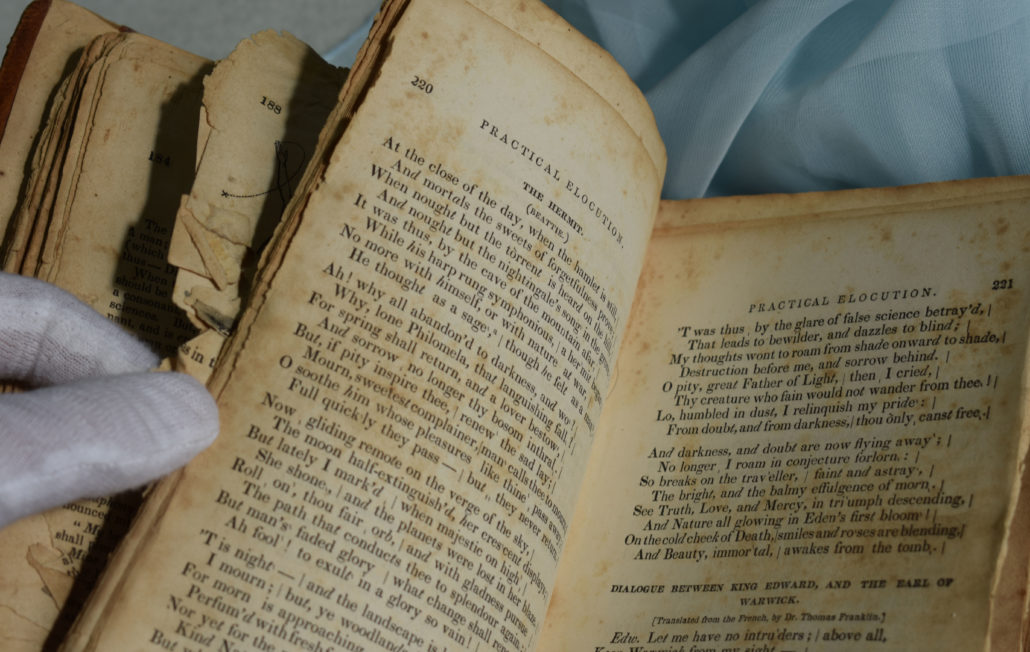
Whether you are an archivist, manage a museum, collector, family genealogist or a large corporation, in need of archiving old paper documents, the prospects are often overwhelming. How will you organize all of these hard copies, and how will you ensure that someone who needs any of the documents can quickly find them? Even more worrisome is just where are you going to store all of the documents? And if you need climate controls, how are you going to handle all of that, too?
The good news is that archiving old paper documents service is easier & economical than ever. There are now premium services offering high resolution and high quality scanning of paper documents of any kind meeting with the NARA guidelines. Whether you have old maps, posters, files, letters, photos or anything else that might belong in an archive, they can be digitized and made easily accessible and manageable.
Professional Archiving of Old Paper Documents
The key, though, is to work with a company that can indeed handle all that you need. It is not a wise choice to spread out the project across several providers. Instead, find a firm that can work with historical items as easily as they can reams of paperwork from an office or medical provider.
You also want to consider the benefits of a company that will come to you and pick up the items. After all, you might have delicate paper documents for archiving or simply such a large amount that shipping would be cost prohibitive. Remember, a professional imaging services provider will expect the whole projects to be carried out in batches.
They should provide you the file formats you need and at the best resolutions. They should also offer you storage services that make it easy for you to search for and find the materials once the archiving of old paper documents is complete. eRecordsUSA is a long-time provider of such services and is eager to help you with your next project.
eRecordsUSA serving SF Bay, San Francisco Bay Area, including San Francisco, Mountain View, Redwood City, Marin, San Jose, San Mateo, Santa Clara, Silicon Valley, Sunnyvale, East Bay: Alameda, Concord, Contra Costa, Fremont, Milpitas, Hayward, Oakland, Pleasanton, Dublin, Livermore, San Ramon, Napa Valley: Fairfield, Petaluma, Santa Rosa, Solano, Sonoma, Vallejo, California.
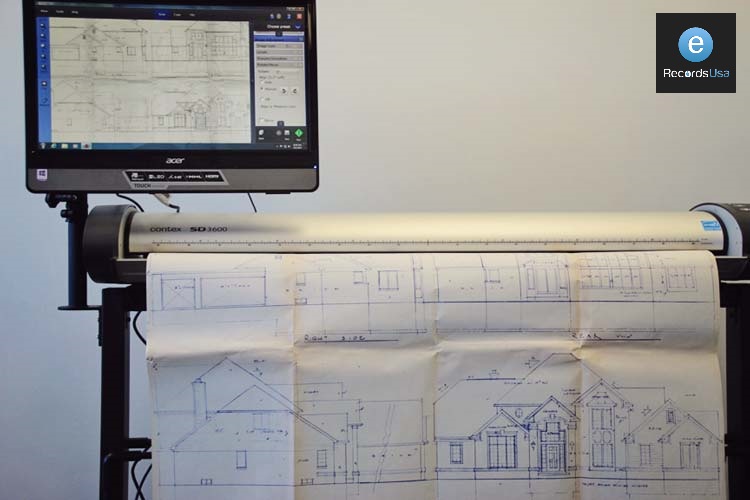
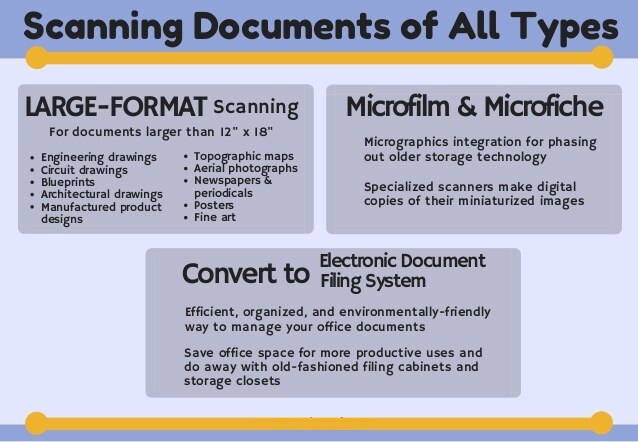
Does your business or organization seem overwhelmed by oversized documents? Land surveyors, engineering companies, architectural services and a long list of other entities often find themselves managing an ever-increasing number of large documents. What if you could eliminate most of that paper, using only the hard copies when absolutely essential? With large format documents archiving service it is easier than ever.
At eRecordsUSA, you can find an enormous list of scanning and digitization services. Not only can you get any hard copies converted into digital copies via their premium scanning services, but you can turn to them for large format documents archiving though their online storage solutions.
Imagine having a professional team come and pick up the many large format documents you have to store and manage, scan them to the highest resolutions and qualities possible, return them, if you wish (or destroy them if you don’t want hard copies back), and then put your entire library of digitized item into an easy to use cloud storage solution. They would work with you to ensure everything is organized as you need it to be and in the appropriate file types. They then walk you through the use of the materials – whether your base is yourself and your team or a much broader public or company group.
Doing this means you can be as paperless as possible and yet still easily and readily access any number of large format documents. Do you need them to be searchable and readable (such as documents with OCR used during scanning)? That is possible. If you need graphics to be razor sharp, too, the large format documents archiving service from eRecordsUSA delivers such results.
Large Format Documents Archiving
If you are ready to escape a sea of over-sized documents or simply free up office space by digitizing your entire array of documents, this is a very savvy answer to the issue.
eRecordsUSA serving SF Bay, San Francisco Bay Area, including San Francisco, Mountain View, Redwood City, Marin, San Jose, San Mateo, Santa Clara, Silicon Valley, Sunnyvale, East Bay: Alameda, Concord, Contra Costa, Fremont, Milpitas, Hayward, Oakland, Pleasanton, Dublin, Livermore, San Ramon, Napa Valley: Fairfield, Petaluma, Santa Rosa, Solano, Sonoma, Vallejo, California.
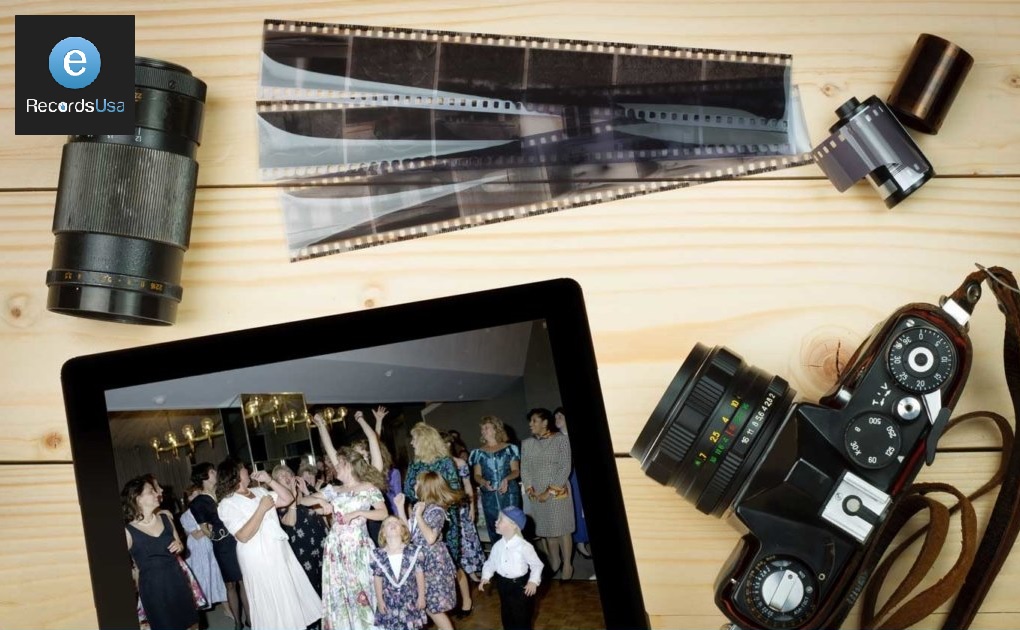
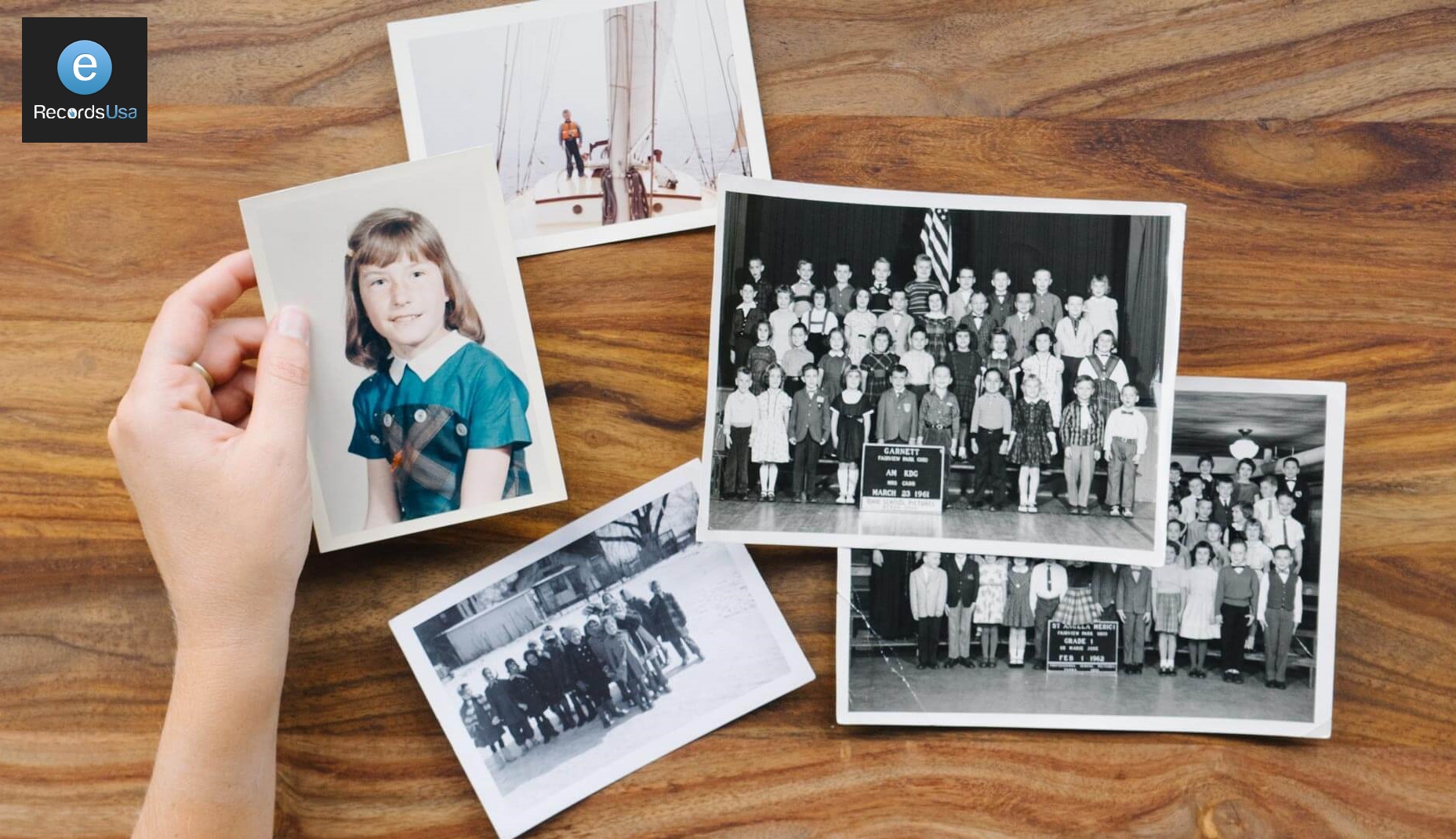
The Value of Legacy Photos Scanning Services, Ask any firefighter what people get the most upset about losing in a home fire and chances are it is family photos that top the list of material possessions. Today, we have digital cameras that send images to the cloud or some other sort of online storage, and so that worry is being eliminated. However, the older photos, for which there are no negatives and no backups can be easily lost to fire, flood or other disasters. It is why legacy photos scanning services are so important.
Using them means making high-resolution copies that are no longer at risk of loss or damage. At eRecordsUSA, you can take those precious antique family photos or those historic images and use their legacy photos scanning services to ensure they are preserved for generations to come.
Of course, there is more to the value of photo scanning of this kind. After all, by scanning them and saving them to media such as CDs or DVDs, or uploading to your favorite online storage site, you make them incredibly easy to share or even to print. Because you can also opt to store those same high-grade files to the cloud, it makes it easier for them to be shared among family members, friends or colleagues working in the same field.
The images are also fully protected because they exist in high-resolution files on a server in a guarded facility (and with redundant backups). Never again will the idea of damage to an office or home also mean the loss of irreplaceable photos.
Whether you are someone working with antique images or negatives, or the genealogist of the family, the use of legacy photos scanning services makes good sense. Easy and convenient, they help you organize your entire collection and even access them from anywhere.
Would you like to receive a free quote for Legacy Photos Scanning Services? Call 510.900.8800 or Contact here.
Our premium scanning is carried out on various professional scanner with highly trained technicians at the highest possible scan quality. That will accommodate all sorts of memorabilia like newspaper clippings, school records, children’s artwork, and much more. High-quality scanning is a great alternative to natural deterioration or some natural calamity; put it all onto a gold archival DVD, or flash drive, or on the cloud and save on space while keeping those valuable memories intact!
eRecordsUSA loves to digitize and archive old photos, family pictures, and memorabilia and handles the archives of the original as if they were our own—and we certainly understand how important they are to you.
Types of scanning services that we provide:
Artwork Scanning
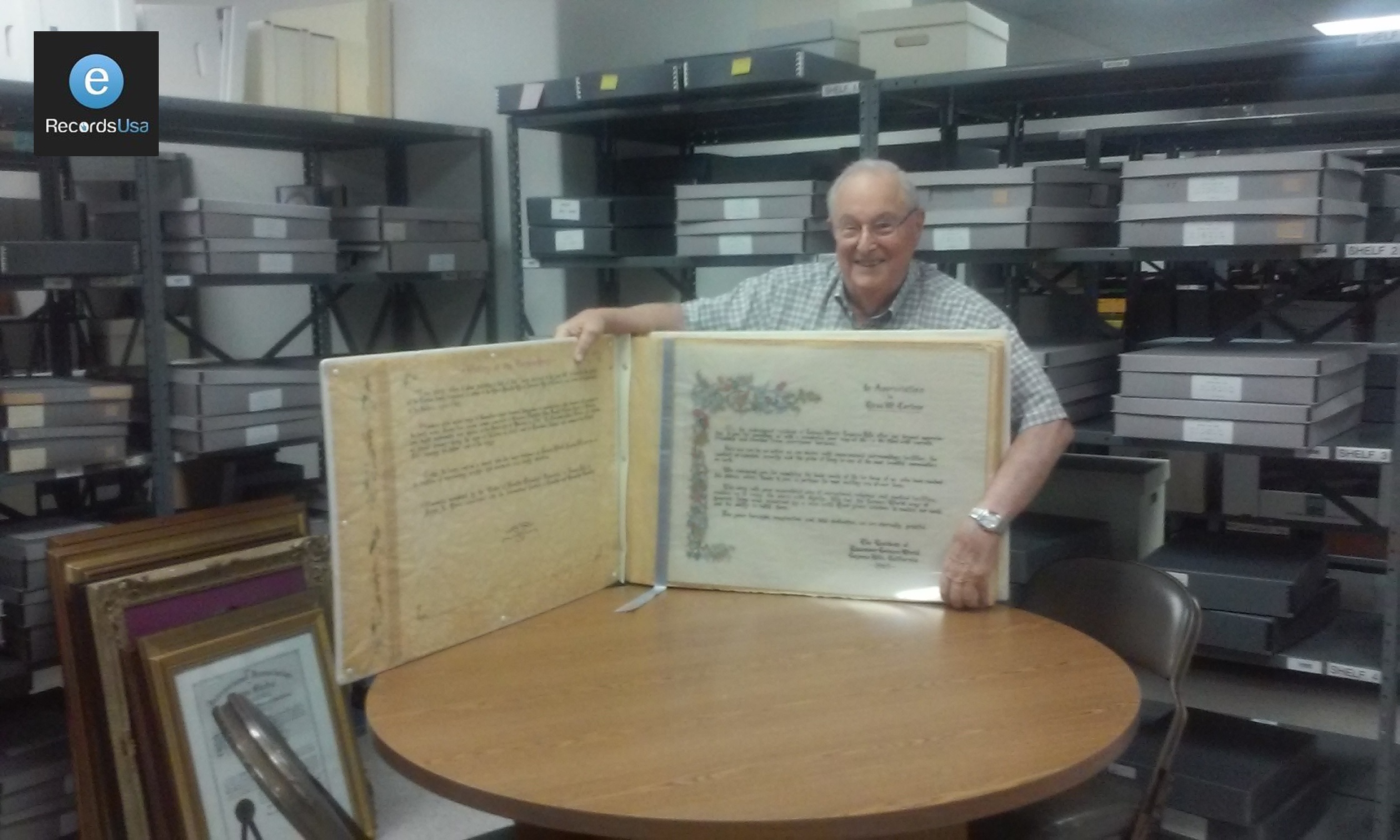
Oversized Items
Completed Scrapbook Pages
Maps
News Articles
Historical large oval photos
Feel free to reach out to us here, with any questions and let us know, how we can help you with your Legacy Photos Scanning services, or call us at 510.900.8800, Monday through Friday, between 8.00 am to 5.00 pm. We can help you in archival large volume scanning services for personal collections, business archives, family office, famous personalities, organizations, and high net worth individuals.
Historical document digitization is the process of converting fragile or aging physical records into high-resolution digital files that can be searched, organized, preserved, and accessed without repeatedly handling the originals. Unlike basic scanning, digitization includes safe document preparation, archival-quality capture, OCR, metadata tagging, quality control, access copies, and long-term digital preservation planning.
Historical records such as letters, ledgers, photographs, maps, newspapers, government files, and bound volumes can lose information through fading ink, brittle paper, mold, water damage, or repeated handling. Once detail is lost from the original, digitization cannot fully recreate it.
A proper digitization project starts before the scanner is chosen. It includes collection assessment, safe handling, resolution and file-format decisions, OCR, metadata, quality control, access copies, archival masters, and a long-term storage plan.
This guide explains how historical document digitization works, what standards and formats matter, when DIY scanning is enough, and when fragile or high-value collections need a professional archival workflow.
Why Preservation Planning Matters?
Record loss can affect families, researchers, and institutions for generations. In one genealogy discussion, a user explained that their grandfather’s World War II service records were lost in the 1973 National Personnel Records Center fire. With the official file gone, they had to use a final pay voucher and hometown newspaper letters to piece together service details.
The National Archives reports that the 1973 NPRC fire destroyed about 16–18 million Official Military Personnel Files. Once original records are destroyed or incomplete, later recovery often depends on scattered secondary sources.
July 12, 2023, marks 50 years since the disastrous 1973 fire at the Military Personnel Records Center in St. Louis that destroyed millions of military personnel records. To commemorate the occasion, we are featuring a three-part series on its aftermath.https://t.co/mhwq48xot8
— U.S. National Archives (@USNatArchives) July 5, 2023
What Is Historical Document Digitization?
Historical document digitization is the process of converting physical records—such as letters, manuscripts, ledgers, newspapers, photographs, maps, books, microfilm, and government files—into structured digital files that can be searched, organized, accessed, and preserved without repeatedly handling the original materials.
It is important to separate three related terms:
Scanning is the act of capturing a digital image of a physical document.
Digitization is the full workflow that turns the physical record into a usable digital file. This may include scanning, image review, file naming, OCR, metadata tagging, indexing, and delivery in preservation-ready formats.
Digital preservation is the long-term management of those digital files so they remain accessible and usable over time. It includes backup planning, storage management, format monitoring, file integrity checks, and future migration when technology changes.
In simple terms, digitization creates a digital surrogate of the original record. Digital preservation keeps that surrogate usable for future researchers, institutions, families, and communities.
This distinction matters because historical records are often fragile, unique, and context-dependent. A scanned image may capture what a page looks like, but a complete digitization workflow helps preserve the record’s content, order, metadata, searchability, and long-term access value. Anderson Archival also frames digitization as one part of a broader preservation plan, while the Digital Preservation Coalition definition cited there describes digital preservation as managed activities that ensure continued access over time.
Digitization does not replace the original. It protects access to the original’s information while reducing physical handling. Once a faithful digital copy exists, the physical record can be stored in a safer, climate-controlled environment and accessed only when necessary. For libraries, museums, historical societies, government agencies, universities, churches, estates, and family collections, that means fewer handling risks, better discoverability, and stronger continuity for future use.
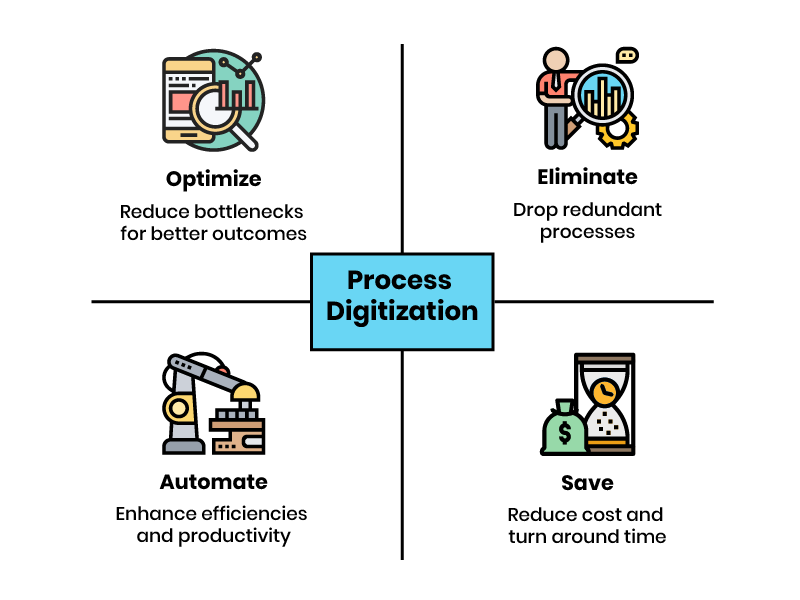
Converting physical records into organized digital files with OCR, indexing, metadata, and quality checks.
Make records usable, searchable, and easier to manage.
Creating searchable PDFs from a box of historical records.
Digital Preservation
Managing digital files over time so they remain accessible, authentic, and usable.
Protect long-term access and file integrity.
Storing archival files with backups, checksums, metadata, and format monitoring.
What Historical Records and Archive Materials Can Be Digitized?
Most historical documents can be digitized, but the safest method depends on the material’s format, size, condition, binding, and level of detail. A loose letter, bound ledger, fragile photograph, oversized map, and microfilm reel all require different handling, scanning equipment, image settings, and quality checks.
Common historical materials suitable for digitization include:
Paper records: manuscripts, letters, diaries, journals, certificates, deeds, court files, government records, and family archives.
Before scanning begins, collections should be grouped by format, fragility, size, and access priority. This helps determine whether the project needs a flatbed scanner, overhead scanner, book cradle, large-format scanner, or dedicated film scanner.
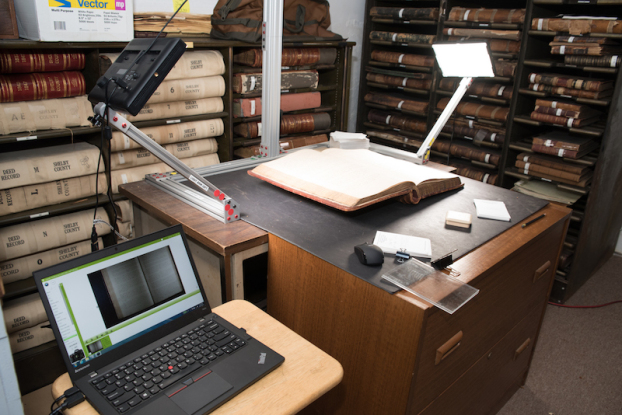
Fragile materials need special care. Bound volumes with weak spines, brittle paper, folded pages, damaged photographs, scrolls, and restricted bindings may require preservation review before digitization. The Library of Congress notes that form-feed equipment is not appropriate for fragile, high-value, archival, manuscript, newsprint, photograph, and similar special collection materials because it can increase the risk of damage.
In most cases, the question is not whether a historical document can be digitized. It is how to digitize it safely while preserving the original’s detail, order, and long-term research value.
Reader Concern: Will Scanning Damage Very Old Documents?
A Reddit discussion in r/Archivists raised a common question: can documents from the late 1700s to mid-1800s be scanned without damaging the paper or ink? The replies emphasize scanning once at good quality, avoiding auto-feeders, and reducing repeated handling of the originals.
How Are Historical Documents Digitized Without Damage?
Digitizing historical documents is not just about scanning pages. The goal is to create clear, searchable, well-organized digital copies while protecting the original materials from unnecessary handling.
A good historical digitization project usually follows five simple stages:
1. Review the collection first
Before scanning begins, the collection should be checked for document type, size, condition, binding, fragility, and intended use. This helps decide which items can be scanned safely, which need special handling, and which should be reviewed by a preservation specialist first.
2. Prepare fragile materials carefully
Old documents may have brittle paper, weak bindings, folded pages, fading ink, torn edges, mold damage, or attached seals and photographs. These items should not be forced flat, pushed through automatic feeders, or handled like modern office paper.
3. Capture the document using the right method
The scanning method should match the original item. Loose records, bound books, photographs, oversized maps, and microfilm may all require different equipment. Fragile or high-value materials often need non-contact scanning, book cradles, or overhead capture to reduce pressure on the original.
4. Create usable digital files
After scanning, the files should be reviewed for clarity, page order, missing pages, cropping, orientation, and readability. For most archive projects, the final output may include preservation files, searchable PDFs, access copies, and basic metadata so the collection can be found and used later.
5. Store and preserve the digital archive
Digitization does not end when the file is created. Digital records need organized file names, secure storage, backups, and a plan for long-term access. NARA’s current digitization resources also emphasize project planning, digitization guidance, and requirements for managing digitized federal records over time.
A good historical digitization workflow should answer a few practical questions before work begins: Are the materials safe to handle? What capture method protects the original? What file quality is needed for long-term use? How will the records be named, checked, searched, stored, and accessed later? These decisions keep the project focused on preservation, usability, and long-term access instead of scanning alone. In simple terms, the process should answer three questions: Is the original safe? Is the digital copy accurate? Can people find and use the file later?
Reader Concern: What Equipment Do Archives Need?
A Reddit user from a 125-year-old faith institution asked what equipment to buy for digitizing two rooms of archive materials, including documents, photos, artifacts, and fragile records. The discussion quickly moved beyond cameras and scanners to metadata, cataloging, storage, lighting, copy stands, and long-term access planning.
The takeaway is simple: the right equipment matters, but historical digitization works best when equipment decisions are tied to safe handling, file organization, and future usability.
DIY vs Professional Historical Document Digitization
Some historical documents can be scanned in-house, but fragile, oversized, bound, or high-value collections usually need a professional digitization workflow. The decision depends on the condition of the materials, the required image quality, the need for searchable files, and the long-term purpose of the archive.
Factor
DIY Digitization
Professional Digitization
Best for
Small personal collections, stable loose papers, and low-risk family records.
Fragile archives, rare books, bound ledgers, oversized maps, photos, microfilm, and institutional records.
Material condition
Works when documents are flat, clean, stable, and easy to handle.
Better when items are brittle, torn, faded, folded, bound, oversized, or historically valuable.
Risk to originals
Higher risk if using flatbeds, feeders, pressure, poor lighting, or repeated handling.
Lower risk when using non-contact capture, book cradles, preservation handling, and trained review.
Searchability
Basic scanning may create image-only PDFs unless OCR is added separately.
OCR, indexing, file naming, and metadata can be built into the workflow.
Quality control
Usually limited to visual checking by the person scanning.
Includes review for missing pages, order, orientation, clarity, cropping, and file consistency.
Long-term use
Suitable for simple access or personal backup.
Better for research access, public archives, grant projects, legal records, and preservation planning.
When to choose it
Choose DIY if the collection is small, stable, replaceable, and not technically demanding.
Choose professional digitization if the collection is fragile, valuable, complex, large, or needs reliable preservation output.
In simple terms, DIY works when the material is safe to handle and the goal is basic access. Professional digitization makes more sense when the original cannot be replaced, the collection includes mixed formats, or the final files need to support search, preservation, compliance, or long-term institutional use.
Real-World Example: When Volume and Fragility Overlap
A Reddit user recently described a common archive challenge: more than 100,000 historical records, some up to 250 years old, needed to be digitized, preserved, and made available. Their main concern was how to scan the records quickly without damaging them, especially because some were the only copies in existence.
This is exactly where the DIY vs professional decision becomes practical. The risk is not just whether the scanner can capture the page. It is whether the project can protect fragile originals, keep files organized, and produce usable records at scale.
Common Mistakes in Historical Document Digitization
Digitizing historical documents is not difficult because of the scan itself. The real risk comes from poor handling, weak file quality, missing organization, and no plan for long-term access.
Here are the mistakes that cause the most problems.
1. Treating fragile records like regular office paper
Old newspapers, manuscripts, photographs, letters, and bound volumes should not be handled like modern paperwork. Sheet-fed or form-feed scanners can bend, pull, tear, or damage fragile materials.
The Library of Congress says form-feed equipment is not acceptable for fragile, high-value, archival, manuscript, newsprint, photograph, and similar special collection materials. It also recommends careful support for brittle paper, weak bindings, restricted book openings, foldouts, photographs, and oversized items.
2. Scanning without checking the condition first
Some records need review before scanning. This includes brittle paper, weak book spines, torn pages, folded documents, curled photographs, attached seals, flaking ink, mold damage, and oversized materials.
A quick condition check helps decide whether the document can be scanned safely or needs special handling first.
3. Saving files only for quick viewing
Low-quality PDFs or JPEGs may be fine for sharing, but they should not be the only copy of a historical archive.
Important collections usually need two types of files: a high-quality preservation copy for long-term storage and a smaller access copy for everyday use.
4. Skipping file names and metadata
A digital archive is only useful if people can find what they need.
Without clear file names, dates, titles, subjects, folder labels, or collection notes, thousands of scanned pages can become hard to search and manage. NARA’s digitization work focuses on making records available through the National Archives Catalog, showing how access and organization are central parts of large-scale archival digitization.
5. Trusting OCR without checking the results
OCR can make scanned documents searchable, but it is not perfect. Handwriting, old typefaces, faded ink, stains, and damaged pages can lead to missed words or incorrect text.
For important collections, OCR should be reviewed enough to confirm that names, dates, places, and key terms can be found.
6. Forgetting that digital files also need preservation
Digitization is not finished once the files are created. Digital archives still need organized folders, backups, stable file formats, and a plan for future access.
NARA’s digitization resources include technical guidance, archival digitization practices, and public access planning, which reinforces that digital records need management after scanning.
In simple terms, a good digitization project should do three things: protect the original, create usable files, and keep the archive easy to find later.
Reader Concern: Can a Basic Scanner Handle Old Family Records?
A Reddit user asked how to digitize a weathered 150–200 page family-history document without damaging the original. The discussion shows why office-level scanners, automatic feeders, and casual scanning methods may not be enough for brittle or historically meaningful records.
The takeaway is simple: historic records need a scanning method that matches the paper condition, handling risk, and long-term purpose of the archive.
When Does a Historical Archive Need Professional Digitization?
A historical archive needs professional digitization when the materials are fragile, rare, oversized, bound, handwritten, faded, or intended for long-term research access. In these cases, the goal is not only to scan the item. The goal is to protect the original, preserve document order, create searchable files, and prepare the collection for future use.
Professional archival digitization is most useful when a collection includes:
Fragile newspapers, manuscripts, photographs, or handwritten records
Bound ledgers, rare books, journals, or institutional volumes
Large format documents such as Oversized maps, blueprints, engineering drawings, or architectural plans
Microfilm, microfiche, negatives, or mixed-format archive boxes
Public records, museum collections, library archives, or grant-funded preservation projects
The Golden Gate Bridge archive project is a useful example. The collection included engineer field books, handwritten construction logs, manager reports, blueprints, sketches, bound volumes, fold-outs, and over 100 years of documentation. The work required non-destructive scanning, metadata structure, OCR-compatible files, chain-of-custody controls, and outputs such as PDF, PDF/A, TIFF, and metadata-indexed files.
The California State Library project also shows why this type of workflow matters. eRecordsUSA digitized more than 64,000 pages of rare government records and cultural heritage materials, using non-destructive workflows, FADGI 3-star standards, XML metadata, and .md5 checksums for file integrity.
In simple terms, professional digitization makes sense when the collection cannot be replaced, cannot be handled casually, or needs to become a searchable and preservation-ready digital archive. The value is not the scan alone. It is the combination of safe handling, organized structure, quality review, metadata, and long-term usability.
Historical Document Digitization FAQs
How much does historical document digitization cost?
Historical document digitization cost depends on volume, condition, size, format, handling needs, OCR, metadata, and delivery requirements. Fragile, oversized, bound, or mixed-format archives usually cost more than stable loose paper.
How long does it take to digitize historical documents?
The timeline depends on page count, material condition, preparation needs, scanning method, OCR, quality review, and metadata requirements. Small collections may take less time, while fragile or institutional archives often need phased processing.
What happens to the original documents after digitization?
Digitization does not replace the original. Historical, legal, cultural, or rare documents should usually be preserved after scanning because the physical record may still hold evidentiary, material, or research value. NARA also notes that digitizing for access does not mean originals are destroyed.
Can old handwritten documents be made searchable?
Handwritten documents can sometimes be indexed or transcribed, but OCR works better on typed or printed text. For older handwriting, faded ink, and damaged pages, searchability may require manual review, metadata, or transcription support.
What file formats should I request for a historical archive?
For preservation-focused projects, request a high-quality master file and an access copy. TIFF is commonly used for archival image masters, while PDF/A or searchable PDF is often used for access, review, and sharing.
How do I know if my documents are too fragile for regular scanning?
Documents may be too fragile for regular scanning if they are brittle, torn, mold-affected, water-damaged, tightly bound, curled, flaking, oversized, or historically valuable. The Library of Congress warns that form-feed equipment is not suitable for fragile or high-value archival materials.
Should historical documents be scanned in color or black and white?
Historical documents should usually be scanned in color when ink tone, stains, annotations, seals, photographs, maps, or paper condition matter. Black-and-white scanning may lose visual details that help researchers interpret the original.
Can digitized historical records be added to a website or public archive?
Yes. Digitized records can be prepared for websites, research portals, catalogs, or public archives when files include clear names, access copies, OCR, metadata, and rights information.
How should digitized historical records be protected long term?
Digitized historical records should be stored in stable formats, backed up, checked for file integrity, and reviewed over time. NARA’s digital preservation program emphasizes metadata, fixity checks, public-use copies, audits, and ongoing usability.
When should a collection be handled by a professional digitization service?
Use professional digitization when records are fragile, rare, oversized, bound, handwritten, faded, high-volume, legally important, or intended for research access. These projects need controlled handling, quality checks, OCR, metadata, and preservation-ready delivery.
If you’re in the market for book scanning service, you probably have the same fear as everyone else who is looking for a company for the first time.
You’re worried that the company doing the book scanning will damage your book.
To be fair, some people don’t care. It’s common practice to remove the spine of the book so the pages are easier to access and, thus, scan.
That being said, if you have a rare book or simply don’t want this to happen to your text, you need to know how to avoid destructive book scanning company.
Be Clear About Your Needs
The first thing you have to do is make sure that any company you’re considering understands that you do not want any form of destructive book scanning practices. These companies should be asking you about this anyway, but it’s better to be safe than sorry.
Start with an Inconsequential Job
Although it means increasing your investment a bit, we recommend you begin your relationship with a new company by giving them an inconsequential job. Provide them with a text you don’t care about and ask for a small amount of pages to be scanned.
This will show you what kind of work you can expect from them. If the book comes back damaged, you know that this company isn’t worth your money and you didn’t have to suffer a major loss.
Pay for Quality
Speaking of money, understand that you’re going to get what you pay for. When it comes to book scanning, it’s worth looking into what a little extra can do.
For example, some companies will actually pick up your text so you don’t have to risk any damage that could occur if you tried sending it in yourself.
As you can see, avoiding destructive book scanning doesn’t need to be a Herculean effort. Just follow these three steps and you should be fine.